Upcoming Canvas Changes
2025-05-17
- Breaking Change: Gradebook Icon Update for LTI Assignment and Grade Service
For more information, please see Upcoming Canvas Changes.
In this Canvas release (15 March), the Copy Course and Import Content pages are updated to the latest version of InstUI, Instructure’s internal design language. Instructors can set default discussion view preferences, including thread expansion and sorting options, with the ability to lock these settings.
This update also enhances structural clarity by refining semantic markup for improved content hierarchy and relationships. Additionally, error feedback in forms and interactive elements has been improved with clearer messages, consistent error states, and enhanced focus indicators for accessibility.
Further updates include Lucid’s inherited developer key, which includes the Context.id.history variable to support course copies and duplicate assignments. When the New Login/Registration UI for Identity feature option is enabled at the root account level, the redesigned interface improves accessibility and supports future identity updates. This release also includes updates to Enhanced Rubrics and Enhanced Assignment Change Logs.
All Resources | Features in this release may be included in product blogs and other content areas.
- Institutions are responsible for conducting thorough evaluations of their custom CSS/JS with each release and deploy to assess potential impacts.
- Subscribe to the Canvas release notes to be notified of updates.
New Features
Back to Table of Contents
Copy Content
Copy Course Page Enhancements
Instructor
Beta Environment Availability | 2025-01-20 |
|---|
Production Environment Availability | 2025-03-15 |
Location to Enable Feature | None |
Name of LTI Tool | None |
Permissions | Manage Course Content-Add |
Related APIs | None |
Affects User Interface | Yes |
Affected Areas | Settings, Course Copy |
Related Ideas | None |
Previous Feature Mention | Canvas Release Notes (2025-02-15) |
Summary
The Copy Course page has been updated to the latest version of InstUI, Instructure's internal design language. When a term is selected, the dates default to the term's dates. Instructors must contact their admin to update the term dates. If an instructor's time zone differs from the course timezone, both the local and course timezones are displayed.
Change Benefit
This update enhances user experience by providing a modern, consistent interface through the latest version of InstUI. Displaying local and course timezones improves scheduling accuracy for users working across different timezones.
Feature Workflow

Copy Course Term Field and Start Date Field Text
When a term is selected [1], the dates default to the term's dates. Instructors must contact their admin to update the term dates [2].

Copy Course Local and Course Timezone
When the Adjust events and due dates option is selected, both the local and course dates and times are displayed.
Feature Video
Discussions
Default View Settings
Instructor Student
Beta Environment Availability | 2025-02-17 |
|---|
Production Environment Availability | 2025-03-15 |
Location to Enable Feature | None |
Name of LTI Tool | None |
Permissions | Discussions-create Discussions-moderate |
Related APIs | None |
Affects User Interface | Yes |
Affected Areas | Discussions, Announcements |
Related Ideas | [Discussions] Instructor control over discussion view settings |
Summary
When creating or editing a discussion, instructors can configure the default view settings, including thread collapse/expansion and sorting options for students, with the ability to lock these preferences if needed. Additionally, the Sorting section of Discussions and Announcements is redesigned.
Change Benefit
This feature allows instructors to structure discussions in a way that aligns with their teaching approach, guiding student engagement and interaction.
Feature Workflow

Discussion Edit Page with Default View Options
Instructors can configure the default discussion view by setting the default thread state [1] and optionally locking it for students [2]. They can also define the default sort order [3] and choose to lock it [4] if needed.

Sorting section of Discussions
The Sorting section in Discussions and Announcements is redesigned.
Feature Video
Import Content
Import Content Page Enhancements
Instructor
Beta Environment Availability | 2025-01-20 |
|---|
Production Environment Availability | 2025-03-15 |
Location to Enable Feature | None |
Name of LTI Tool | None |
Permissions | Name of Permission relevant to feature area |
Related APIs | Name of API(s) w/ link(s), if the feature can be managed via API |
Affects User Interface | Yes |
Affected Areas | Course Settings |
Related Ideas | None |
Previous Feature Mention | Canvas Release Notes (2025-02-15) |
Summary
The Import Content page is updated to the latest version of InstUI, Instructure's internal design language. The import button text is updated to Add Import to Queue and when an instructor's timezone differs from the course timezone, both the local and course timezones are displayed.
Change Benefit
This update enhances the user experience by updating the Import Content page to the latest InstUI version, providing a modern and consistent design. It also clarifies the import process with updated button text, improving workflow efficiency.
Feature Workflow

Updated Import Content Button
On the Import Content page, the user interface and the import button text are updated to Add Import to Queue.

Import Content Page Local and Course Timezone
When the Adjust events and due dates option is selected, the local and course dates and times are displayed.
Feature Video
Feature Options
Back to Table of Contents
Feature options allow institutions to enable newly developed Canvas functionality according to their preferred time frame. Unless otherwise noted, all feature options are opt-in and do not require any action by a Canvas admin until a feature's enforcement date is announced. For a complete list of feature options, please see Canvas LMS Feature Options.
A feature preview label indicates a feature option in active development, which is being built directly through user feedback. Feature previews deploy updates outside the regular Canvas release schedule and are posted in the Related Releases section in Canvas Releases & Deploys.
Please reference the table below each feature heading for specific feature information. For general information about feature options, please see the Canvas Release Notes FAQ.
Login
Login and Registration Enhancements
All Users
Feature Option Name to Enable | New Login/Registration UI for Identity |
|---|
Enable Feature Option Location & Default Status | Account (Disabled) |
Beta Environment Availability | 2025-01-20 |
Production Environment Availability | 2025-03-15 |
Subaccount Configuration | No |
Permissions | Account-level settings-manage |
Affects User Interface | Yes |
Affected Areas | Login Page |
Mobile App Support | Not available |
Free-for-Teacher Availability | Available on 2025-03-17 |
Feature Option State | Production-ready |
Related Ideas | None |
Previous Feature Mention | Canvas Release Notes (2025-02-15) |
Summary
When the New Login/Registration UI for Identity feature option is enabled at the Root Account level, the Login and Registration user interface is redesigned for accessibility and enables future identity enhancements.
Note: User interface will vary with Theme Editor branding.
Change Benefit
This update ensures a consistent and seamless login experience by reworking the Login/Registration user interface to accommodate identity changes.
Feature Workflow

Canvas Login Page
The Login and Registration page interface is redesigned.
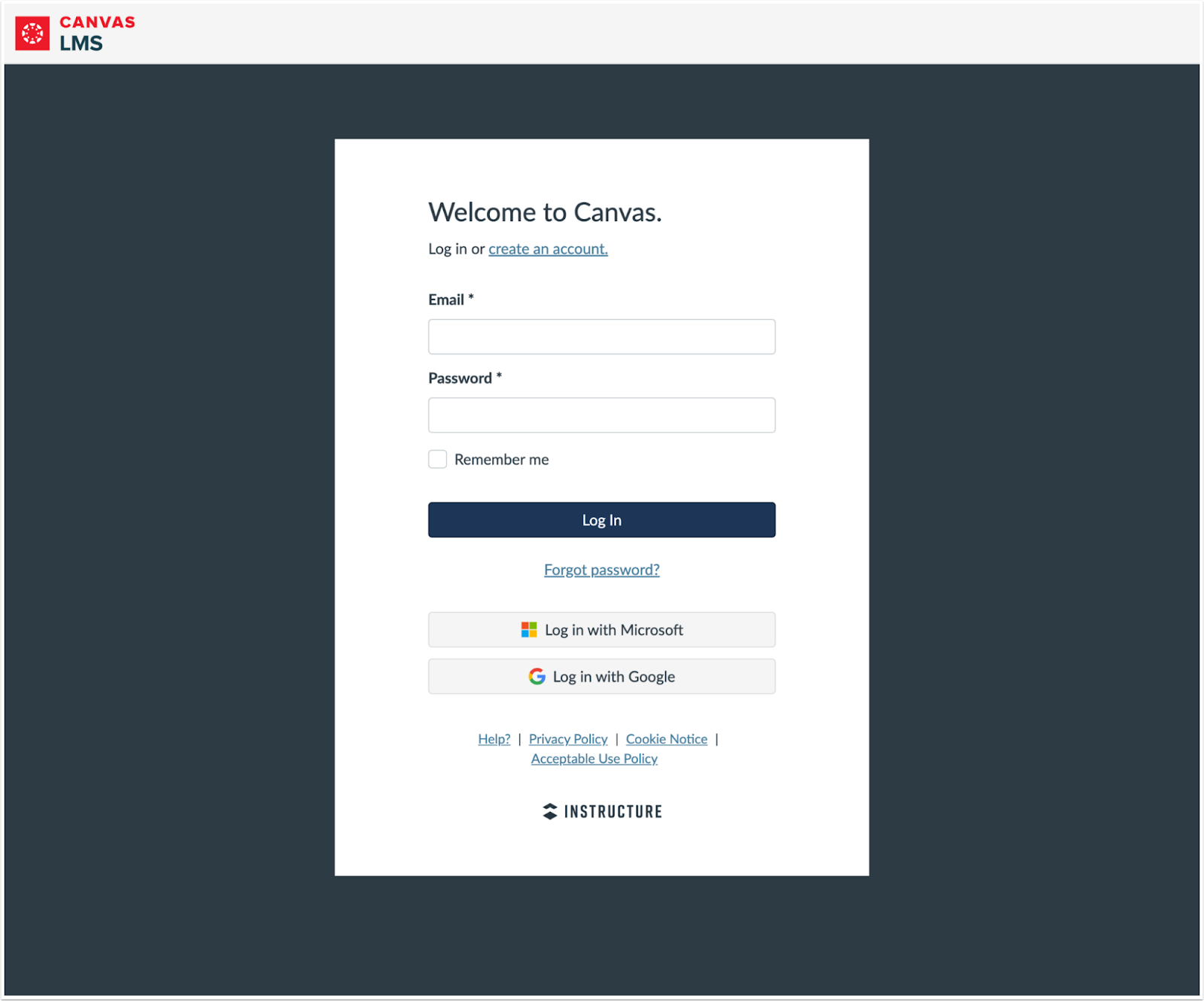
Login Page with Google and Microsoft Authentication Options
The placement of the Login with Google and Login with Microsoft buttons is updated for users utilizing Google and Microsoft OAuth Authentication methods.

Parent Registration Page
The Parent Registration form page interface is also updated.
Additional Details
The updated Login User Interface and URLs do not support running custom javascript/css overrides for security reasons.
Feature Video
Other Updates
Back to Table of Contents
Accessibility Updates
All Users
Over the coming months, a series of updates will be introduced to enhance Canvas's accessibility, intuitiveness, and equity, with a focus on improving usability for assistive technology users. These updates will include changes in the following areas:
Enhanced Structural Clarity
Refined semantic markup in the user interface to improve communication of content relationships and hierarchy.
Improved Error Feedback
In the user interface, improved error messages in forms and interactive elements provide clearer and more accessible feedback. Error messages were added to required fields that previously lacked them, while existing error states were updated to follow a consistent pattern. Focused states for missing or incorrect fields ensure a uniform experience for all users, whether using a mouse, keyboard, or screen reader.
Developer Keys
Lucid Developer Key Update and Course Copy Support
Admin
Beta Environment Availability | 2025-02-17 |
|---|
Production Environment Availability | 2025-03-15 |
Location to Enable Feature | None |
Name of LTI Tool | Lucid- Contact Customer Success Manager (CSM) |
Permissions | Inherent to user role |
Related APIs | None |
Affects User Interface | No |
Affected Area | Developer Keys |
Related Ideas | None |
Summary
Lucid’s inherited developer key includes the Context.id.history variable to support course copy and duplicate assignments. However, duplication of Lucid usage within the Rich Content Editor is not supported.
Note: As part of this update, Lucid developer keys with customizations are reset to match Instructure’s default settings. Instructure will run a script before and after the update to restore customizations as accurately as possible, but the admin should verify that their settings are correct. There may be a short window (up to 4 hours) where the default key is visible in instances before customizations are restored.
Change Benefit
This update enables Lucid to support course copy and duplicate assignments, improving consistency and ease of use when reusing content. By including the Context.id.history variable, Lucid can better track and manage copied courses and assignments.
Feature Video
Feature Preview Change Log Updates
Back to Table of Contents
A Feature Preview indicates a feature option in active development. Users who opt in to the feature and join the Community user group can help improve the feature through direct feedback.
The following Feature Previews have updates related to this release available in the User Group change log. When this feature option is available for general use, the feature option will be announced in the Canvas Release Notes.
Enhanced Rubrics
Student Self Assessments
Instructor Student
For more details related to this release, see the Enhanced Rubrics: Release Change Log.
Assignment Enhancements
Student Self Assessments
Instructor Student
For more details related to this release, see the Assignment Enhancements: Release Change Log.