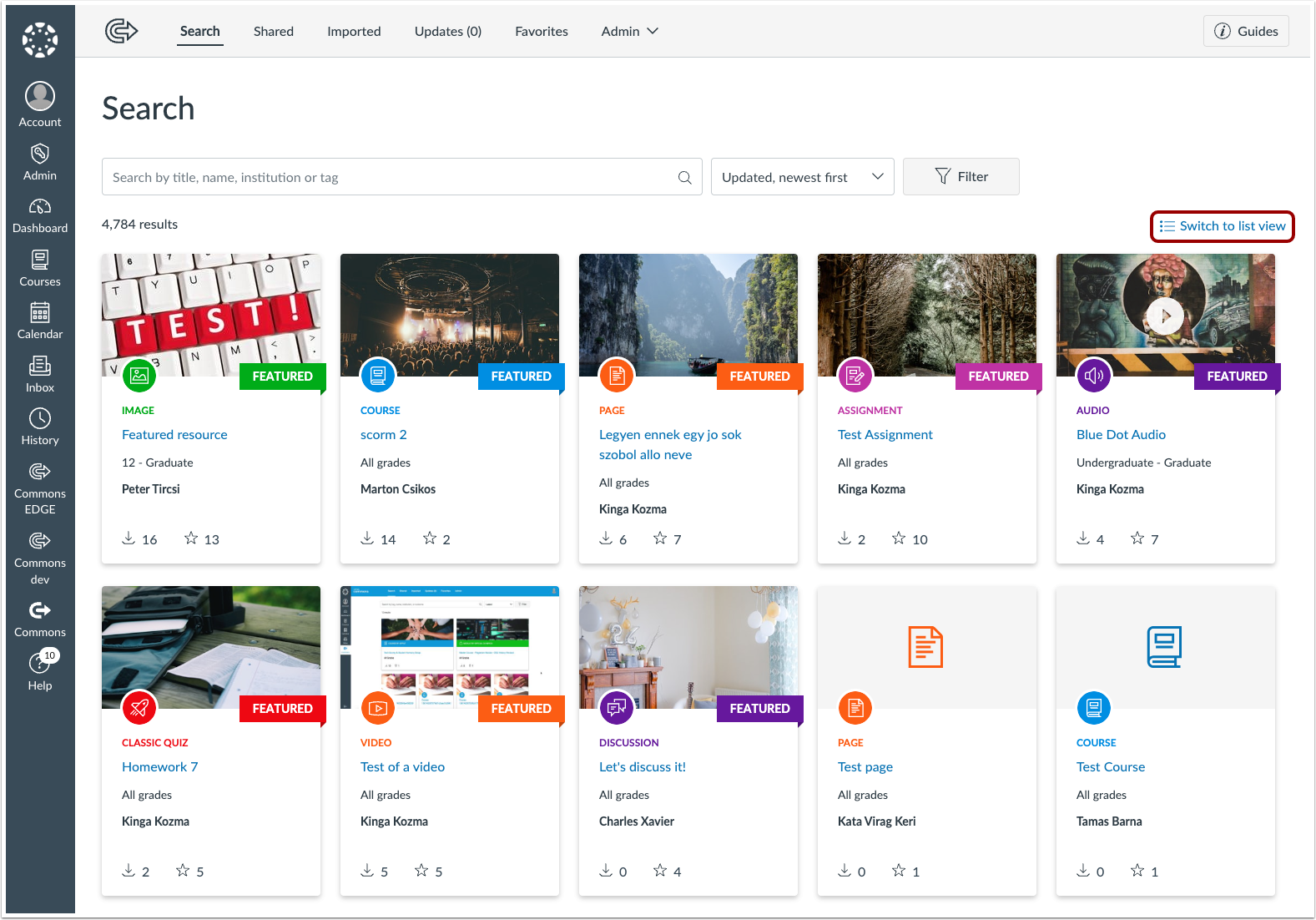
In this Commons release (November 16), Commons now includes a List View, which allows users to view their Commons content in a list.
New Features
List View
Production Environment Availability | 2024-11-16 |
|---|
Beta Environment Availability | 2024-10-21 |
Commons users can view their content in a list, instead of in card view. This update allows users a more condensed way to view and sort through their Commons content. Click the Switch to list view link to view a list of content in Commons.
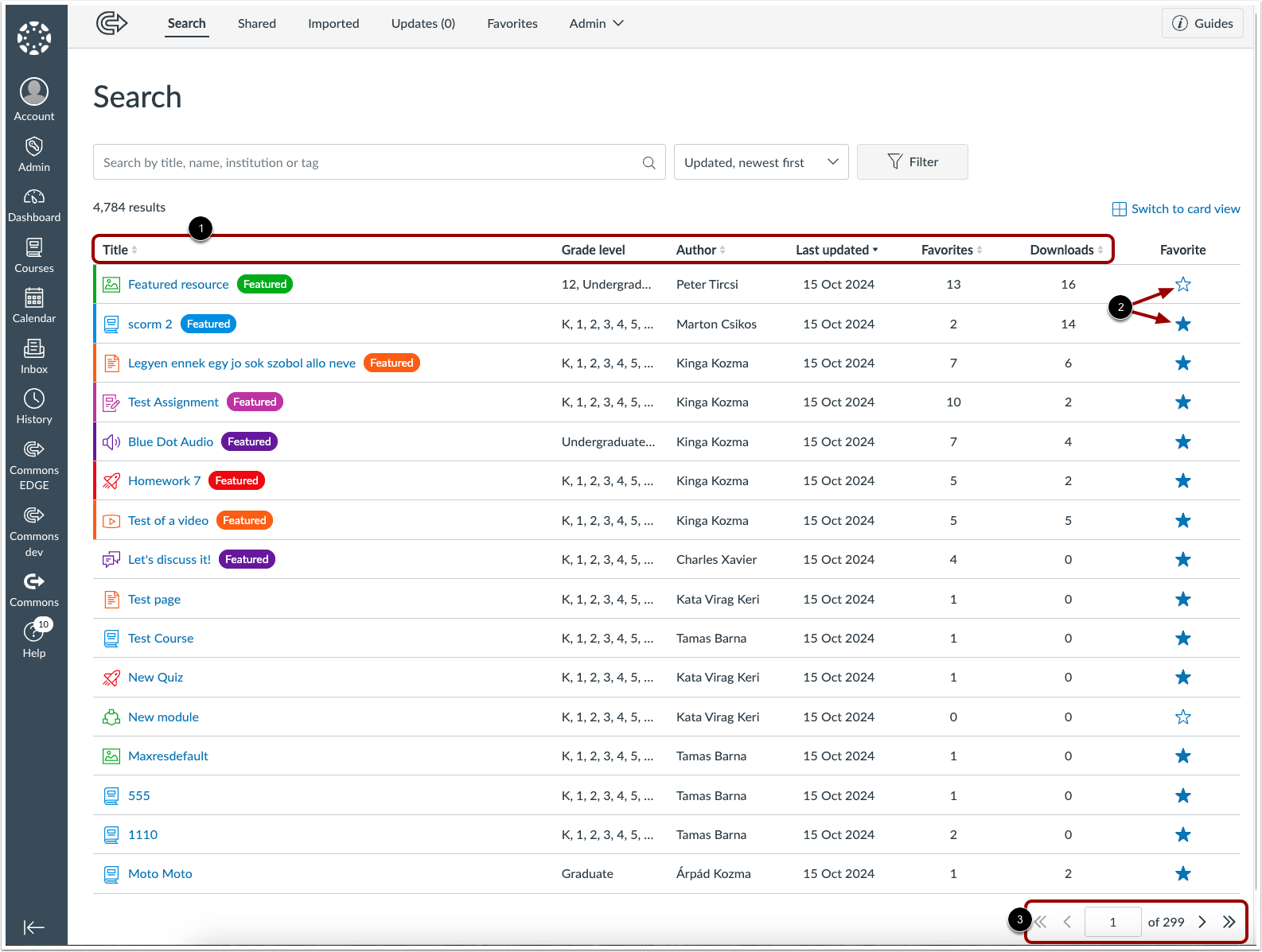
The content displays in a condensed list. The Title, Author, Last updated, Favorites, and Downloads columns can be sorted using the sort icons [1]. Click the star icon in the Favorite column to add or remove content from Favorites [2]. Additionally, content is paginated in list view, and can be navigated using the arrow icons at the bottom of the list [3].