As an instructor, you can enable an automatic nightly grade sync from your Canvas gradebook to your PowerSchool gradebook. After you enable a nightly grade sync for a course, grade passback occurs automatically every night for all assignments that are set up to sync to SIS.
Notes:
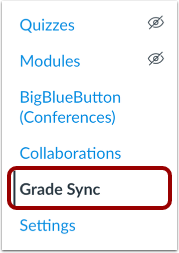
Open Grade Sync
In Course Navigation, click the Grade Sync link.
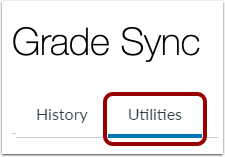
Open Grade Sync Utilities
In the Grade Sync page, click the Utilities tab.
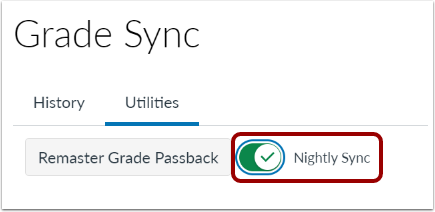
Enable Nightly Sync
In Grade Sync Utilities, click the Nightly Sync toggle button.
Note: The nightly sync option must be enabled for your institution by your CSM. If you do not see the Nightly Sync toggle button, contact your institution's admin.
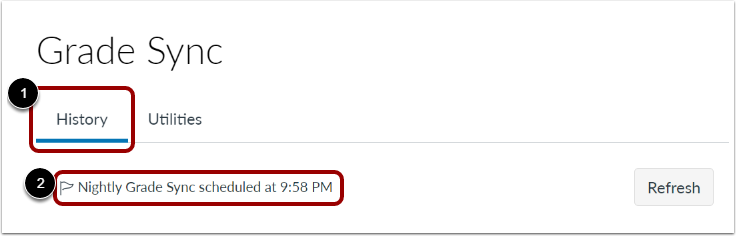
View Nightly Grade Sync Time
To view the time of the next nightly sync, click the History tab [1].
The nightly grade sync time displays [2].
Note: The nightly grade sync time is set by your institution's admin and CSM.