With LearnPlatform, districts don’t need to guess when it comes to edtech.They can see their ecosystem, vet tools for safety and compliance, prove what works, and optimize for learning outcomes.
Recently, we announced our commitment to the accessible modernization of LearnPlatform. Today, we are thrilled to follow up and share that the new modern design experience, leveraging design principals shared across Instructure products, is officially live and available for activation as of April 23rd!
As a reminder, this update ensures that your district's platform aligns with modern Web Content Accessibility Guidelines (WCAG) 2.2 A/AA standards, providing a more inclusive experience for all educators. Our product has been validated by Level Access as being compliant with WCAG 2.1AA standards - you can see all the details in our VPAT, published this week on our Trust Center. We're working to resolve a few of the outstanding issues and will be posting an updated VPAT later this year.
Here is everything you need to know about what is new, what is changing, and how to get your district upgraded today.

The majority of the functionality has not changed. However, there are two notable improvements that you will want to share with your teachers as they explore the updated platform:
- New Filter Menus: We have leveraged best practices to introduce a dedicated Filter Tray, anchored to the upper right hand corner of your product library, giving educators a cleaner, more consistent way to find the specific tools they need
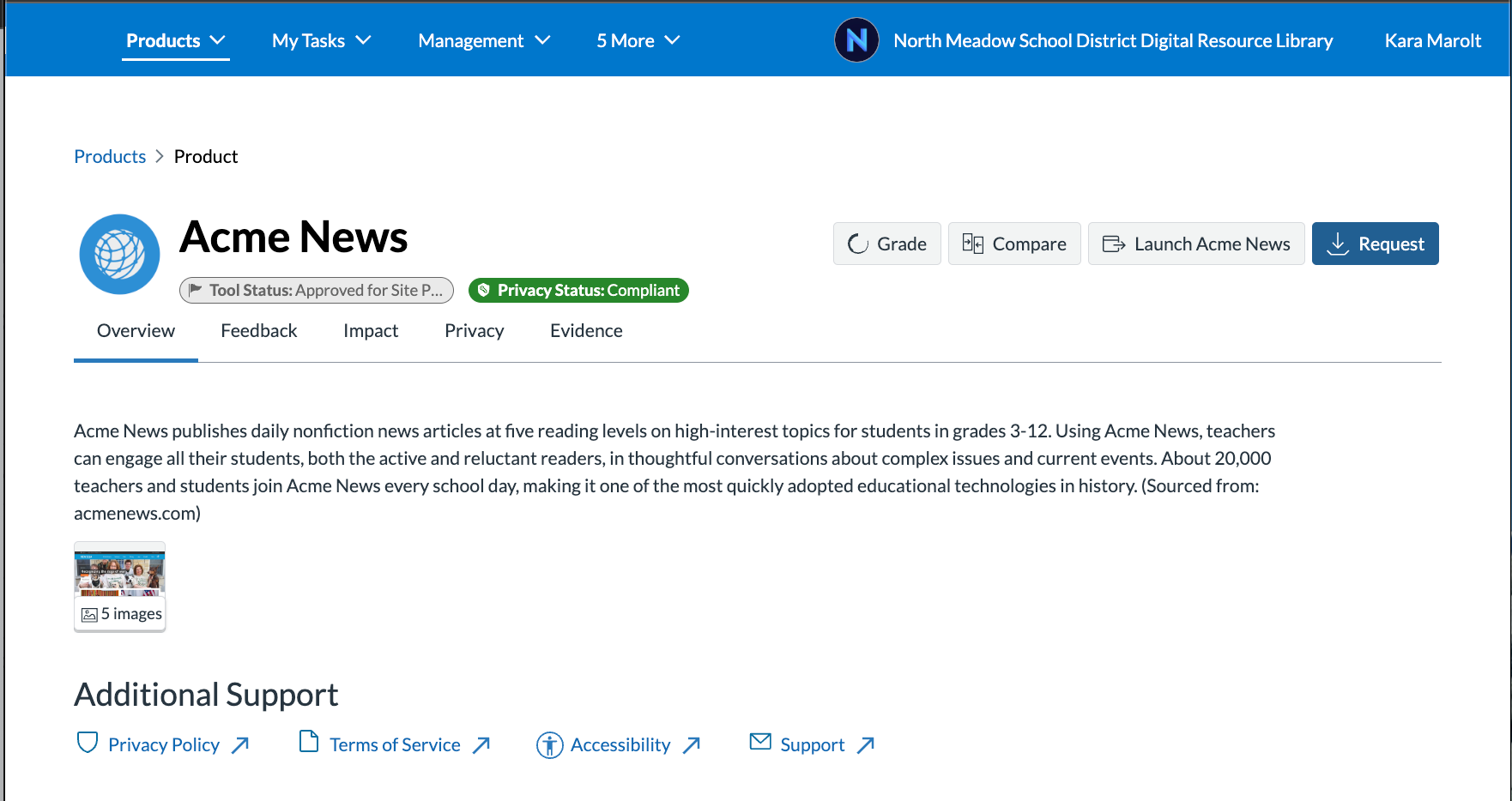
- Requests: To encourage users to review holistic product information before submitting a request, the "Request" button has been moved. It is no longer located on the hover menu of the organization library product cards; instead, teachers will now find it prominently displayed on the redesigned Product Details overview tab. This change was made to help decrease the number of requests for an incorrect tool. By ensuring educators view product details, their requests should be more accurate and have richer product information that will help streamline your vetting process.
Exciting New Tools for Administrators In addition to improved accessibility, we’ve included enhancements specifically designed for administrators:
- Improved Form Builder: We have made it simpler than ever to add and reorder questions, and navigate within the Form Builder.


- New Audit History Tab: You will now see a dedicated "History" tab when managing products. This tab securely records changes made by you or other administrators, such as status changes, or added and removed tags and resources. It also allows you to add comments for yourself or colleagues. This history improves transparency, and helps maintain a safe and secure edtech ecosystem by tracking critical changes for compliance. The tab will also display a history of changes made to the product’s core library data, such as changes to usage tracking domains or Accessibility Links added by a Partner.
This tab will include past history on statuses and tags, but other history will be captured going forward from this release date.

- Admin Preview/Overview Tab: You can now see a helpful admin preview of the Org Library tab right alongside your Product Settings.
- Focused Product Feedback: We are officially retiring the Community Grading of Products feature. Moving forward, we are fully preserving your ability to grade and give localized feedback on products internally within your own organization.
How to Activate the New Interface Because we want you to control the rollout timeline for your district, the new UI requires an Administrator to activate it. Starting today, Organization Administrators will find two new options in their profile menu:
- Preview for Yourself: You can activate the new version strictly for your own account. This is a fantastic way to preview and experience the changes in advance of your staff.
- Activate for Your Organization: When ready, Org Admin can activate the new UI for your entire organization. If necessary, you have the flexibility to revert this change up until July of this year.

Please note: In July, all organizations that have not yet activated the new interface will receive an automatic update to the new platform.
To ensure you are using the most upgraded version of LearnPlatform, please activate the new interface as soon as you can. Opting in now guarantees your district is using the version of the product that complies with federal WCAG 2.2 A/AA standards, and ensures you will seamlessly receive additional product enhancements coming later this spring!