Pinboards have quickly become one of the most popular ways teams share and consume insights in Intelligent Insights’ Ask Your Data. They allow institutions to curate key analytics, highlight important metrics, and make insights accessible across teams.
Based on your feedback, we’re introducing several enhancements that make Pinboards easier to share, reuse, and customize. These updates help extend the value of the product and make insights available to more users across your institution.
New Pinboard Permission
Previously, access to Ask Your Data was controlled by a single all-or-nothing permission. With this update, administrators can now grant a dedicated Pinboards permission, allowing users to view shared Pinboards without having full AI querying capabilities.
This new permission structure introduces two access levels:
- Ask Your Data – manage: Users can query data, generate insights, and create Pinboards.
- Pinboards – view: Users can view and interact with Pinboards that are shared with them, but cannot run their own queries.
Why it matters
Many roles across an institution can benefit from accessing data insights, but don’t necessarily need or want to explore data and generate their own queries. This update allows administrators to safely expand access to curated insights while keeping querying capabilities limited to designated users.
It also helps institutions reduce potential risk by restricting direct data querying, while still enabling broader teams to make data-informed decisions.
Most importantly, this enhancement addresses a common request from customers: the ability to share insights widely without expanding full AI querying access.
Make a copy of a Pinboard
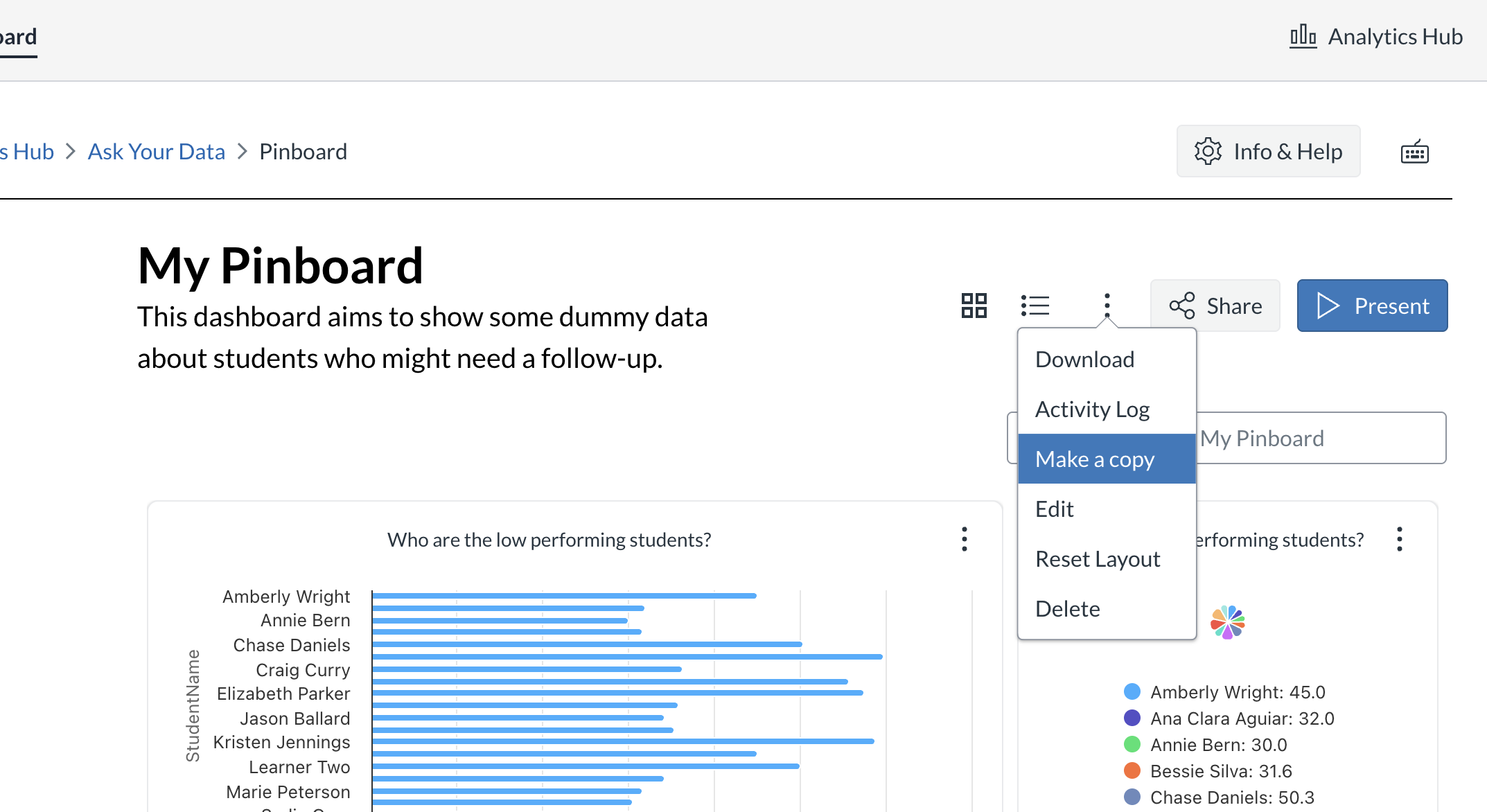
Pinboards are often shared across departments as a starting point for exploring insights. With this update, users can now create a copy of an existing Pinboard. The copied version becomes an independent Pinboard that users can edit and customize without affecting the original.
Why it matters
Many institutions use Pinboards as templates or starting points for their teams. By allowing users to copy them, teams can easily adapt existing insights to their own workflows, departments, or reporting needs. Instead of starting from scratch, users can build on curated insights and extend them with their own questions and visualizations.
Resize Pins for Better Layouts
We’re also introducing the ability to resize individual pins within a Pinboard. Users can now adjust the size of each visualization or insight, making it easier to organize the layout of their Pinboard.

Why it matters
Not every insight carries the same importance. With resizing, users can highlight key metrics, reduce visual clutter, and create more scannable dashboards that emphasize what matters most.
This flexibility makes Pinboards easier to read and helps ensure that critical insights stand out.
Together, all these updates make Pinboards a more powerful way to share, adapt, and present insights across your institution. By expanding access, enabling reuse, and improving layout customization, we’re continuing to make Pinboards a more flexible and collaborative analytics experience within Intelligent Insights.