Summary
Apr 22, 2026 - The Native Discovery Page Feature and Custom Label Text features have been officially included in the Release Notes for May 16, 2026. Please see the release notes for more information. Both features are currently active in Canvas Beta.
Note: The Custom Label Text canvas be set for the Discovery Page, but having that text rendered on the discovery page isn't working yet in Beta. We built the features in parallel, and so now that both are working, we just have to add a little more plumbing between the two. This functionality will be deployed and working in Beta on or before May 7th.
Mar 26, 2026 - The Native Discovery Page feature is now available in Canvas Beta. Please refer to this guide for how to configure and enable the feature while it is still under development. The Native Discovery Page is an optional feature and does not impact existing Discovery URL configurations unless enabled.
This is a reminder of an important update regarding the Canvas Login UI. To enhance security, accessibility, and user experience, we are deprecating the legacy Login UI and automatically migrating all institutions to the New Canvas Login UI who don’t opt-in ahead of the deprecation date.
This post covers the key dates, changes, and actions your institution needs to take to prepare for this transition.
Key Deprecation Date: June 30, 2026
As announced in July 2025, the existing Legacy Login UI will be officially deprecated on June 30, 2026.
- Automated Migration: If your institution has not opted in to the New Login UI by this date, your Canvas instance will be automatically migrated on July 1, 2026.
- Confidence: The New Login UI has been running in production since April 2025 and is considered stable and bug-free.
What’s New and What’s Changing?
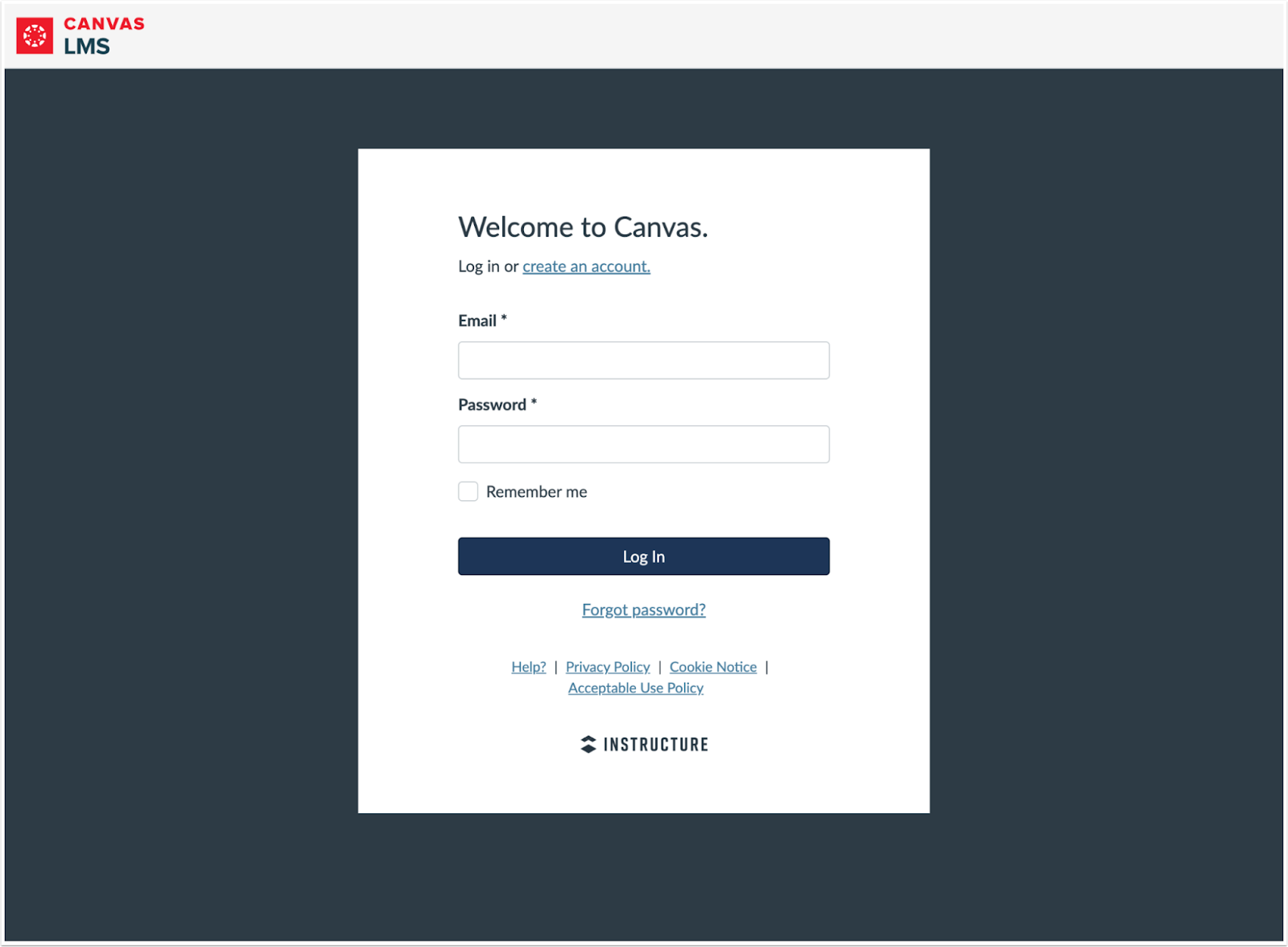
The New Login UI is designed to be more secure and accessible, resulting in changes to available customization options. The primary differences relate to theming and custom branding.
1. Limited Theme Editor Customization
To ensure compliance with web accessibility standards, the New Login UI introduces stricter theming rules:
- White Form Background: The login form is now enforced on a white background.
- Reduced Color Options: Many previously available options for color customization have been removed.
Additionally, to align Canvas with Instructure's current branding guidelines, a non-customizable Canvas LMS Logo and top banner has been introduced on the Login and Registration UIs.
2. Improved Self Registration Experience
If your institution allows for self-user registration for all user types or just Parents/Observers, significant User Experience and accessibility to this workflow have been made.
3. Enhanced Security: No More Custom Scripts
For improved security, custom JavaScript and CSS will no longer be executed on the login page or registration pages.
4. New Native Features to Replace Custom Scripts
We have investigated the most common uses of custom scripts and are releasing two new features to accommodate them:
- Native Discovery Page: This feature helps guide your users to the correct authentication method. Allows administrators to configure and enable a discovery page to redirect unauthenticated users to. When adding login buttons, admins will be able to select an existing authentication provider, button icon (no custom icons) and customize the button text.
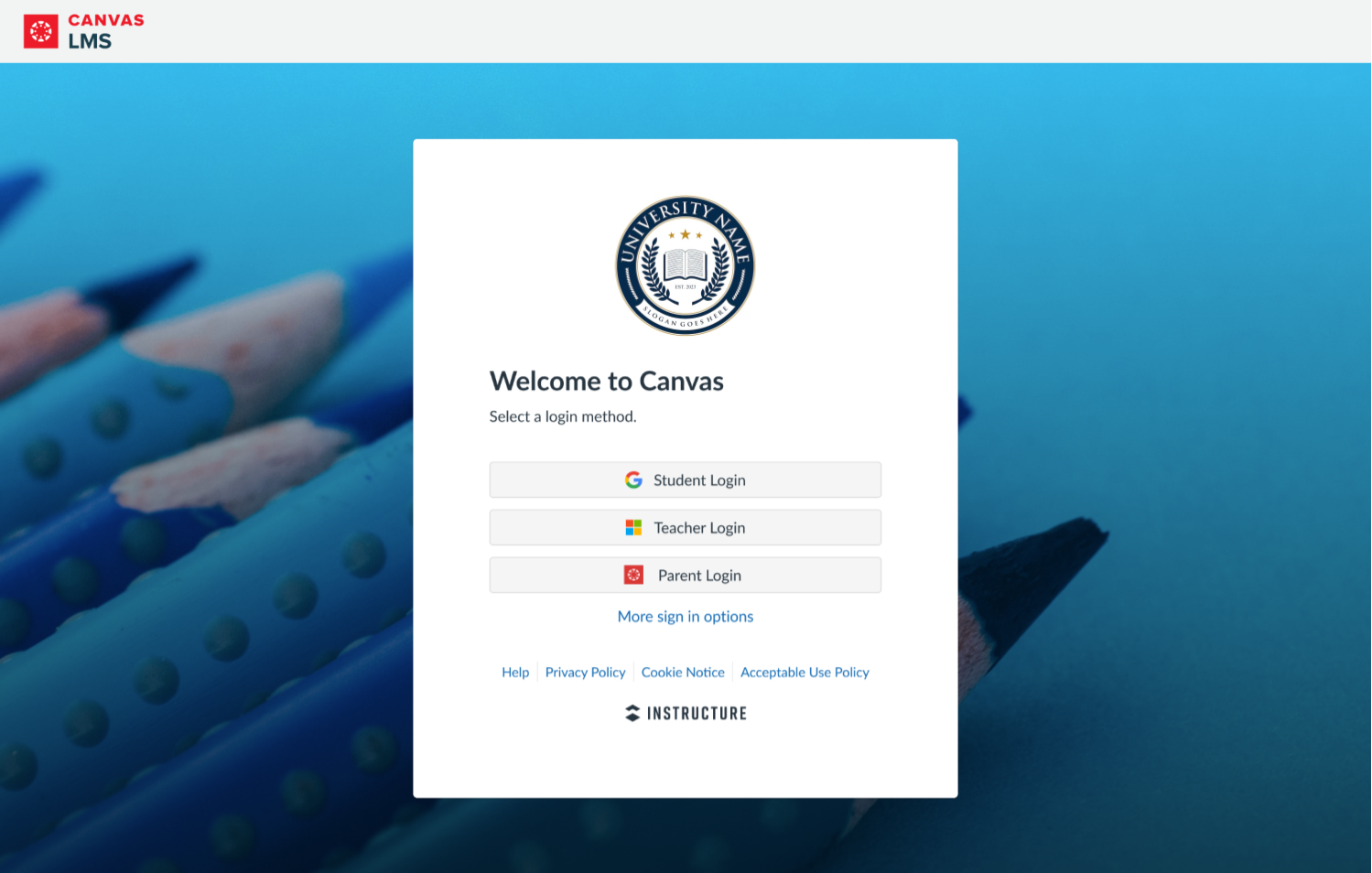
Caption: Example of a customized discovery page with 3 login buttons.
- Custom Label Text: You will be able to customize label text on the following key pages via the Canvas Theme Editor:
- Login Page
- Discovery Page
- Select User Role Registration Page
- Parent Registration Page
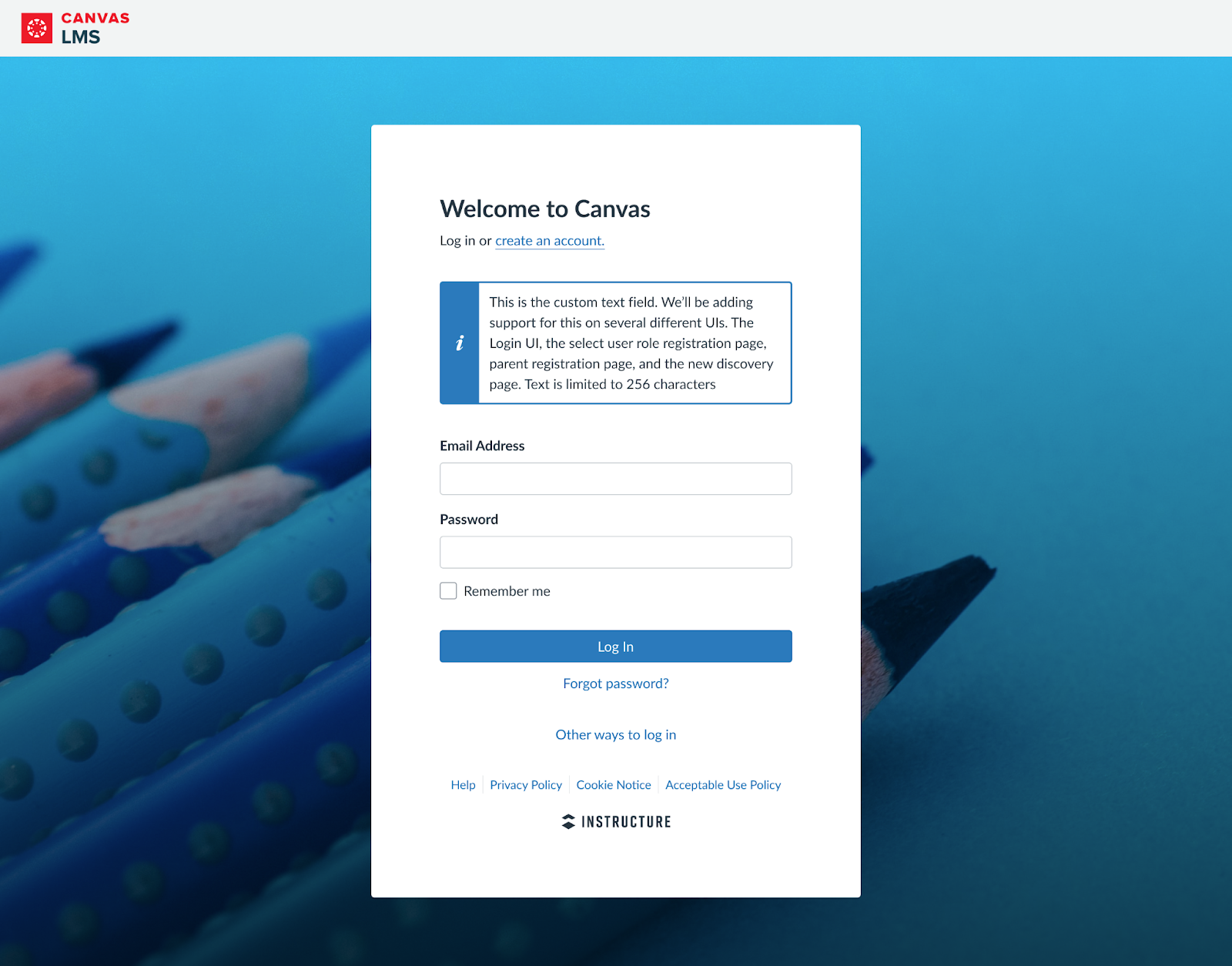
Caption: Shows an example of the custom text field on the Login Page
Watch future release notes for more information about both of these enhancements.
How Does the UI Update Affect User Experience?
The transition to the New Login UI will not impact your users' ability to log into Canvas.
The visual change will be most noticeable for users who rely on the following login methods:
- Canvas Username/Password Authentication
- LDAP
- Social login buttons (Google, Microsoft, Clever)
Note: Social login buttons only appear on both the legacy and new Login UI if configured as authentication methods in your instance.
How to Prepare?
Enable and Test the New UI Now:
We strongly encourage you to enable the new Canvas Login Page UI before the automated migration deadline.
We recommend previewing and testing the changes first in your Beta environment before enabling in Production. This allows you to test the new experience, apply any necessary theme adjustments, and ensure it meets your expectations well ahead of the June 30, 2026 deadline.
Instructions to Enable the New UI:
- Enable the Feature Flag: Enable the 'New Canvas Login UI' feature flag in your desired environment (Beta first!).
- Customize Your Theme: Adjust the New Login UI as desired in the theme editor and apply the updated theme to your account.
- Validate Changes: Navigate to the environment-specific URL to validate the visual changes:
- Beta: <beta_canvas_domain>/login/canvas
- Production: <prod_canvas_domain>/login/canvas
Self-Registration
If you allow self-registration (often used for Parent/Observer roles), we recommend you review those workflows and update any associated documentation.
Look for notifications
Root Account Administrators with the “Account-level settings - manage” permission will begin receiving automated notifications from Canvas about this pending deprecation if the “New Login UI” feature flag is not enabled in Production. Notification frequency will be monthly until the last month where it will be weekly.
For more information on the New Login UI, see the original release notes and explore the change in production at either of the links below: