Release notes outline upcoming customer-impacting changes that are expected to be displayed in production environments. Please note that features considered for future development are not included in the notes.
Canvas Studio is a communication tool that allows instructors and students to actively collaborate through video and audio media. Learn more about Canvas Studio.
Unless otherwise stated, all features in this release are available in the Beta and the Production environment on 2026-01-28.
Assisted Caption Review
Summary
Assisted Caption Review is a caption editor feature that helps video creators by identifying and highlighting potential inaccuracies in auto-generated captions.
Change Benefit
This feature reduces video review time for accessibility issues by an average of 30%.
Feature Workflow
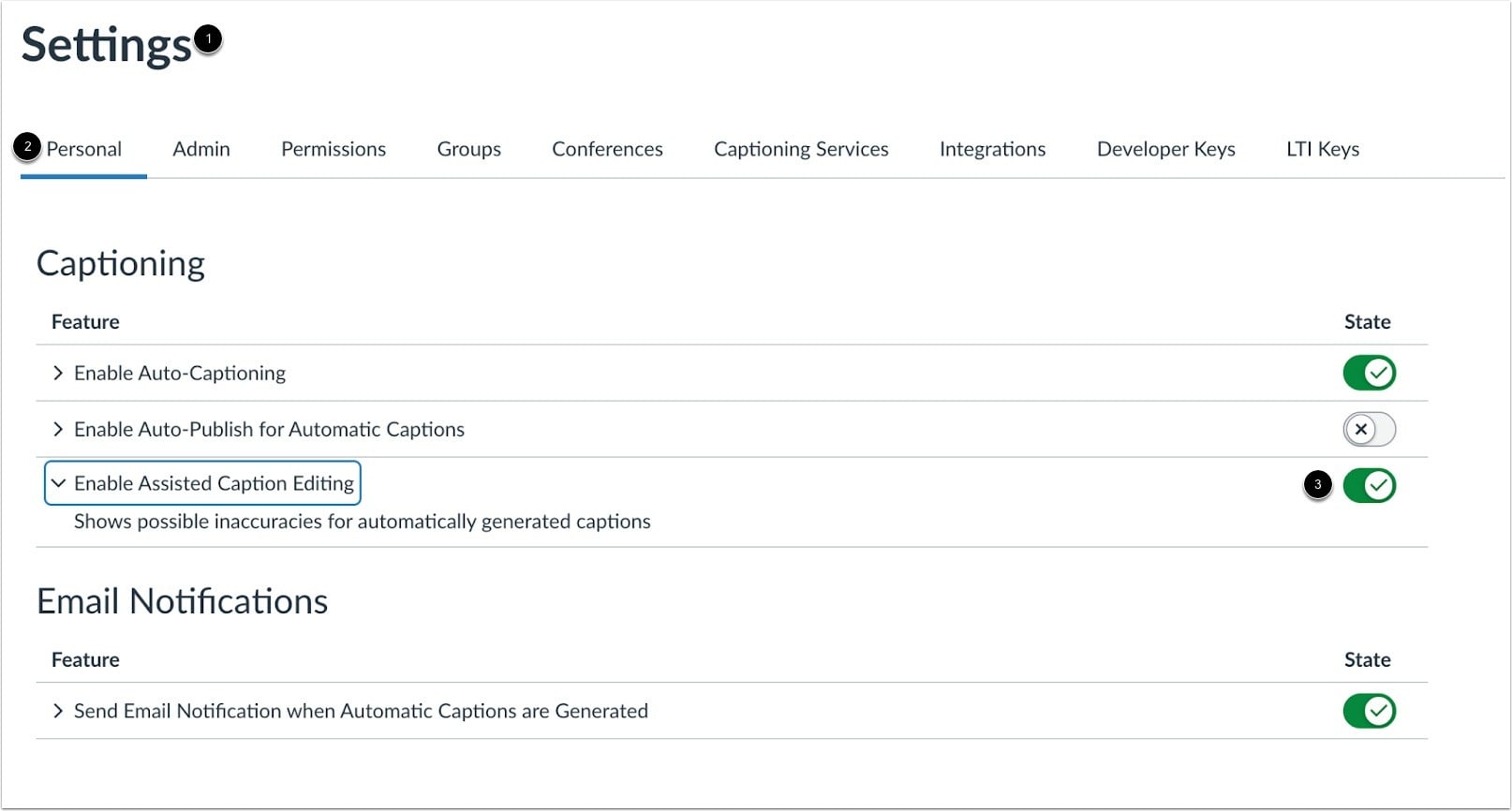
To enable or disable the feature, navigate to Settings in Studio [1], open the Personal tab [2], and click the Enable Assisted Caption Editing toggle On [3].

To complete the action, upload or record the new video content to your Studio library, wait for the auto-generated captions, and then access the video to open the Captions tab [1].
The feature displays the number of possible inaccuracies. Open the Caption Editor by clicking on the number of inaccuracies [2].

The Only show lines with suspected inaccuracies toggle allows users to filter exclusively for inaccuracies. If the toggle is not on by default, click the toggle On.

Possible inaccuracies are tagged with a red exclamation mark icon. Users can review the captions either with the previous toggle on or off, or alternate at any time. When the toggle is off, users interpret the detected inaccuracy in full context.

Click any of the tagged caption blocks and edit the text to fix the inaccuracy. When the line is fixed, click the Mark as resolved button to remove the exclamation mark icon.
