Release notes outline upcoming customer-impacting changes that are expected to display in beta and/or production environments. Please note that features considered for future development are not included in the notes.
Unless otherwise stated, all features in this release are available in the Production environment on 2026-01-20.
New Product
Canvas Career
Affected User Roles: All Users
Enablement | Contact Customer Success Manager |
|---|
Subaccount Configuration | Yes |
Summary
Canvas Career is a new, dedicated LMS experience built on Canvas, tailored for businesses, governments, and continuing education organizations. It is designed to create scalable, future-ready workforces through responsive, AI-enhanced learning.
Canvas Career combines skill-building, automation, data insights, and learner-first design to support career growth. Key features include:
- Skillspace: A personalized hub where learners can track skills gained, see progress in real time, and receive recommendations for the next steps.
- Skills Manager: Helps admins and instructors organize and align skills with courses and programs, using Al-powered extraction to save time and ensure relevance.
- Course Recommendations: Learners receive suggested courses and content aligned to the skills they're actively developing, keeping growth focused and career-driven.
- Automation and Integrations: Rule-based enrollment, customer relationship management (CRM) and human resources information system (HRIS) integrations, and Al-assisted content creation reduce manual effort and streamline management.
- Data and Insights: Dashboards and progress tracking provide measurable outcomes, while Al-driven insights suggest actions to improve learner success.
- Learner-First Tools: Features like the Course Progress Tracker, Estimated Time metadata, Notebook, mobile-first design, and Al Assist keep learners engaged, organized, and supported at every step.
Change Benefit
This platform provides a comprehensive and tailored experience. Administrators gain integrated tools for efficient program management and data-driven workforce development, while learners receive a highly focused, AI-supported environment that clearly connects learning to measurable skills and career growth.
Learner Workflow
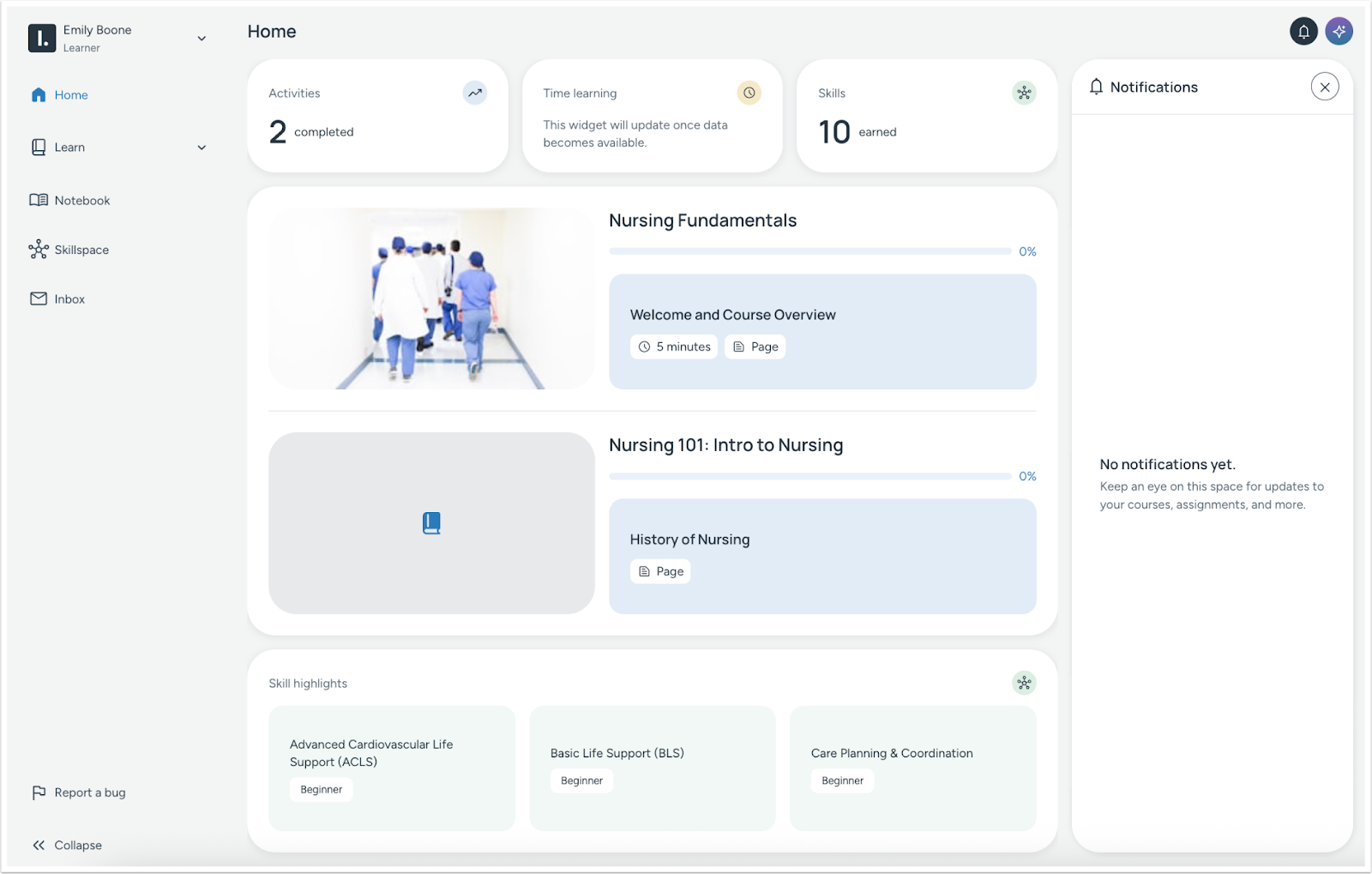
On the Home page, learners can view their active programs and courses and track progress using status labels and progress bars.

Learners can use panels like My Progress to navigate throughout the course.

Learners can use the Notebook to save highlights, reflections and notes [1]. Additionally IgniteAI can provide in-context prompts, summaries or proactive help [2].
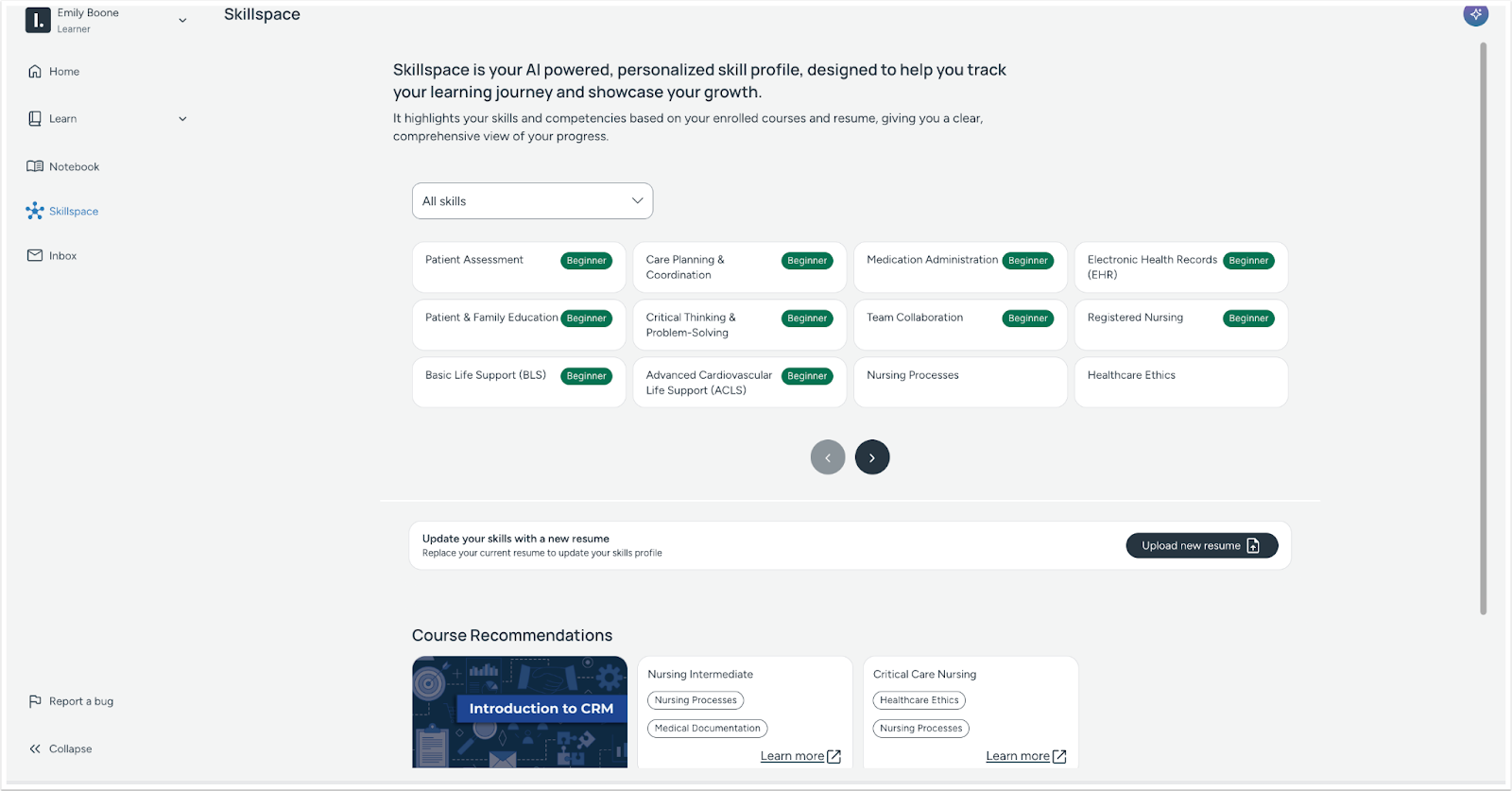
Skillspace provides access to view current skill profiles, update resumes, and extract skills. Additionally, recommended courses display based on skills in progress.
Admin Workflow

Admins can use the View Data and Insights Dashboard to see learner performance across courses and programs.

Admins can filter, enroll, tag, or take and perform bulk actions on learners.
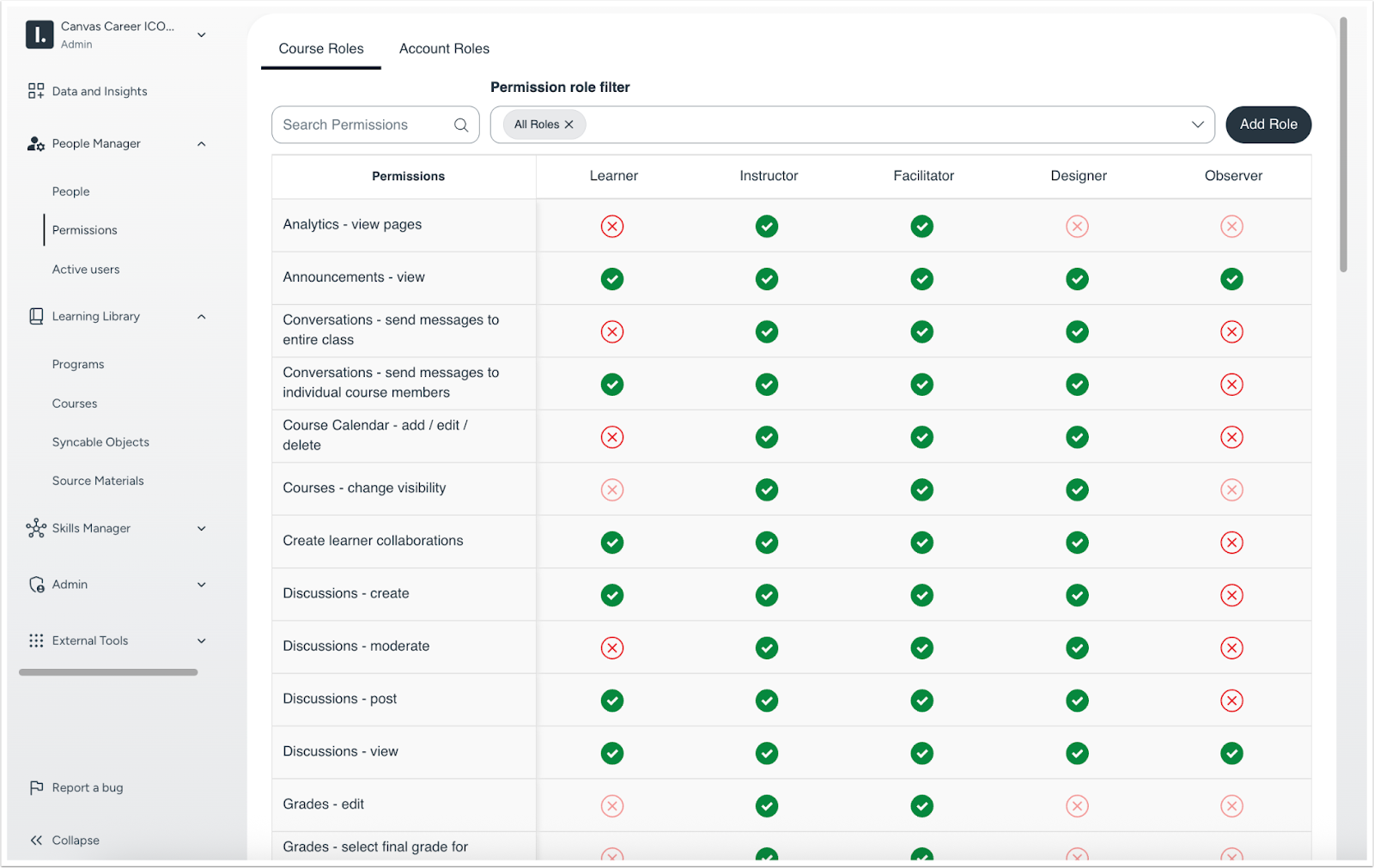
Admins can assign or customize role permissions for learners, instructors, designers, etc.

Courses can be bundled into structured programs (linear or non-linear).
Note: A linear program follows a fixed sequence where course completion is a prerequisite for unlocking the next. A non-linear program allows for self-directed learning, giving learners freedom to choose their preferred course order.
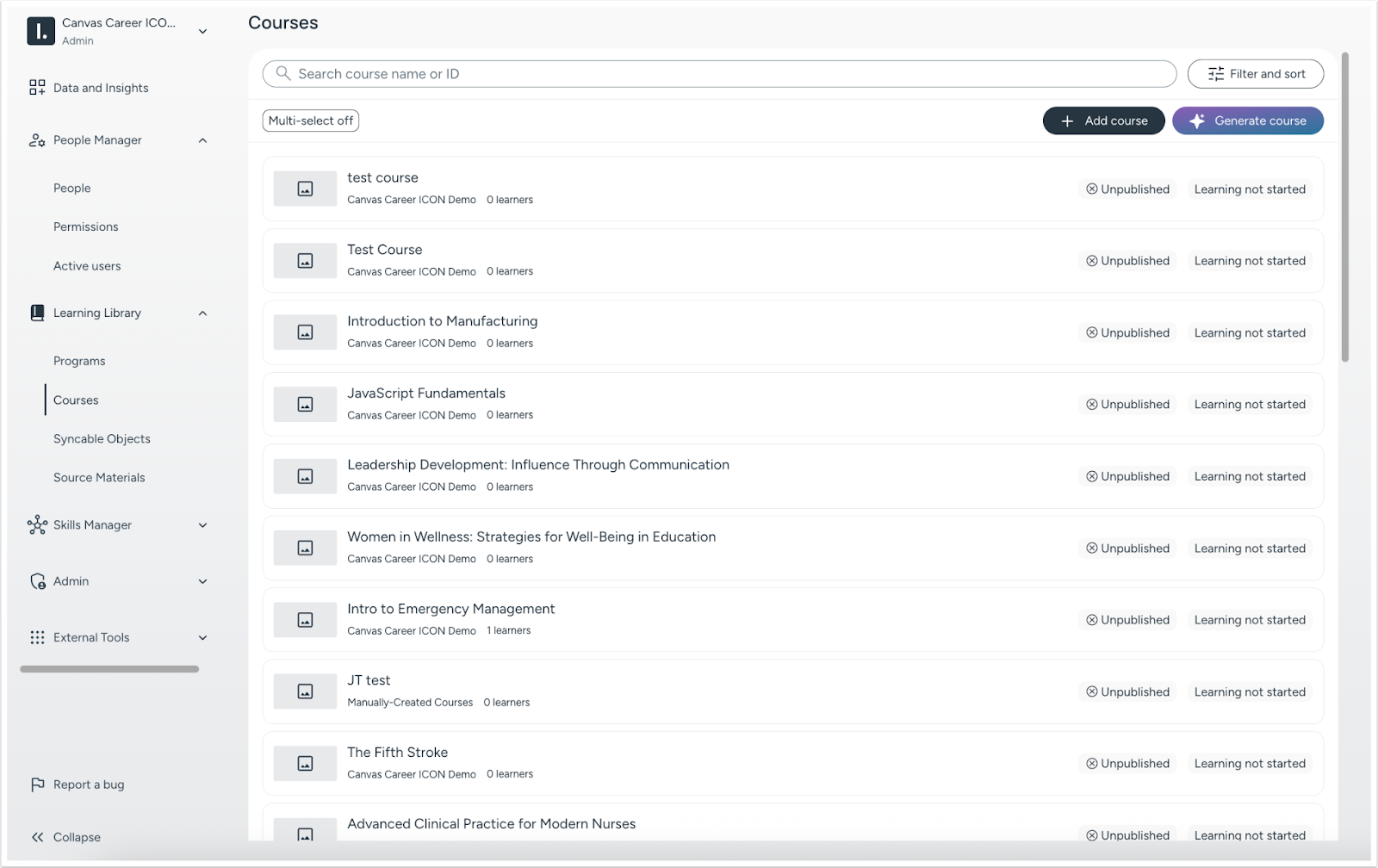
Courses can be created manually or using IgniteAI to assist.
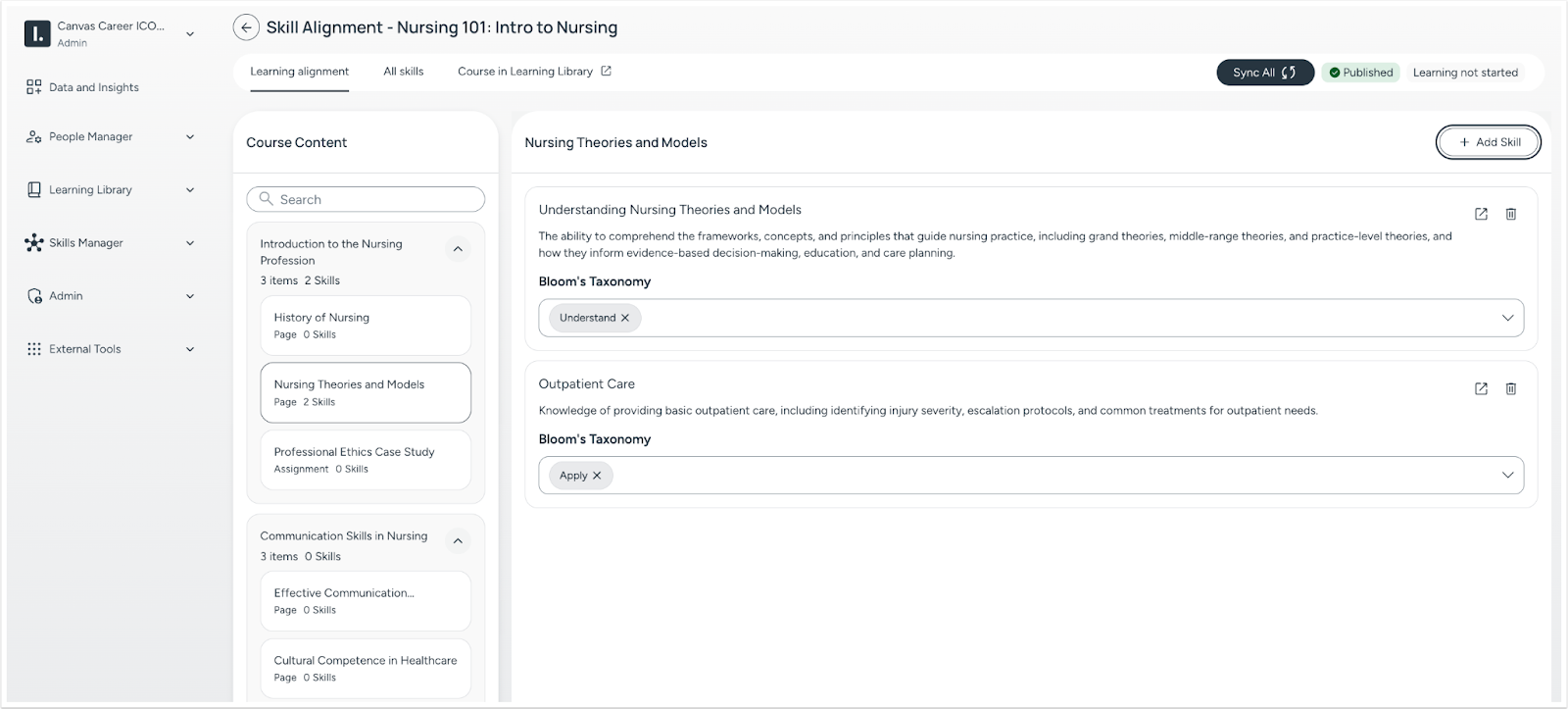
Skills can be aligned to programs and objects, and can be merged or removed as needed.
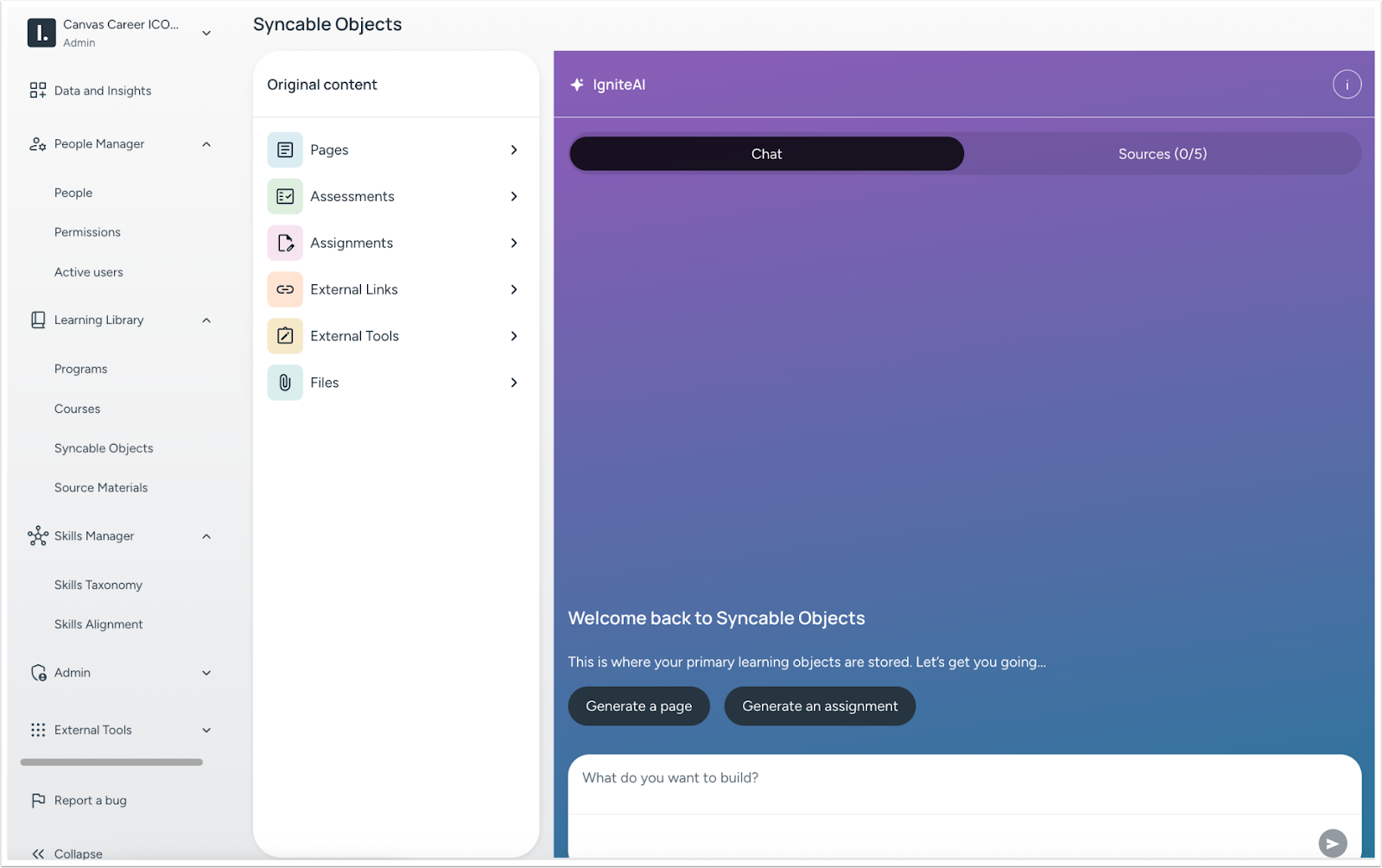
Syncable Objects is a central hub to reuse and manage learning content.
Feature Video: Canvas Career: Skills at Scale
