Release notes outline upcoming customer-impacting changes that are expected to display in beta and/or production environments. Please note that features considered for future development are not included in the notes.
Unless otherwise stated, all features in this release are available in the Beta environment on 2025-05-12 and the Production environment on 2025-05-19.
Subscribe to the Canvas Badges/Credentials release notes to be notified of updates.
New Features
Back to Table of Contents
Enrollments
Automatic Filtering of Inactive and Pending Users
Issuer
Summary
Canvas Credentials automatically filters out inactive and pending users from key views and permission settings.
Notes:
- Inactive and pending users will no longer:
- Appear in group member lists
- Be shown on leaderboards
- Retain group-based privileges on the standalone site
- Changes align with enrollment status (active, inactive, deleted, concluded) shown in the Canvas People page.
Change Benefit
This update improves consistency with Canvas LMS, enhances clarity for instructors and learners, and strengthens access control for standalone features by showing only active users.
Pathways
Enhanced Step Placement in Pathway Builder
Issuer
Feature Availability | Not available in the beta environment |
|---|
Location to Enable Feature | None |
Permissions | Inherent to user role |
Affects User Interface | Yes |
Affected Areas | Pathway Builder |
Related Ideas | None |
Summary
Issuers can add steps both above and below an existing step in the Pathway builder. Previously, new steps could only be added as prerequisites.
Change Benefit
This update offers more flexibility when designing and adjusting learning pathways.
Feature Workflow
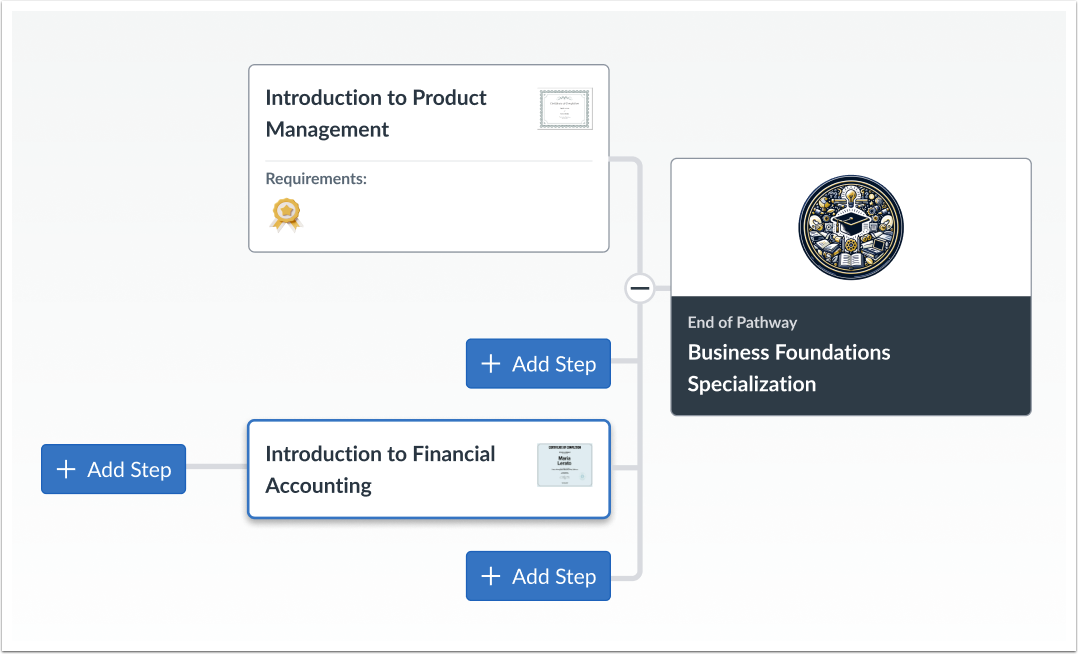
Pathway Builder Add Steps
The Pathway builder supports adding steps above or below any existing step.
Updated Features
Back to Table of Contents
User Interface
Modernized Interface
All Users
Feature Availability | Not available in the beta environment |
|---|
Location to Enable Feature | None |
Permissions | Inherent to user role |
Affects User Interface | Yes |
Affected Areas | Various areas in the user interface |
Related Ideas | None |
Summary
The user interface is updated to better match the InstUI design and colors and buttons reflect an organization's solar schemes.
Interface updates include:
- Typography
- Colors
- Buttons & Links
Change Benefit
This update delivers a seamless experience when moving between older and newer pages by reducing visual friction, improving usability, and reinforcing product identity with consistent, familiar design elements.
Feature Workflow
Create Issuer Button
Buttons and links automatically adjust to reflect an organization’s color scheme and style settings.
Menus
Removal of Option Menu Icons
Admin Issuer
Feature Availability | Not available in the beta environment |
|---|
Location to Enable Feature | None |
Permissions | Inherent to user role |
Affects User Interface | Yes |
Affected Areas | Option Menus |
Related Ideas | None |
Summary
Option Menu icons are removed.
Change Benefit
This update simplifies the user interface and better aligns with Instructure’s design.
Feature Workflow
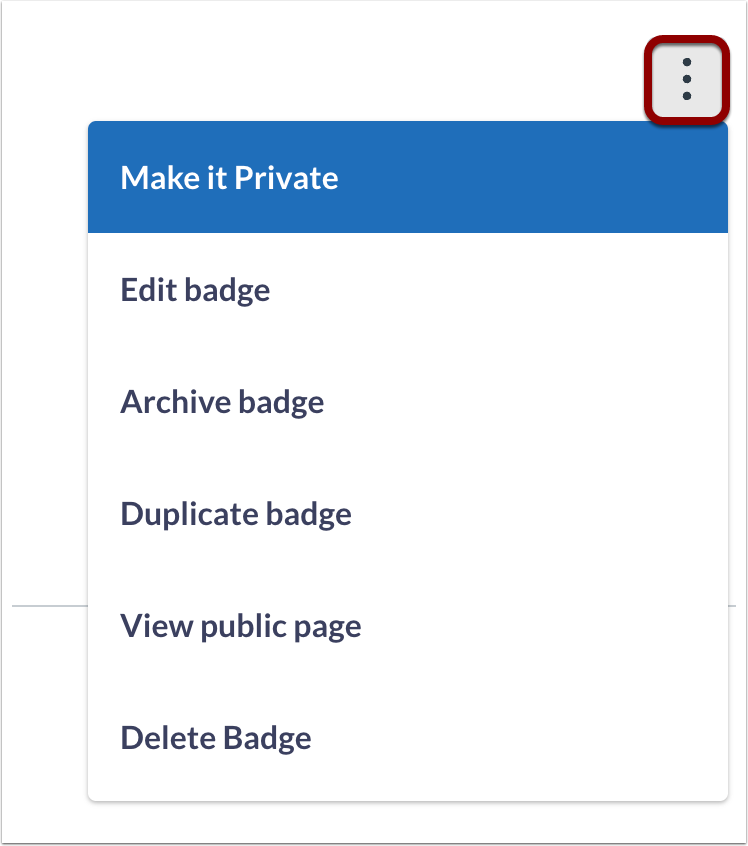
Options Menu
In the Options menu, icons are removed.
