Release notes outline upcoming customer-impacting changes that are expected to display in beta and/or production environments. Please note that features considered for future development are not included in the notes.
Unless otherwise stated, all features in this release are available in the Beta environment on 2025-05-05 and the Production environment on 2025-05-12.
Subscribe to the Canvas Badges/Credentials release notes to be notified of updates.
New Features
Organization
Achievement Type Management
Admin Issuer
Summary
In Organization Content Settings, the Achievement Type Management feature allows admins to:
- Enable or disable specific achievement types
- Reorder the types
- Allow overrides at the issuer-level
- View tooltips that explain each achievement type
Change Benefit
This feature helps organizations reduce clutter, maintain consistency, minimize errors and confusion, and strike the right balance between centralized control and local flexibility.
Feature Workflow
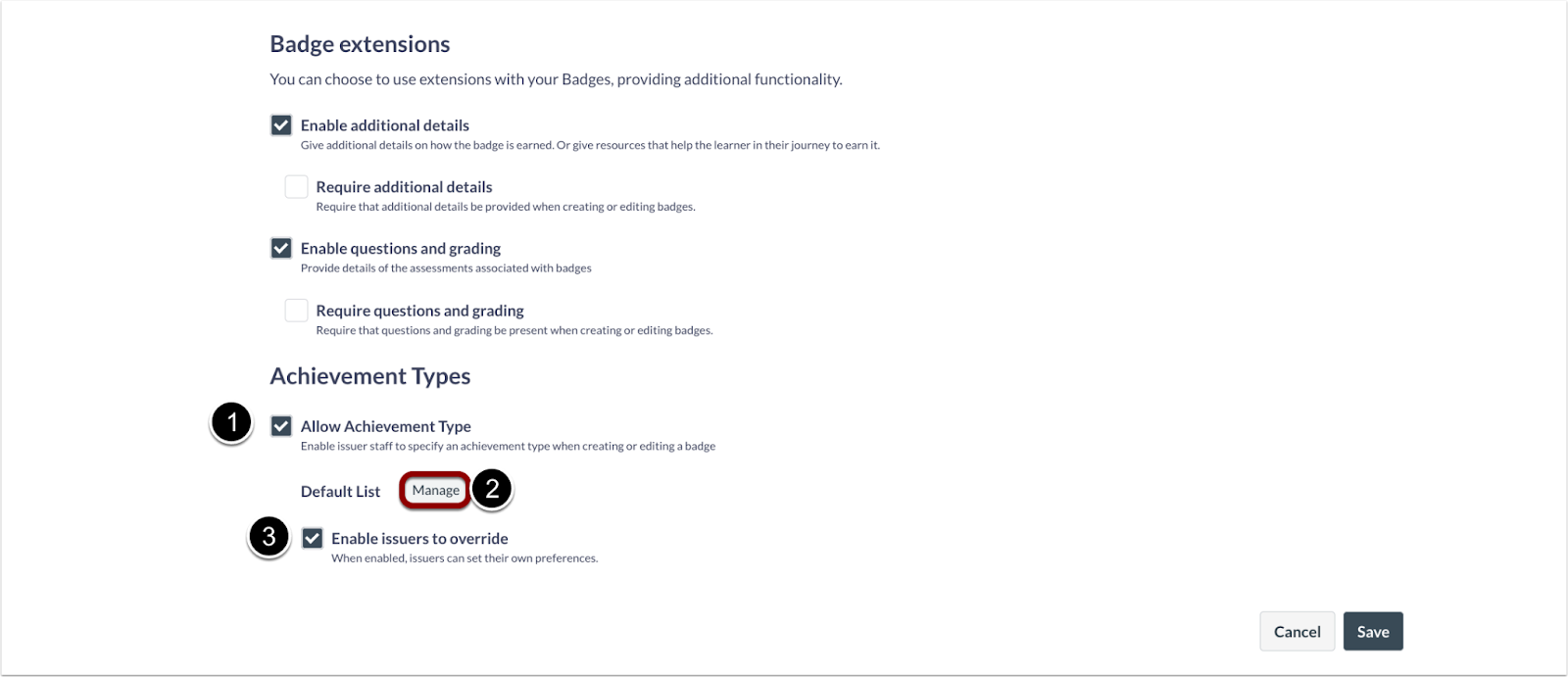
Organization Content Settings
To enable Achievement Type management, click the Allow Achievement Type checkbox [1], then click the Manage button [2]. To allow overrides at the issuer-level, click the Enable Issuers to Override checkbox [2].
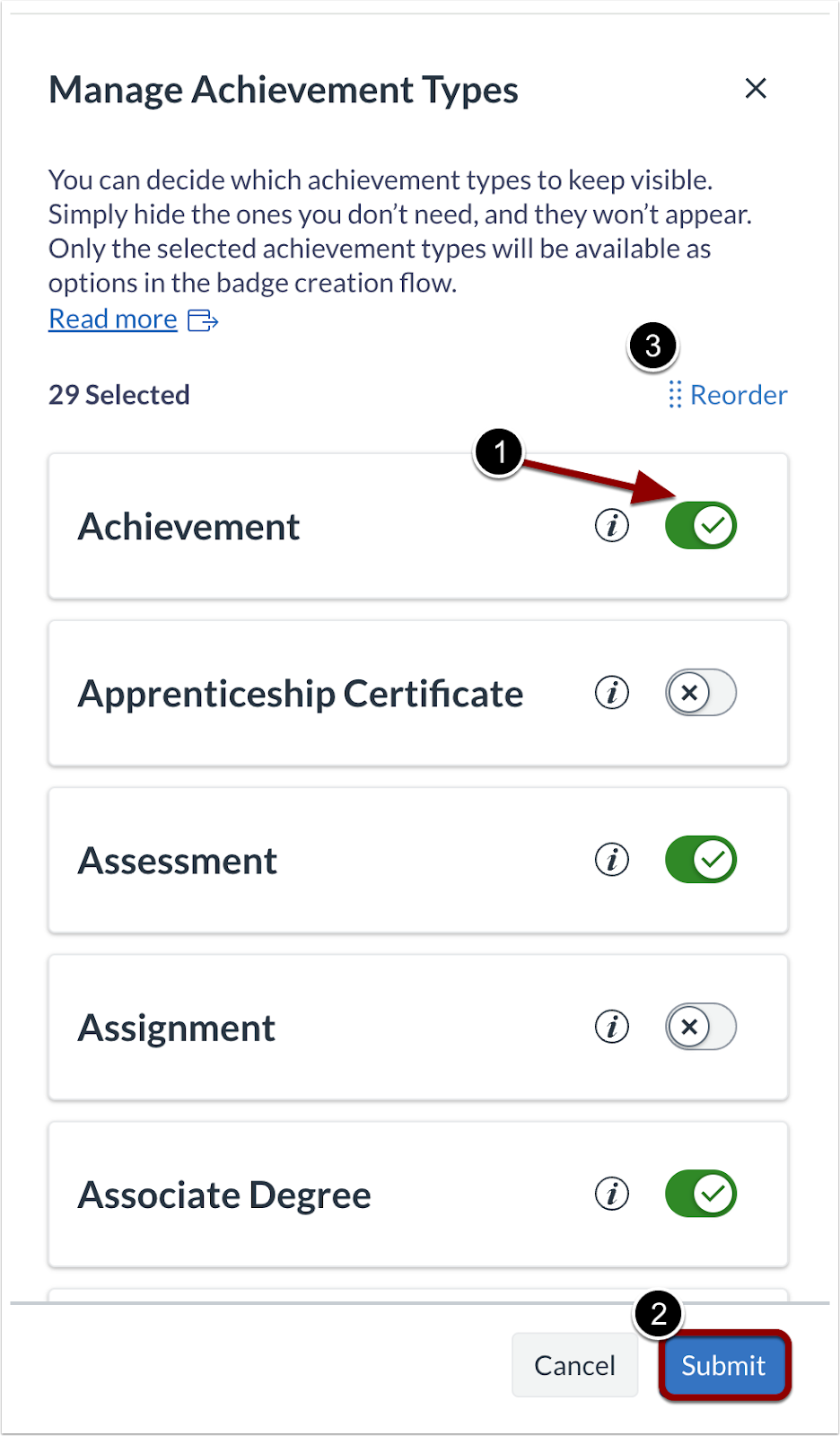
Achievement Type Toggle
To enable specific achievement types, click the Achievement toggle on [1]. Then, click the Submit button [2]. To reorder the achievement types, click the Reorder link [3].
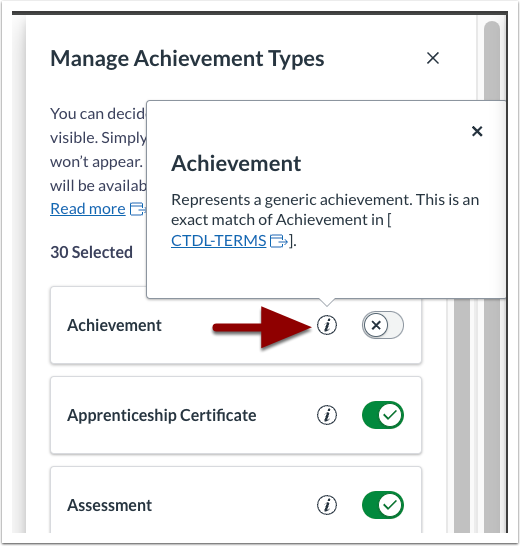
Achievement Type Tooltip
Tooltips are available explaining each achievement type.
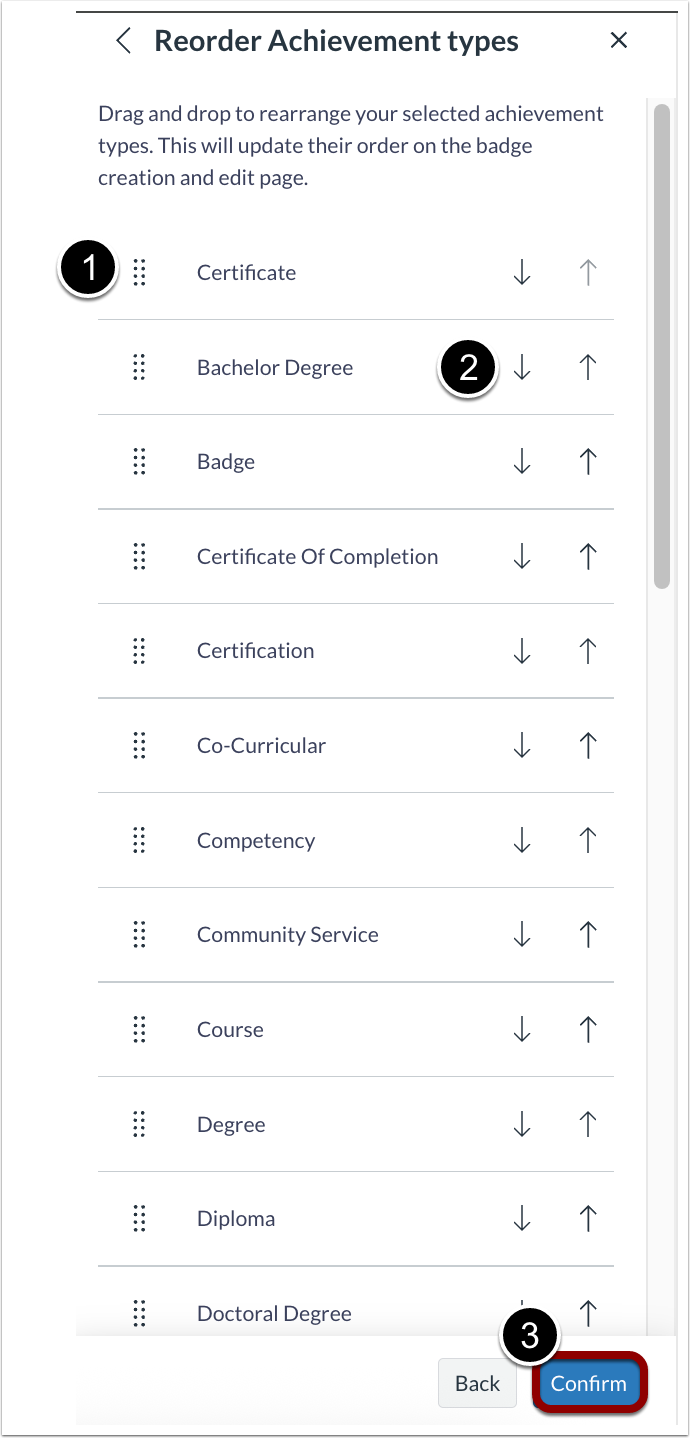
Reorder Achievement Type Tray
To reorder achievement types, click the drag handle next to the achievement type name [1] or click the up and down arrow icons [2]. Then, click the Confirm button [3].

Issuer Page Achievement Type Options
When issuer overrides are enabled, issuers can choose to use the organization achievement type settings [1] or manage their own achievement types [2].
Note: If overrides are disabled, issuer settings revert automatically to the organization settings.
