Badges
Delete Badge
AdminInstructor
|
Beta Environment Availability
|
Not available in the beta environment
|
|
Production Environment Availability
|
2024-01-22
|
|
Location to Enable Feature
|
None
|
|
Name of LTI Tool
|
None
|
|
Permissions
|
Admin, Issuer
|
|
Related APIs
|
None
|
|
Affects User Interface
|
Yes
|
|
Affected Areas
|
Issuer
|
|
Related Ideas
|
None
|
Summary
Issuers and administrators can delete badges.
Change Benefit
This functionality allows for the removal of unwanted badges, streamlining the management process and maintaining data consistency.
Feature Workflow
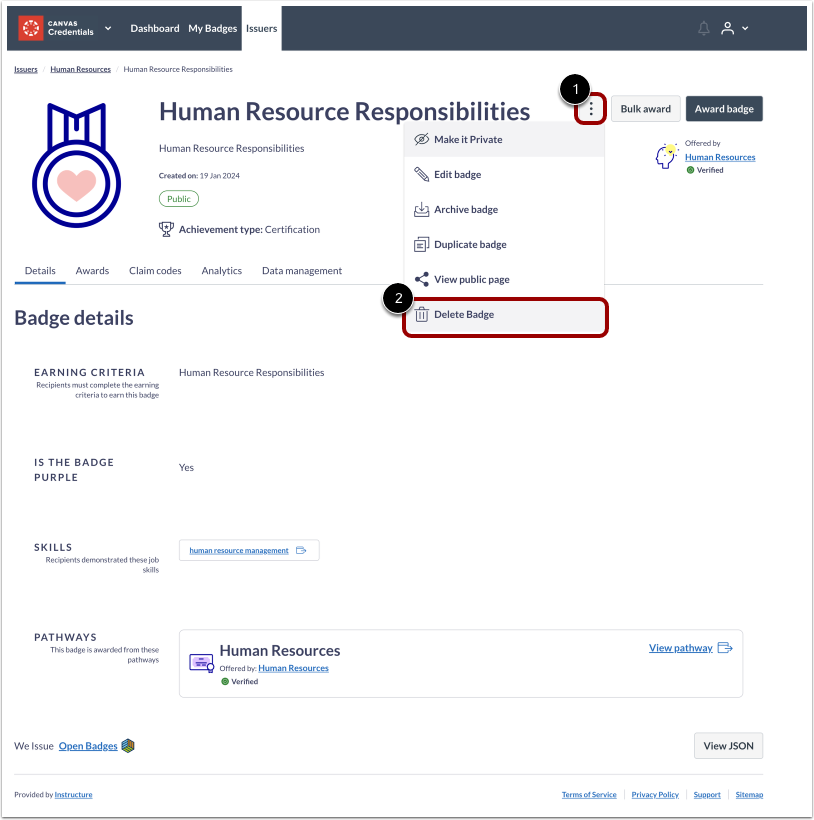 Delete Badges Option
To delete a badge, click the Options icon [1], then click the Delete Badge link [2].
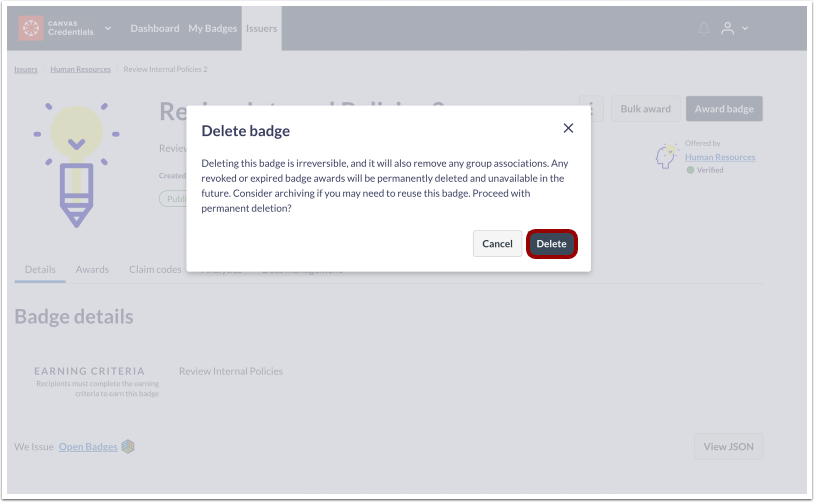 Delete Badges Button
Then, click the Delete button.
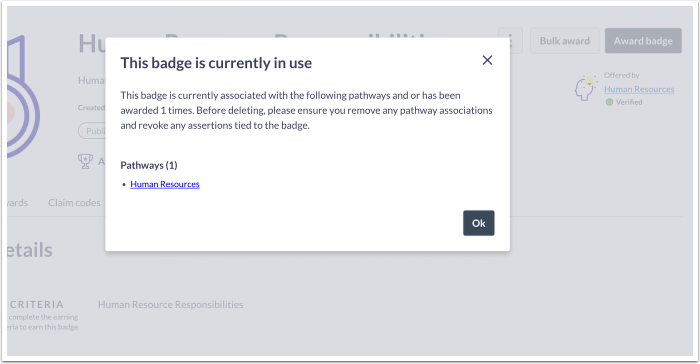 Badge Currently In Use Modal
If a badge is associated with a pathway, the badge must be removed from the pathway before deleting the badge.
Dashboard
Export Organization Badge List CSV
Admin
Summary
In the Dashboard, admins can export a detailed badge list. This exported list includes the following categories:
- Badge Class
- Earning Criteria
- Issuer
- Status
- Creation Date
- Archival Date
- Total Awards
- Latest Award Date
- Total Shares
Change Benefit
This functionality provides administrators with an enhanced capability to obtain a more comprehensive understanding of the badge landscape within the organization. Additionally, it facilitates the monitoring of trends in badge creation and aids in identifying cases where specific badges are generated but not awarded.
Feature Workflow
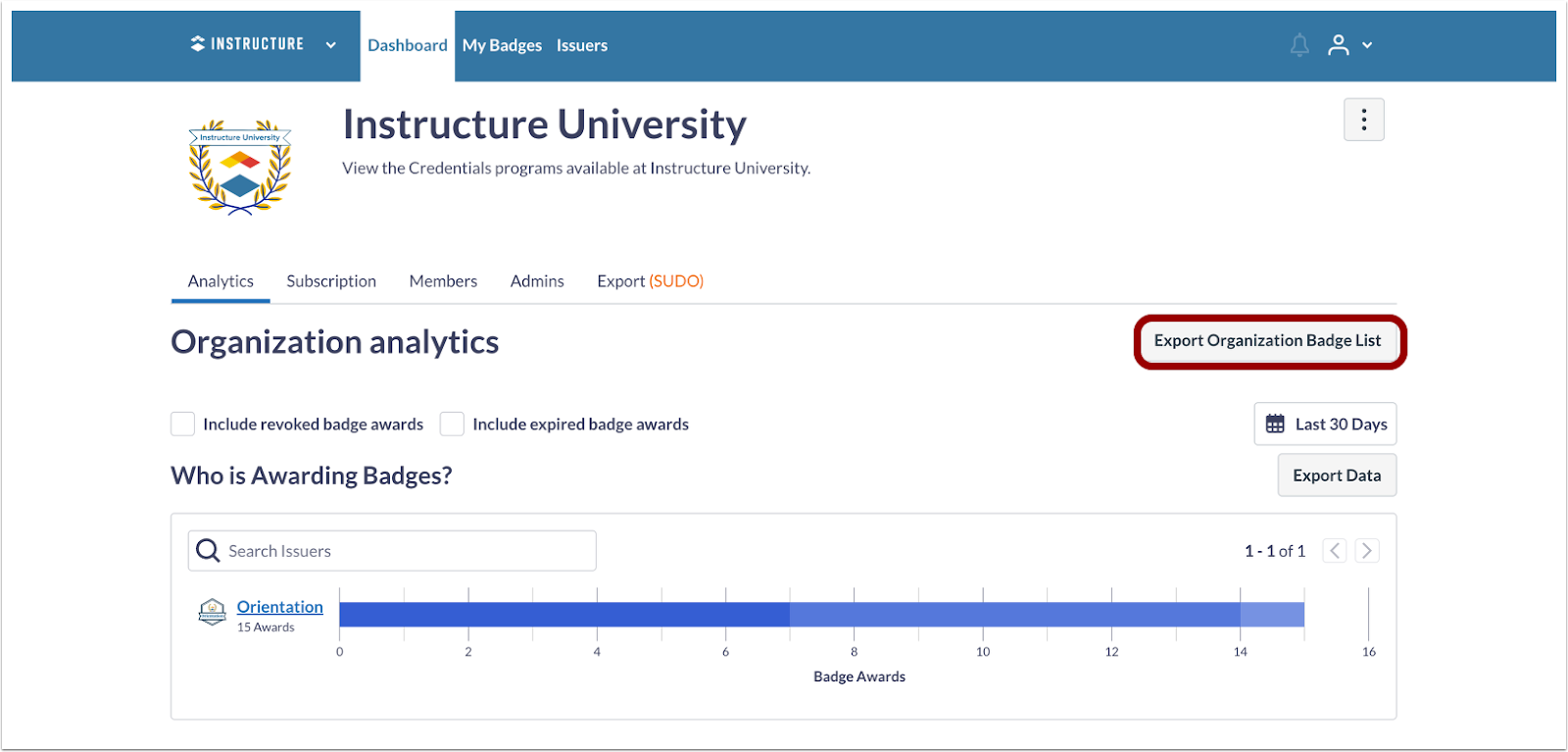 Export Organization Badge List Button
In the Dashboard, click the Export Organization Badge List button.
Additional Details
This feature is available to Credential users only.