On our new General Settings page, you can easily configure all of your Impact settings to customize your dashboard and in-app experience. You can adjust and configure elements such as:
- Timezone
- LTI Course Reports
- Messaging and Support Center options
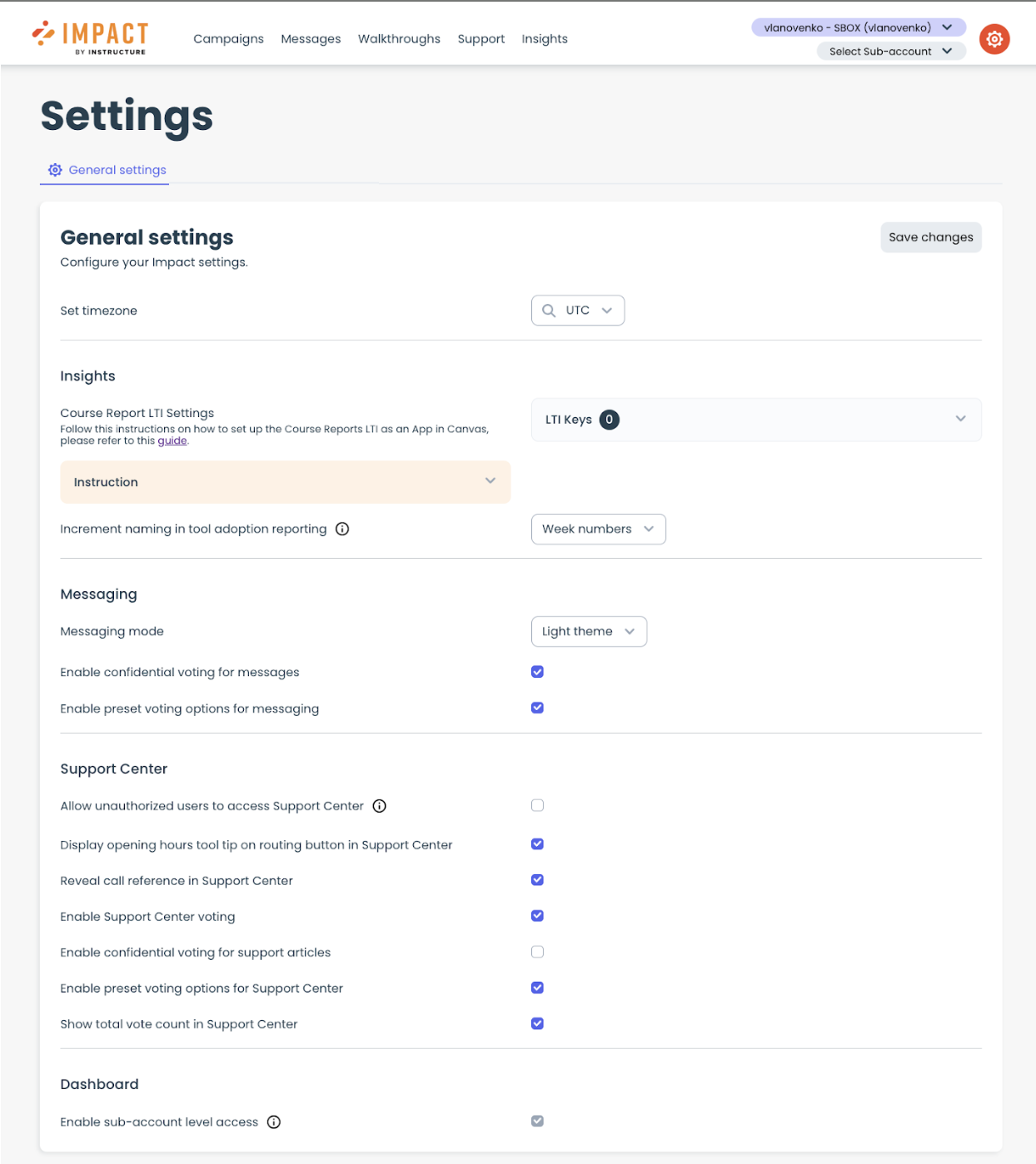
In addition, you are now able to enable our new sub-account level access feature right from this Settings page as well. To learn more about sub-account level access, please read our blog and guides.

Previously, to change these settings you had to submit a support ticket, but now with the General Settings page you can easily toggle through the options and see those changes reflected immediately.
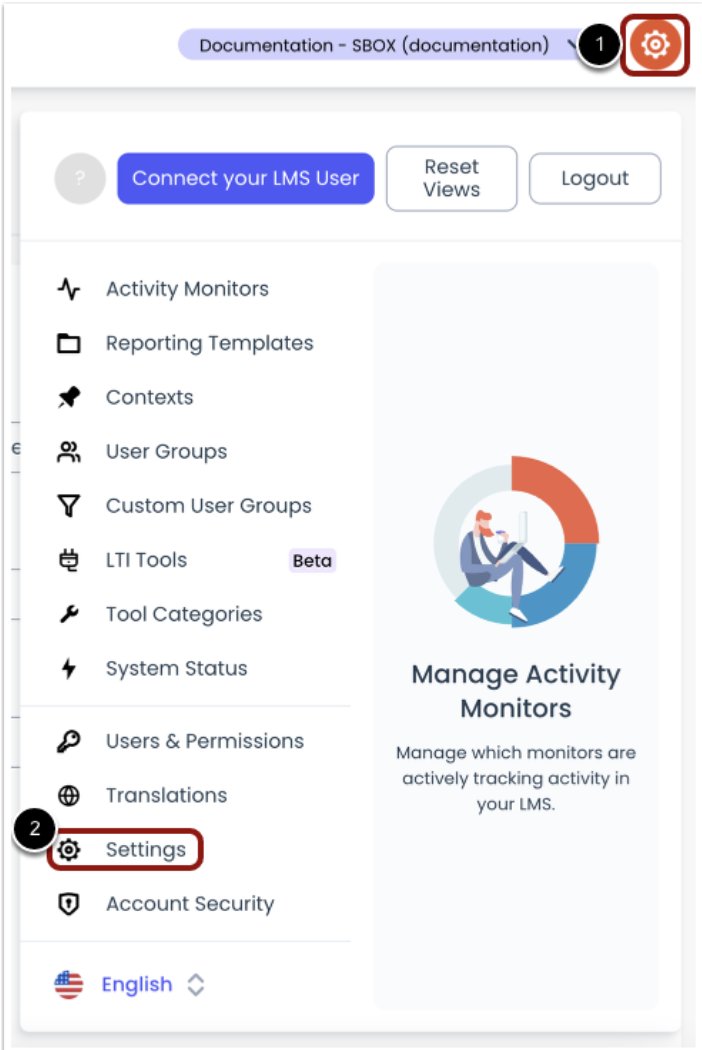
To see the new Settings page, go to your Global Navigation in the Impact dashboard, and click the Settings icon [1]. Then click the Settings link [2]. Read our guide for more information.