We have two updates to the Community this month: a Classic Rich Content Editor option for composing and editing content, and a refreshed top navigation to make Community resources easier to find.
Classic Rich Content Editor
We've switched the Community editor from the minimal Rich Content Editor to the Classic Rich Content Editor (RCE). The Classic RCE puts all formatting options in a single, visible toolbar, so everything you need is right there when you're writing.

This update also brings improvements to accessibility, keyboard navigation, mobile responsiveness, and code block formatting. Whether you're writing a guide, a discussion post, or a long-form reply, the editing experience is now more consistent and easier to use across devices.
Updated top navigation
We've made two changes to the top navigation to help you get where you're going faster.
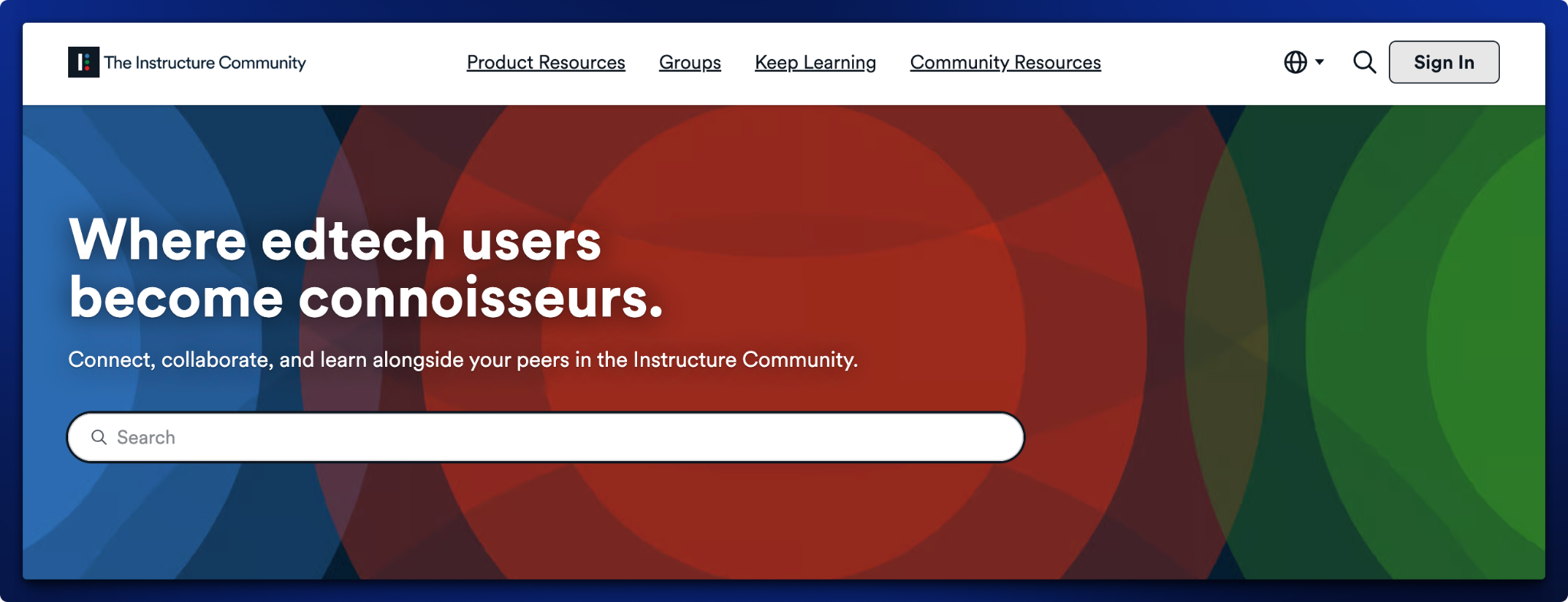
The Explore menu is now called Keep Learning, better reflecting what you'll find there: learning opportunities and resources to support your professional growth.

We've also promoted Community Resources to a top-level navigation item, giving you quicker access to things like the Weekly Highlights blog, Community guides, and other resources that help you get more out of the Community.

Looking for a link to the All Guides page? You'll find them on the right-hand side within the question forum and blog for product category in the Community.

We hope these changes make your time in the Community a little smoother. If you have questions or feedback, leave a comment below.