Release notes outline upcoming customer-impacting changes that are expected to be displayed in production environments. Please note that features considered for future development are not included in the notes.
Unless otherwise stated, all features in this release are available in the Production environment as of 2026-February.
New Features
Data Exports
Mastery Predictive Assessment Aggregated Cut Score Report
Affected User Roles | District Administrators |
Affects User Interface | No |
Affected Areas | Mastery Predictive Assessment Data Exports |
Summary
This update introduces the Mastery Predictive Assessment Aggregated Cut Score Export, a new file that lists percent correct cut scores for all tests within a given administration. Features include:
- Aggregated Cut Score Export: Access a new file that lists percent correct cut scores for all tests within a given administration.
- Performance Level Threshold: View thresholds used for each performance level on the Mastery Predictive Assessments.
- Raw Score Translation: Understand how raw test scores translate into performance categories.
- Scale Score Alignment: Access scale score cut scores that align to the state test.
Change Benefit
- Improved Score Transparency: Gives educators visibility into the percent correct and scale score thresholds used for each performance level across an administration, including scale score cut scores that align to the state test.
- Stronger Instructional Insight: Helps teams interpret raw test results more clearly and connect them to meaningful performance categories.
- Easier Access to Decision-Making Data: Provides a centralized export that supports analysis, planning, and communication around assessment results.
Feature Workflow
Note: The Aggregated Cut Score Export is available in the Data Exports tab of Mastery Connect after all Mastery Predictive Assessments in an administration are complete.

In the Global Navigation menu, click the Admin drop-down menu [1]. Then, select the Manage option [2].
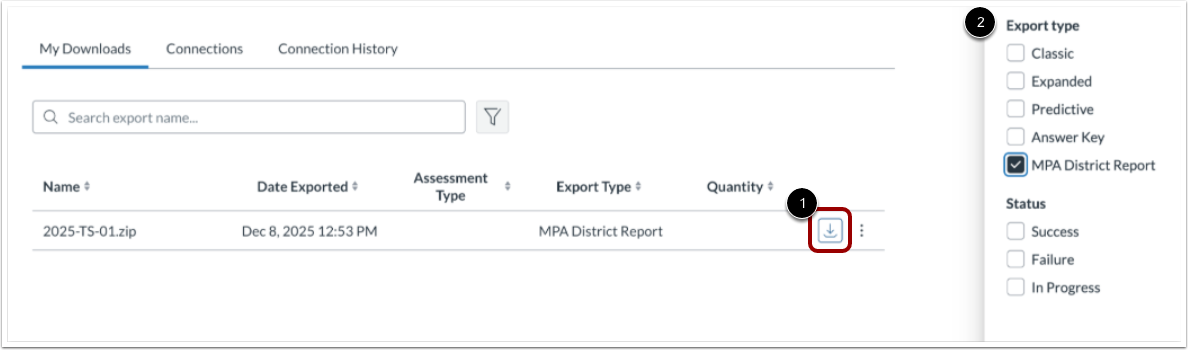
In the Manage list, click the Data Exports link [1] and click the filters to identify the appropriate file [2].
Note: A sample file is available. You can learn more about accessing the Mastery Predictive Assessment Aggregated Cut Score Report.