Accessibility improvements are coming and bringing along automated captioning to Canvas with it! Through real-time video transcripts, both Canvas and Canvas Studio users will be able to search, follow, and revisit key moments in videos, plus more.
We are happy to announce a major upgrade to your video experience which will come to both Studio and Canvas media. This blog post from last April generated a ton of interest when I shared a sneak peek into the upcoming changes, and questions revolving when users can first take a look at them. So let me start with the most important facts you need to know then I’ll go over what’s coming this quarter.
Interactive transcripts for improved efficiency and accessibility
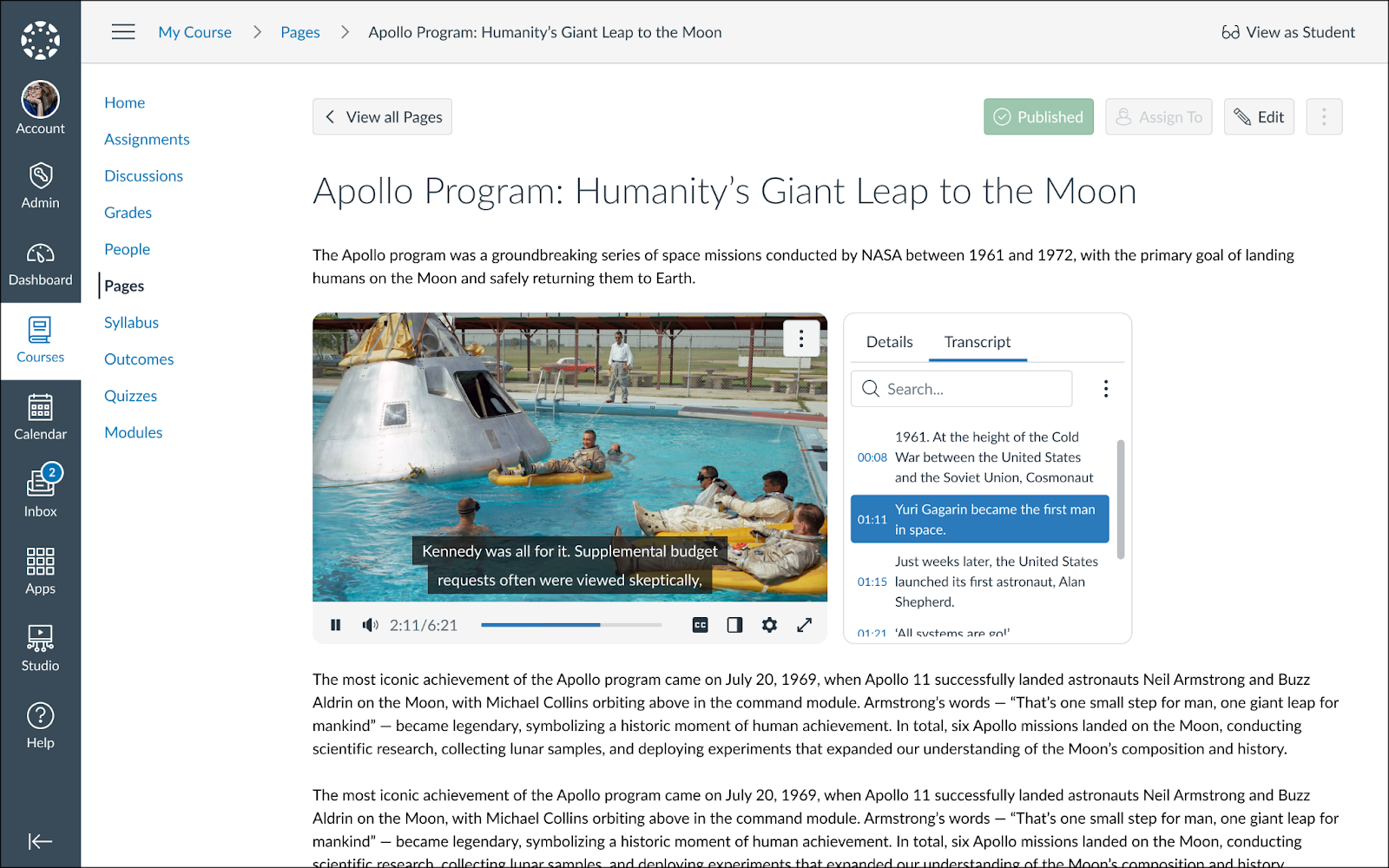
Building upon the modernized media player, we are further transforming video content into active and interactable learning pieces. At the core of this new experience is a dynamic, real-time transcript that sits side-by-side with the video content. The transcript automatically scrolls in sync with the speaker, enabling seamless search and in-video navigation. Educators can also edit transcripts directly within the player, with changes applying to both existing captions and future automated ones.
This experience will be available across both Canvas and Studio media. Let’s break this down and explore how this shift transforms the experience for both learners and educators.
For Educators: Control, Speed and… the Removal of Media Tabs
Your course content is valuable, and how it is presented matters. Until now, the way Studio content could be embedded was manageable, but we're making it simpler than ever.
- On-the-spot transcript corrections: We know automated captions sometimes struggle with complex academic terminology, acronyms, or unique names. With this new interface, if you spot a glaring typo in the transcript while reviewing your video, you can simply click the text and edit it right there in Canvas.
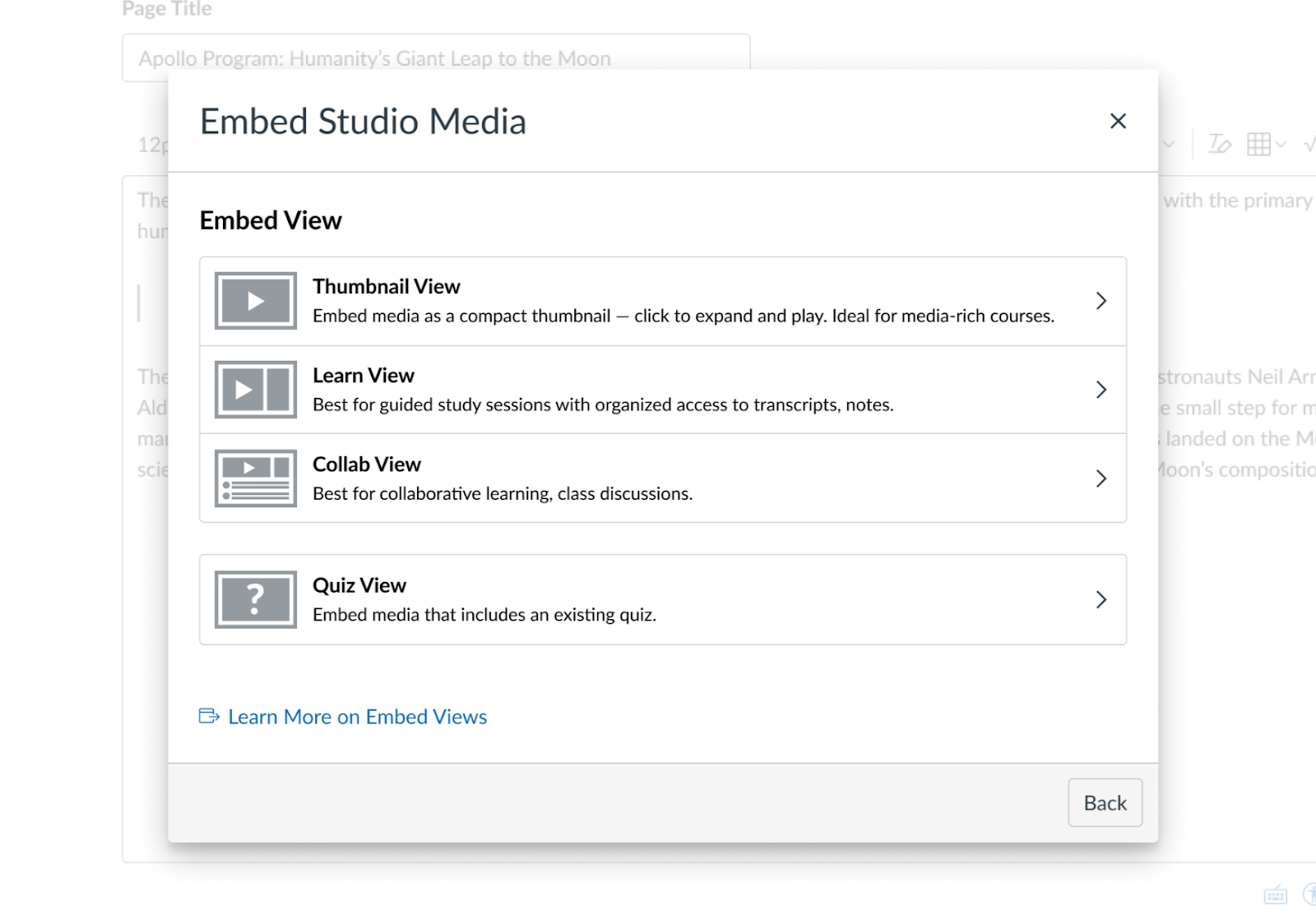
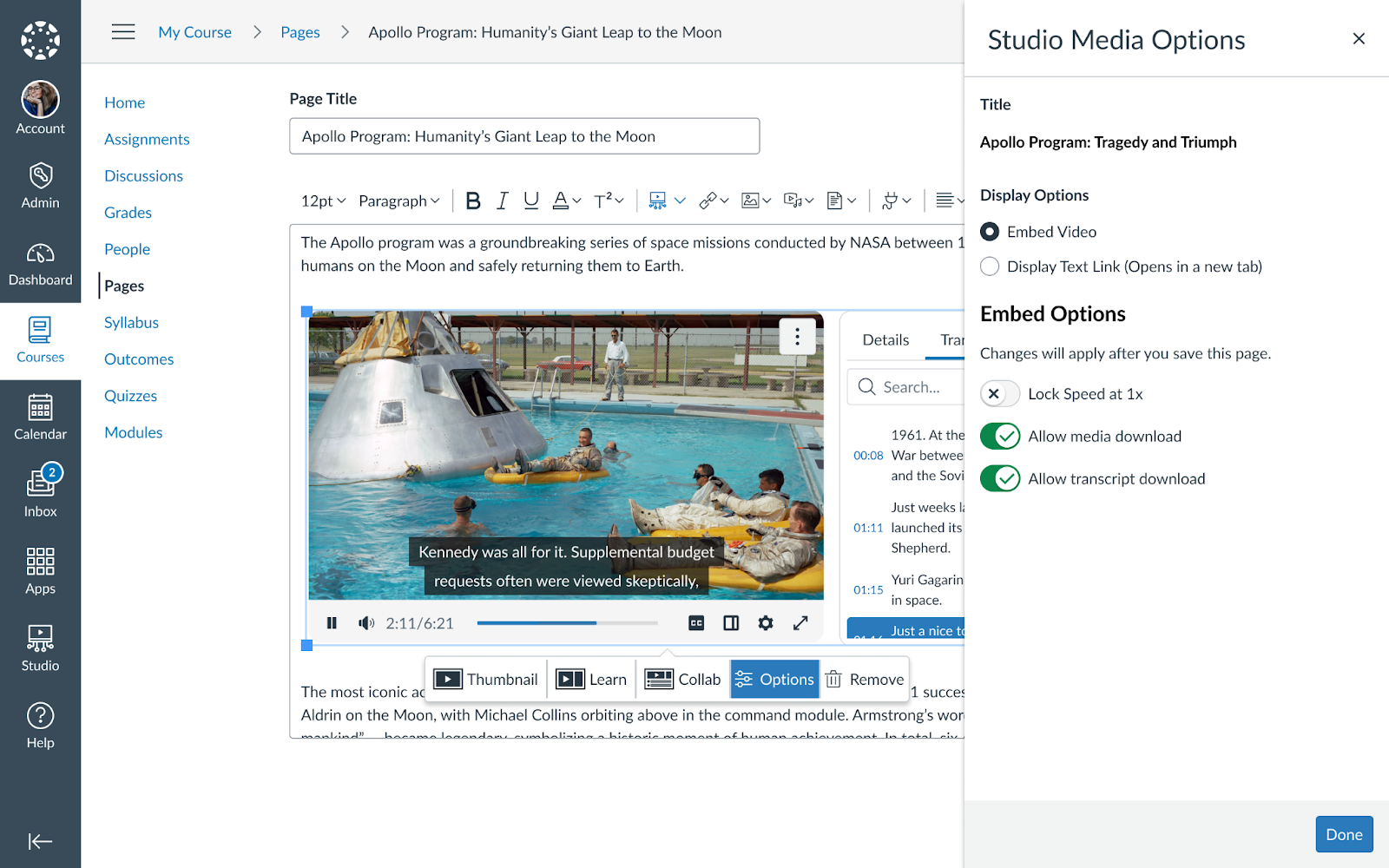
- Dynamic embed views (Studio only): instead of having only one way to add Studio content to courses, different views are pre-set for you to accommodate media-rich pages with a video thumbnail, a standard-sized media player or allowing students to comment under the video. These are also dynamic, meaning they are interchangeable anytime without needing to re-embed them.
- Direct access to Insights and Captions (Studio only): Today, this is only possible if the Media Tabs are enabled at the time of embedding content. We are aware that it conflicts with great course design due to the massive vertical space the video takes up so we made sure that no matter what pre-set view you select, you have direct access to the student insights and the caption editor without ever leaving the course!
- Lock playback speed at 1x (Studio only): Ensure that students engage with video content as intended by preventing them from altering playback speed. Again, change it anytime without re-embedding.
By providing these tools, you aren't just posting a plain video, you are providing a comprehensive study aid that also saves back and forth clicks, and ultimately, your time.
For Students: Studying Smarter, Not Harder
We know that scrubbing through a 60-minute lecture timeline trying to find that one specific definition for tomorrow’s midterm is frustrating. This upgrade turns video into a searchable study asset.
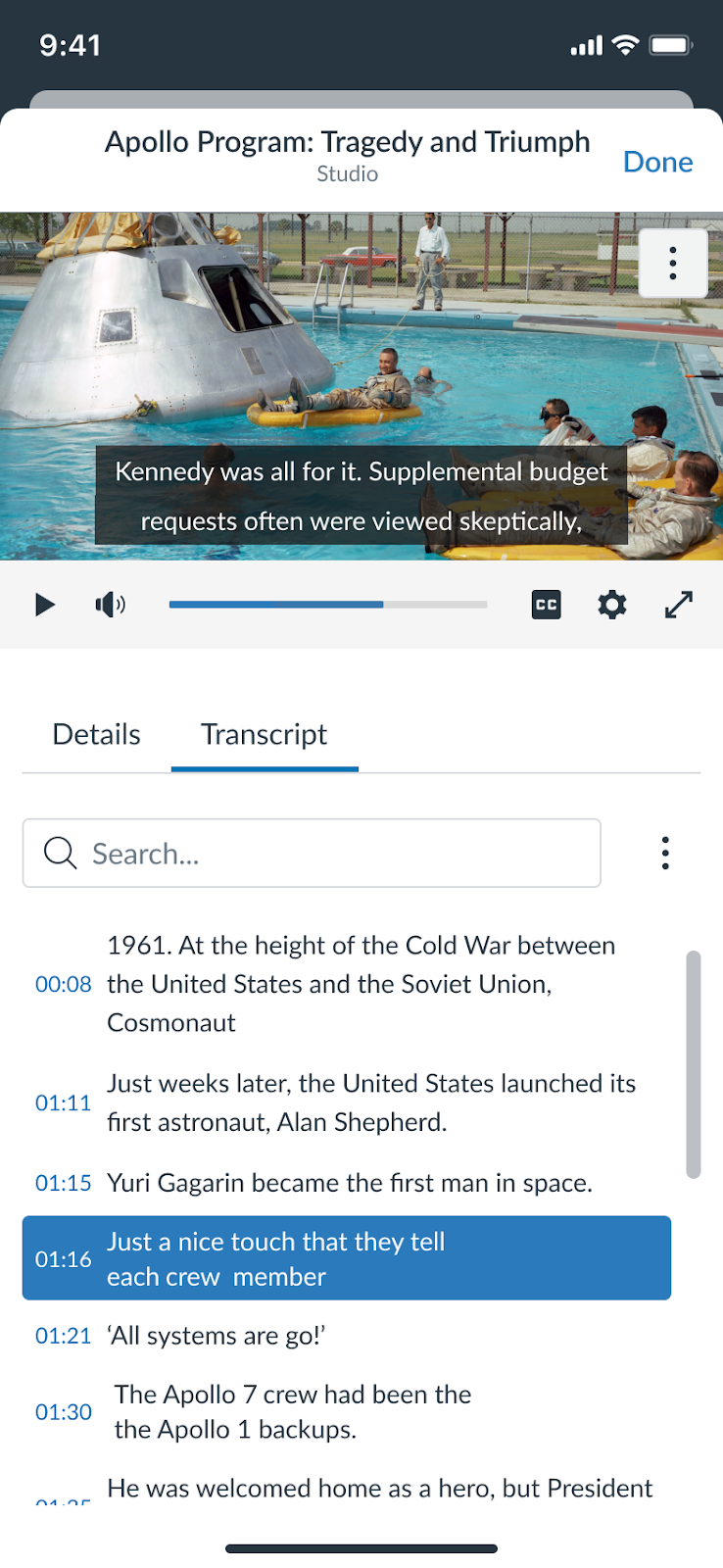
- Instant recall (Search & Navigate): Treat the video like a text document. If you need to review a specific concept, just type the keyword into the transcript search bar. You’ll see every mention highlighted. Click on the sentence you need, and the video player instantly jumps to that exact moment.
- Improved comprehension (Follow Along): For many learners, reading while listening significantly boosts retention. The auto-scrolling transcript helps you stay focused on complex topics, and if you zone out for a second, you can quickly glance at the text to catch up without stopping the video.
- An immersive view: A theater-style view for students that enhances the learning experience, with the option to hide or display the rolling transcript at any time. Also completely reworked and optimized for mobile devices!
How to get involved
Note: The rolling transcript (its editability for educators) and all of the respective student benefits will come to both Canvas and Studio media. There will also be an option to request captions for Canvas media when embedded through the Rich Content Editor. The new embed views, with quick access to viewership insights and the caption editor, and the ability to lock speed will only come to Studio.
In the past few months we shared with you our interactive prototype that finally became reality. We are grateful for the tremendous amount of feedback and can’t wait for you to officially have your hands on it as part of an Early Adopter Program. Fill out this sign-up form until Feb 11 and we’ll be in touch shortly after!
- Who can sign up for the EAP? Admins and Instructors are all welcome.
- When will the EAP launch? It will launch on February 12 and remain open through March 2.
- How will access be controlled? A course level flag can be enabled to access the new experience in a designated root or sub-account.
Let us know if you have any questions!
Best,
Akos