Chances are high you’ve heard of and even used Poll Everywhere— it’s the leading polling software that makes presentations even more engaging. With a variety of interactive poll options, speakers can easily engage their audience and get real-time feedback. We’re proud to call Poll Everywhere a partner here at Instructure, and are very excited that we in Learning Services have found very creative ways to use it!
Trusted tool for synchronous engagement.
As a Learning Services organization at Instructure, we work with customers in a variety of ways—training, consulting, and instructional design are our three main branches. Our interactions with folks range from presentations at conferences, to in-person engagements, to virtual meetings. The use of Poll Everywhere in any of these situations helps us to set the tone, engage our audience, and also get insight on who is joining us and how they are responding to our presentations. Poll Everywhere is a valuable and trusted tool for any live engagement, and one we are thrilled to have in our toolbox.
Out of the box for asynchronous learning.
Not all of our services are synchronous, as you might know. Both our On Demand Training Portal and our Certified Programs are asynchronous, and we are always looking for ways to add layers of engagement to these services as well. We are currently working on adding Poll Everywhere to our On Demand offerings, but we’ve been using Poll Everywhere in our Certified Programs for a little over a year now, with great success.
Poll Everywhere is an official partner of our Certified Programs, and we feature it currently in Canvas Certified Power User, Canvas Certified Educator, Canvas Certified Technical Admin, and Instructure Credentials Innovator. We wanted to give you a little peak at how we use it in these courses.
In the Certified Programs, we like to try to find as many ways to engage our learners as possible, without overloading them with things that feel like assignments. We believe it’s important to include opportunities for engagement that are optional, but offer interaction. That’s why Poll Everywhere is such a great fit. We can easily embed a Poll Everywhere activity right on the Canvas Page, allowing for the great interactive features of the tool. Some of our topics we present can be really complex, so we want to provide thoughtful questions for the learners to consider before they move on to the next topic.
Here’s an example from our Canvas Certified Power User course! On an in-depth page about building Pages, we included this Poll Everywhere “Ranking” activity. This allowed participants to think about the different ideas presented and then consider which they are most interested in trying for themselves.
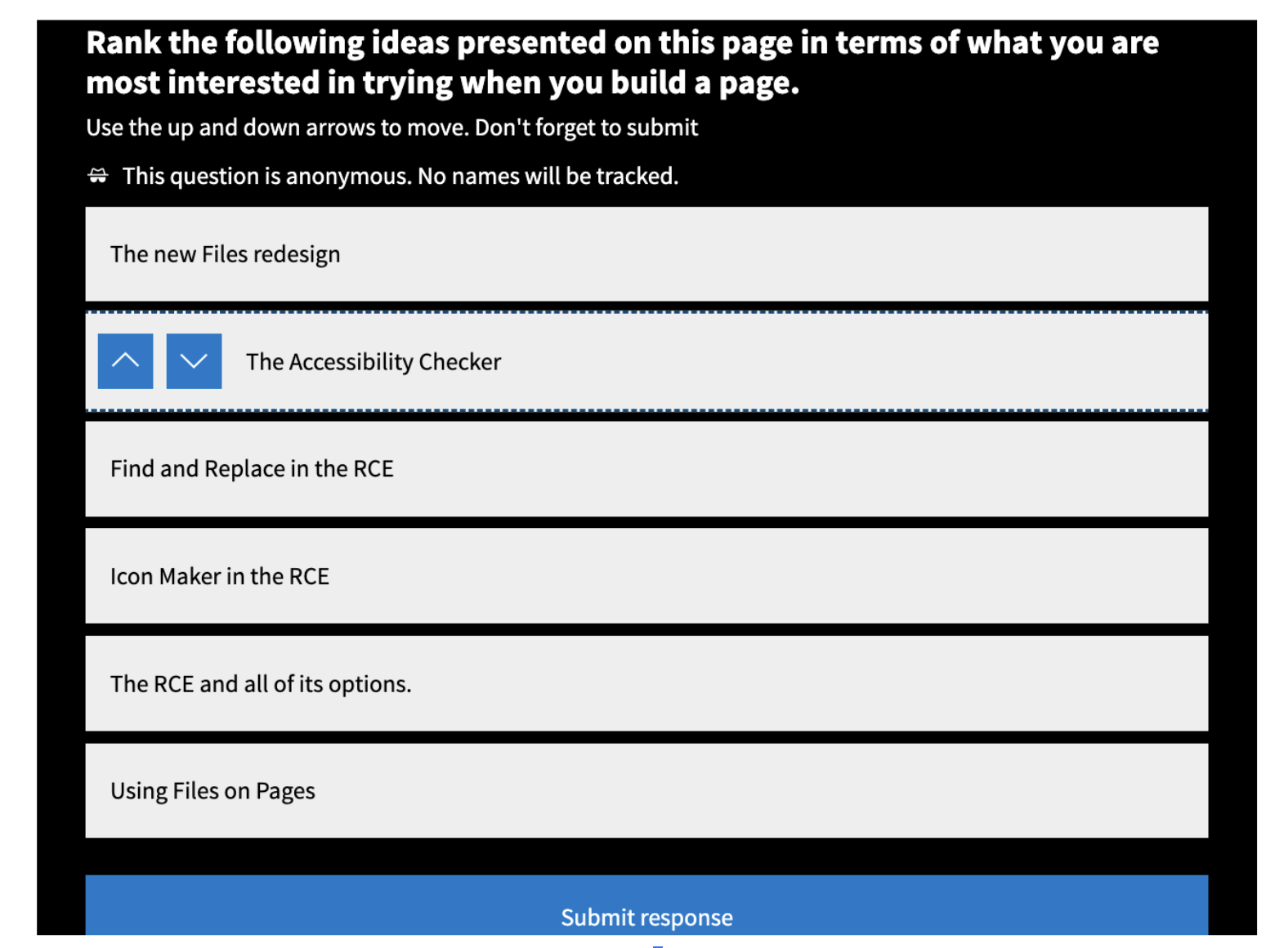
We built it like any other activity right in Poll Everywhere, and then under “Share” we selected the “Copy embed script.” We embedded that on the Canvas page, and we were able to have our learners respond!
After they do respond, there’s nothing further for them to do. We can see the responses in our Poll Everywhere account if we want to dig into the general consensus of the learners. But more than anything, we just really wanted to provide that cognitive break on the page, give some acknowledgement of all of the different topics, and have learners think through what each topic means to them as they move forward in the course.
Looking to the future.
We feel like we’re just scratching the surface of where our partnership with Poll Everywhere can take us, and that is thrilling! In 2026, we will add some of the Poll Everywhere functionality to our On Demand asynchronous courses, as well train even more of our consultants on how they can use Poll Everywhere either synchronously or asynchronously in their work. We can’t wait to see where we go from here!

To learn more about how you can use Poll Everywhere in Canvas, check out Poll Everywhere for Canvas.
With strategic planning, on demand and custom training, professional learning workshops, course templates, and design consultation, Learning Services will help your institution to successfully adopt and use a selection of Instructure products.

