The Canvas LMS Release Notes page has been updated and improved to better match previous functionality from our former Community platform. The new release notes feed features tabs to view releases and deploys separately, highlights the latest release notes published, displays the date of the release, the date the notes were published, and the date (if applicable) they were updated. The new feed also includes summaries of the release notes and additional release notes metadata.
Updated Feed
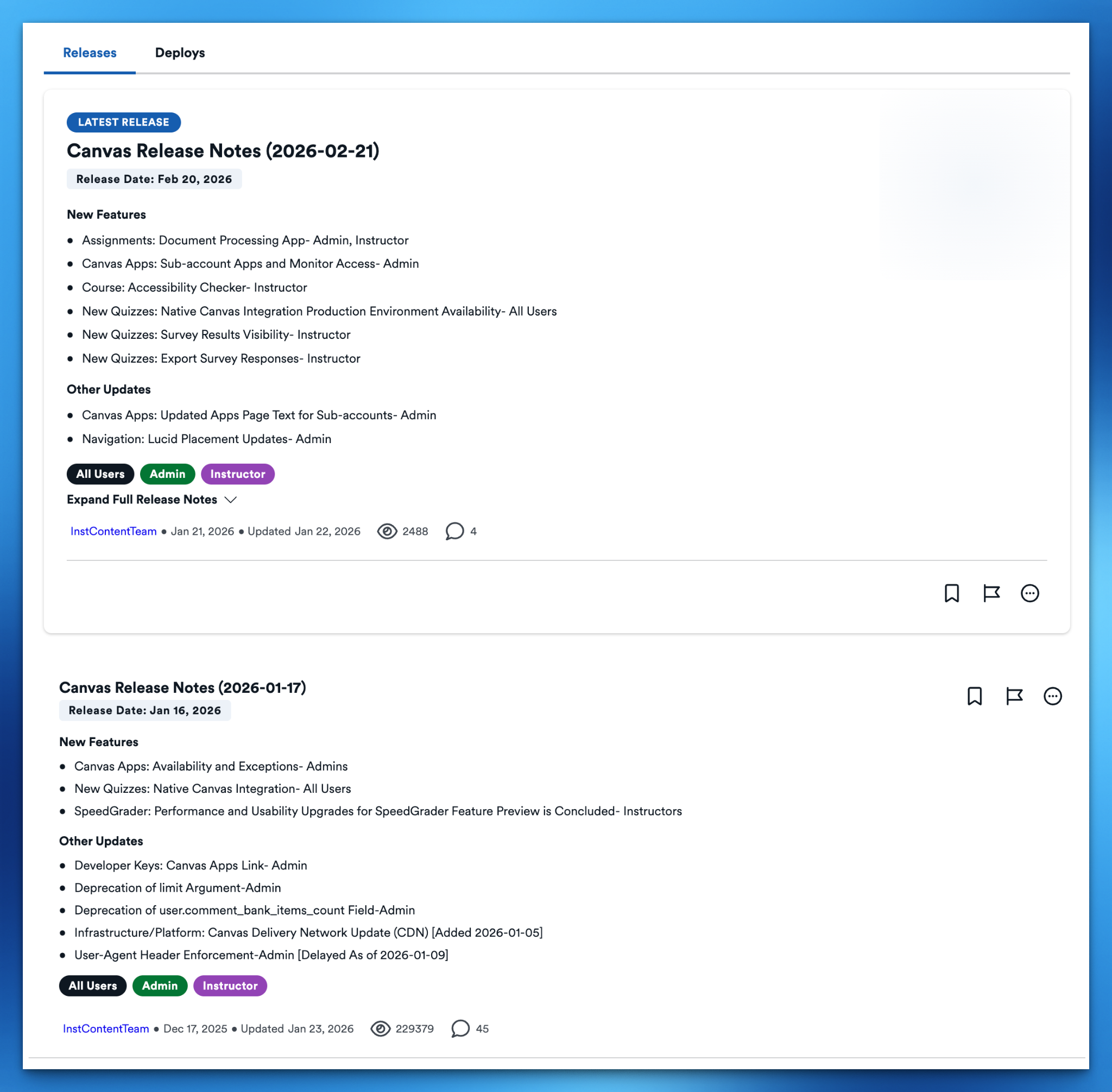
The updated release notes feed features a Releases tab and a Deploys tab to separate release notes and deploy notes in the feed. This change allows users to easily filter the release notes.
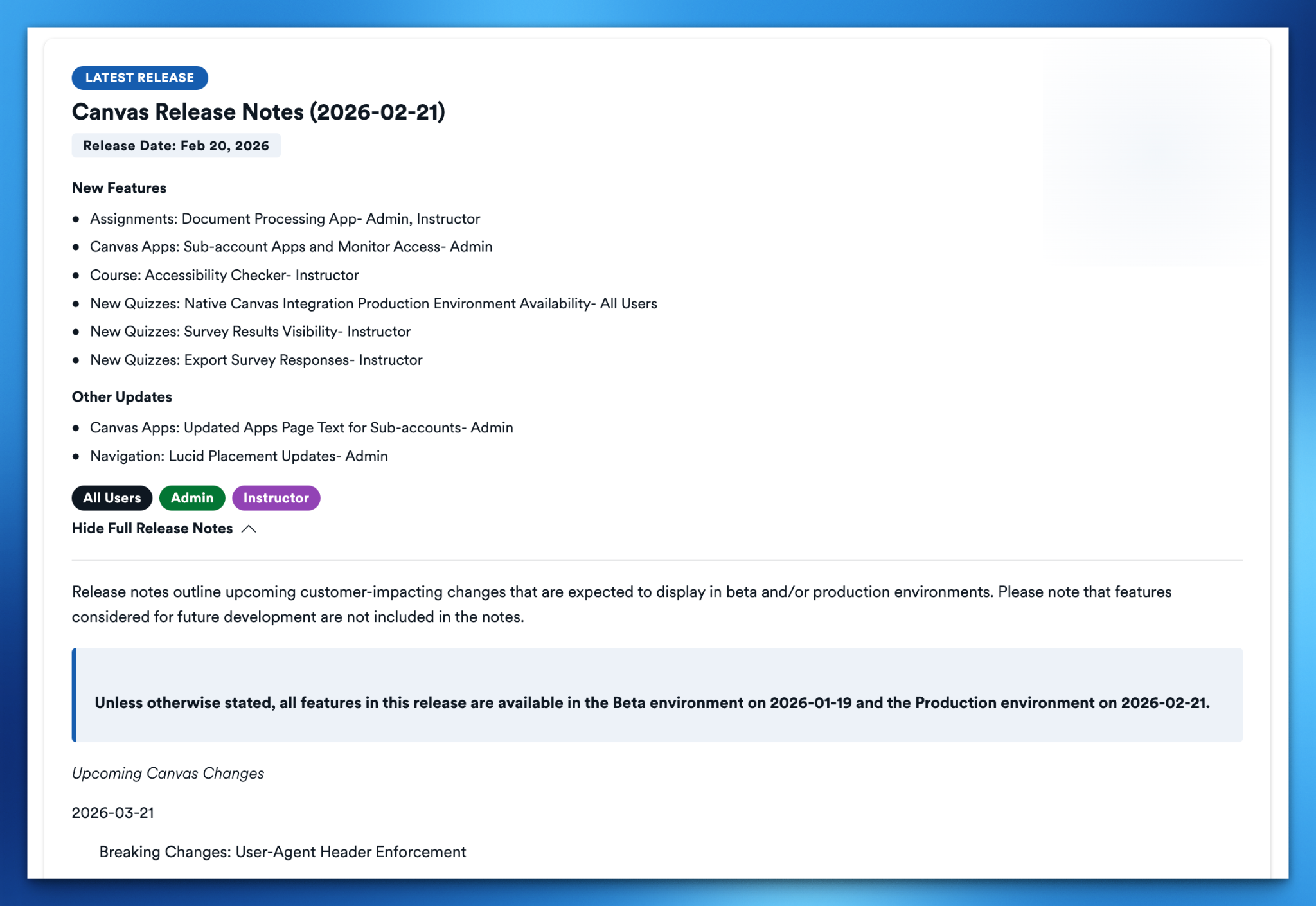
The latest release notes article is featured at the top of the feed for easy access. The featured article is identified with colors, text, and a badge, making it easier to locate, read, and share the latest release. The latest release notes also allows a full expansion of the release notes directly in the feed so you can quickly browse without clicking to view the article.
Improved Metadata
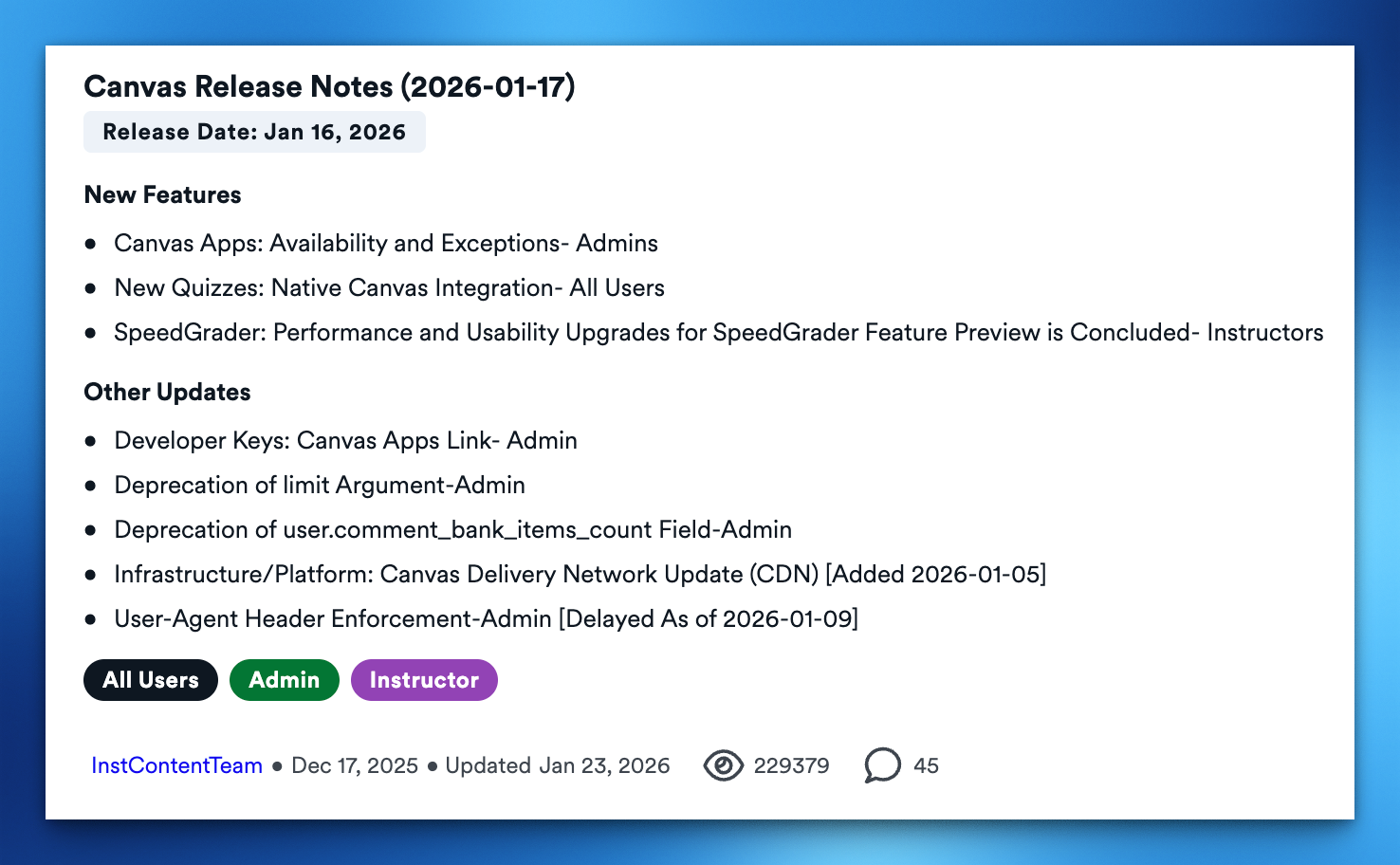
The updated release notes feed also includes improved metadata about the release, including the release date, applicable user roles, the date the notes were published, and, if applicable, the date the notes were updated. The updated feed also includes a convenient summary of new and updated features included in the release notes.
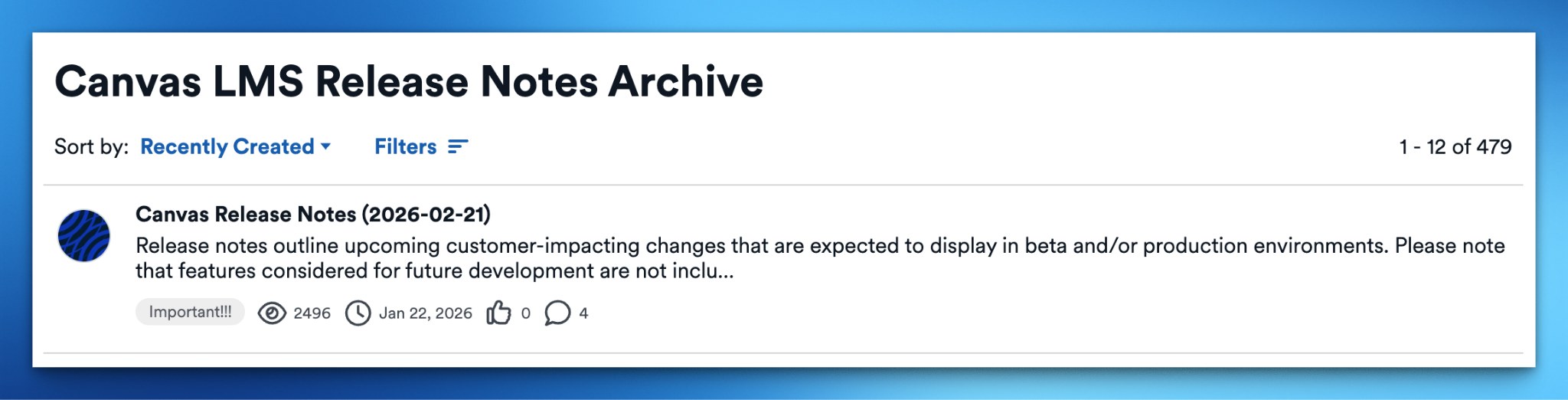
The current feed that has additional filters and a different layout is still accessible below the updated feed and is now labeled as an archive. You can view all release notes from this feed if you’re looking for historical release notes.
The updates to the feed are available today! You can check them out on the Canvas LMS Release Notes page. If you have any questions or feedback on the updated release notes feed design, please leave a comment below.