Meet learners where they are
Not every learner uses Canvas the same way. Whether it’s a corporate trainee, a continuing education student, or someone enrolling in a public program, many don’t have Canvas login credentials. That created friction right at the start.
Starting January 27, institutions can remove that barrier with expanded login configuration in Canvas Catalog, available in beta. General availability begins February 2. This new feature allows admins to support multiple login paths through a secure, self-service interface. No engineering support required.
Configure login options in minutes
Catalog admins can now:
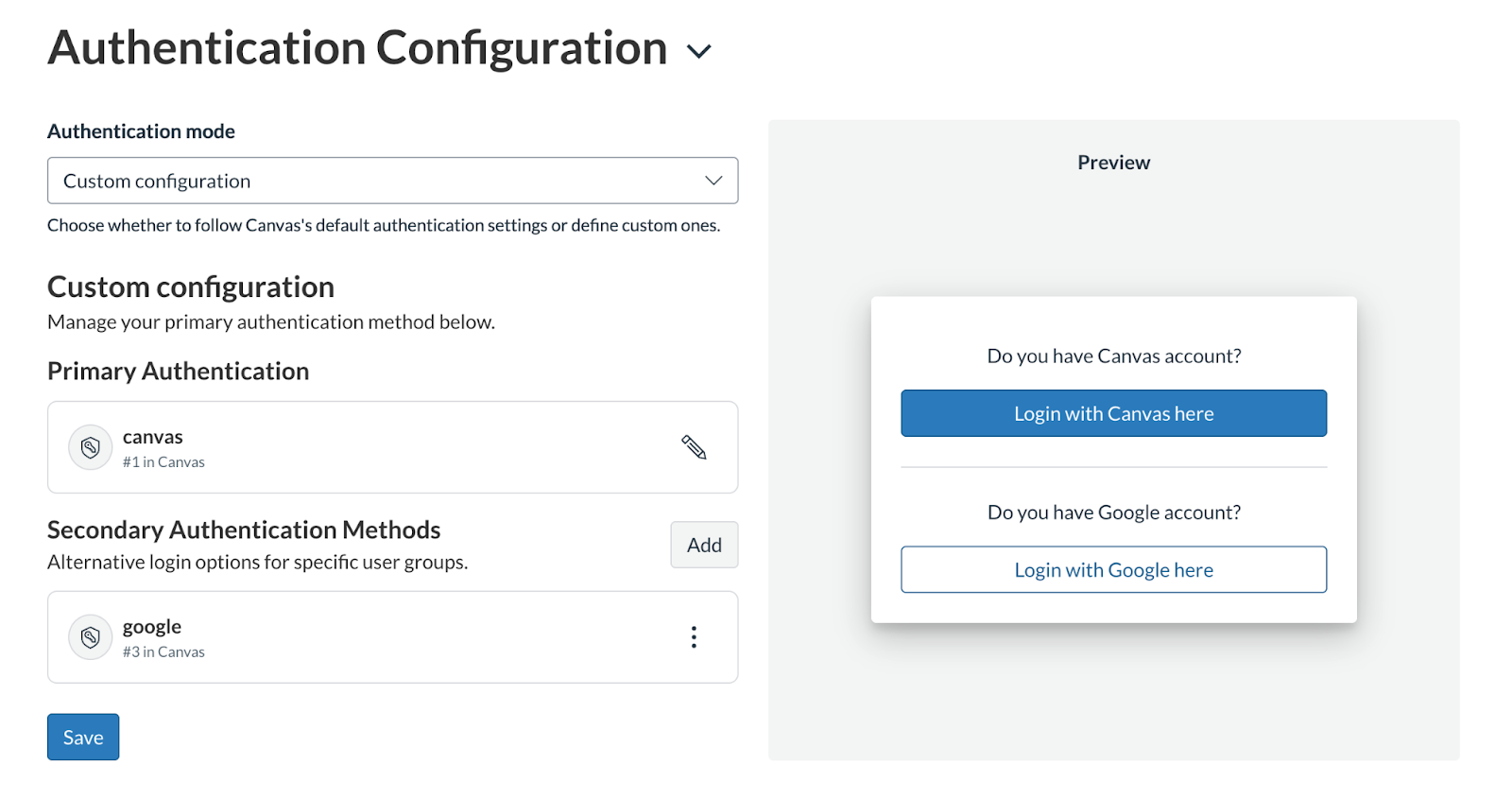
- Select from authentication providers already configured in Canvas
- Apply login options at the Catalog or subcatalog level
- Customize button labels and add context for clarity
- Rename the default Canvas login to reduce confusion
- Preview changes before publishing
- Save and go live instantly
All of this happens in a clean, permission-controlled interface.
Why this matters
Many institutions offer learning experiences beyond their core student base. Professional development, workforce training, and public programs all serve users who may never touch Canvas directly.
Previously, adding alternative login paths required backend work. That slowed launches, increased support load, and left learners stuck at the first step.
Expanded login configuration changes that. It gives admins direct control to configure access for every learner group.
Designed for clarity and control
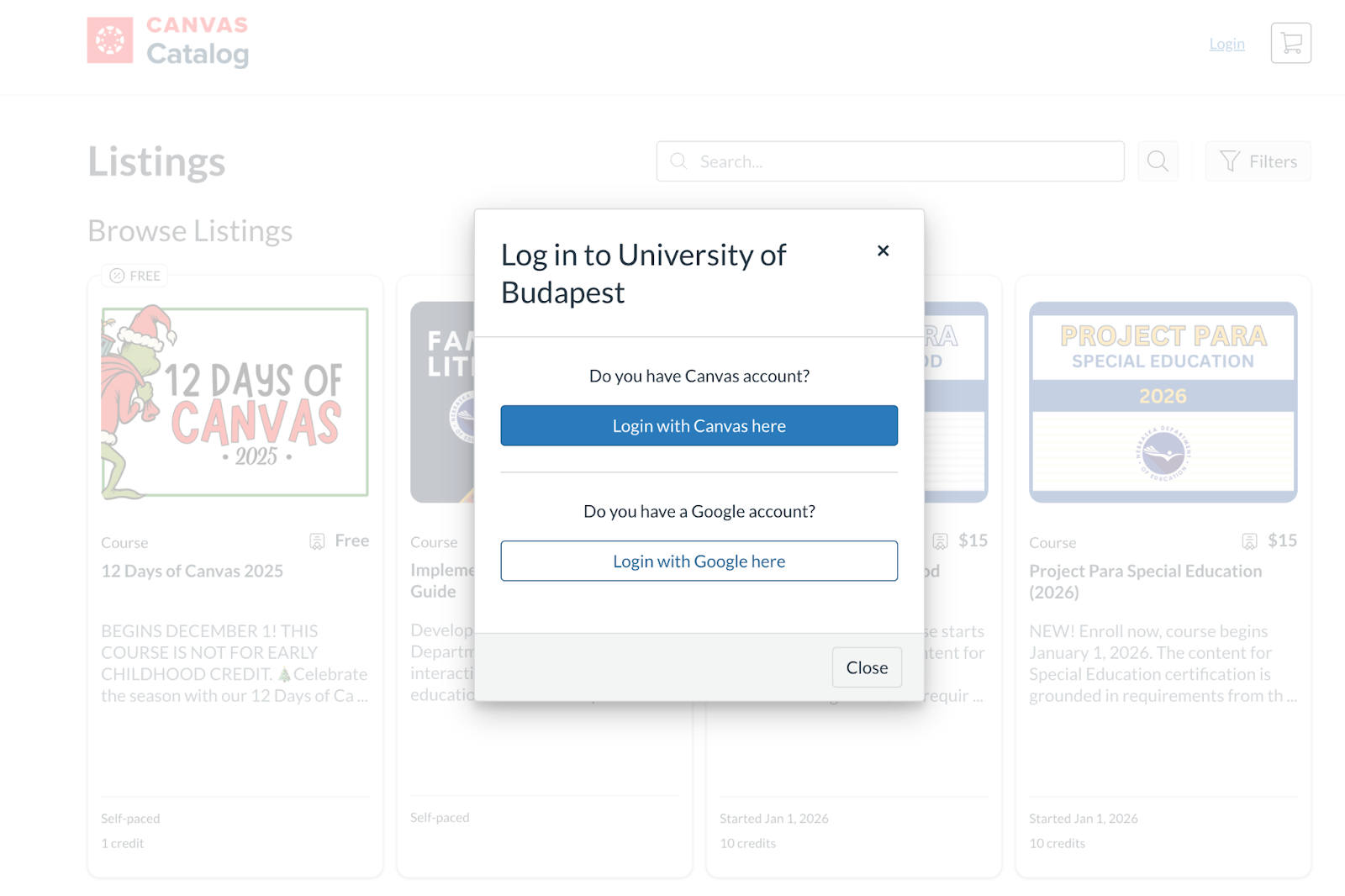
The login page can now reflect your institution’s tone, branding, and program structure. Whether you're guiding a lifelong learner, a corporate partner, or a student already familiar with Canvas, they’ll see the right message at the right time. This makes onboarding smoother for everyone.
Logged, secure, and scalable
All changes are automatically recorded in the Catalog Audit Log, including:
- Who made the update
- What was changed
- When it was published
- Which Catalog or subcatalog it affected
Access is secured at both the UI and API levels, with permissions to ensure only authorized users can modify login settings.
A better experience starts here
Expanded login configuration simplifies the first step for new learners. It reduces dependency on technical teams and opens the door to broader, more inclusive program offerings.
By simplifying the access process, institutions can scale their offerings faster, support more diverse learners, and strengthen their presence in extended learning markets.
How to get started?
If your Canvas account already has multiple identity providers configured, you can begin testing this feature in beta starting January 27. Full rollout will follow on February 2.
Go to your Catalog admin settings, select your login paths, preview the page, and publish. That’s it.
Tell us what you think
Submit Feedback