I have noticed two issues when using a rubric in the new Speedgrader view. These issues are not present in the old Speedgrader view.
- The Comments field in the rubric does not size correctly with the page/frames. When the instructor clicks "View Rubric," the comments boxes for each rubric item are typically extending beyond the right boundary of the browser window. I have to adjust the frame between the assignment view and the rubric quite wide before the comments box fits. The way it works right now, as I type, my words go off the screen, and I can't see them. It's annoying to have to adjust the center bar every time.
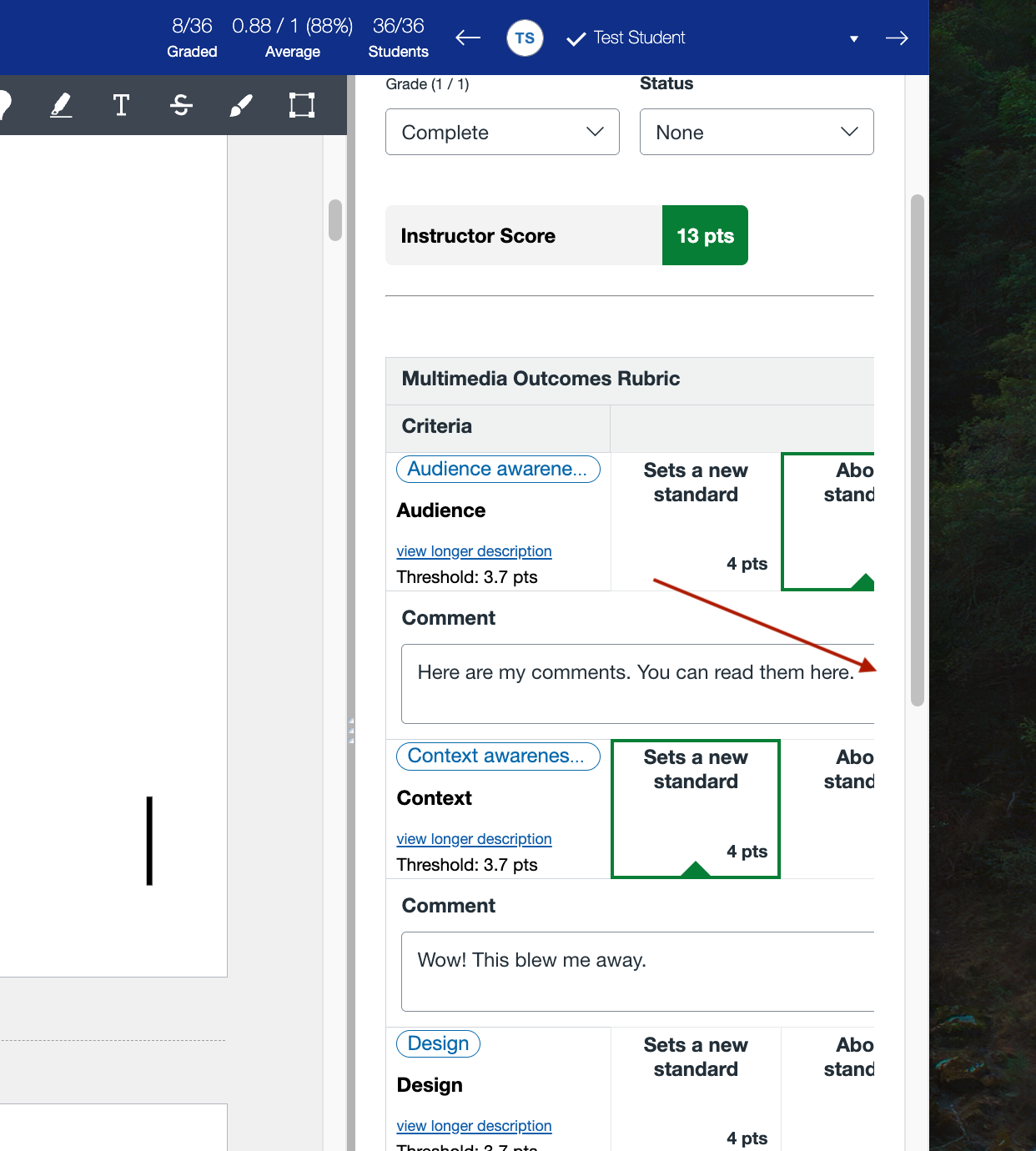
2. If I choose not to select any point value for a rubric criterion (like if I have a 4-point scale but one criterion does not apply to the assignment and is not given any value), that rubric criterion is highlighted in red as though I gave it a 0 once I save my rubric assessment.


Again, these issues are not present in the old Speedgrader view. Addressing these issues would be great!