Students enroll in your courses, but many never take the next step. They get busy, distracted, or forget entirely. That pause between enrollment and action is where engagement often breaks down. With Post-Enrollment Nudges, Canvas Catalog gives you a smarter way to keep learners moving forward from the very beginning.
At a Glance
- Automatically send follow-up messages based on enrollment date
- Personalize emails using dynamic fields
- Target nudges by listing or learner progress
- Track impact in a dedicated analytics dashboard
What Post-Enrollment Nudges Do
Post-Enrollment Nudges are personalized, time-based emails triggered by when a student enrolls. You can schedule reminders to go out one day after enrollment, three days later, or whenever fits your engagement strategy. You choose the timing, audience, and content, Catalog handles the delivery.
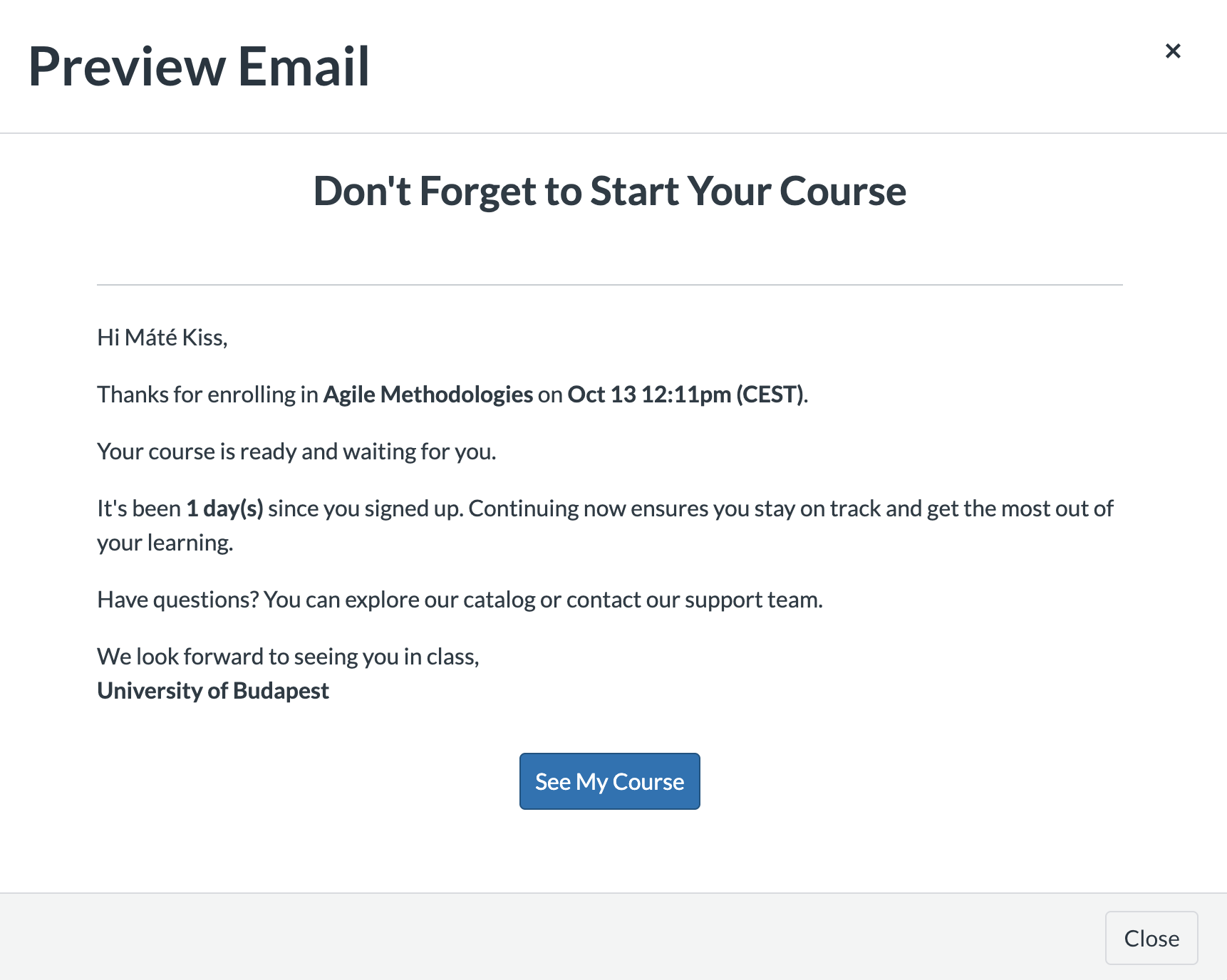 Personalize emails using dynamic fields
Imagine a student enrolling in a self-paced professional development course. Two days later, they receive a personalized email nudging them to begin. If they haven’t started within a week, a follow-up message offers a quick-start guide. The result is that more students get started faster and stay on track.
Why It Matters
Until now, Catalog admins had no built-in way to re-engage students who enrolled but never started. Manual follow-up is time-consuming and hard to scale. Marketing emails are often too broad or delayed to make an impact.
Post-Enrollment Nudges solve this with timely, targeted communication. The result is better early engagement, fewer silent drop-offs, and a smoother learner experience from day one.
Tailored for Your Strategy
This feature works across self-paced and scheduled courses. You can:
- Target specific course listings
- Set a completion threshold to only nudge students who have not made progress
- Choose exactly how many days after enrollment the reminder should go out
- Customize the message using dynamic fields
These flexible options ensure nudges are only sent when they’re relevant and timely.
Dedicated Post-Enrollment Nudge Analytics
A dedicated Post-Enrollment Nudge Analytics view appears in the Analytics menu. This dashboard gives you complete visibility into how these nudges are performing such as:
- Total nudges sent
- Percent of learners who started within three days
- Completion percentage at the time of the nudge
- Current completion percentage, so you can assess if the nudge helped move learners forward
- Most nudged listing in the selected date range
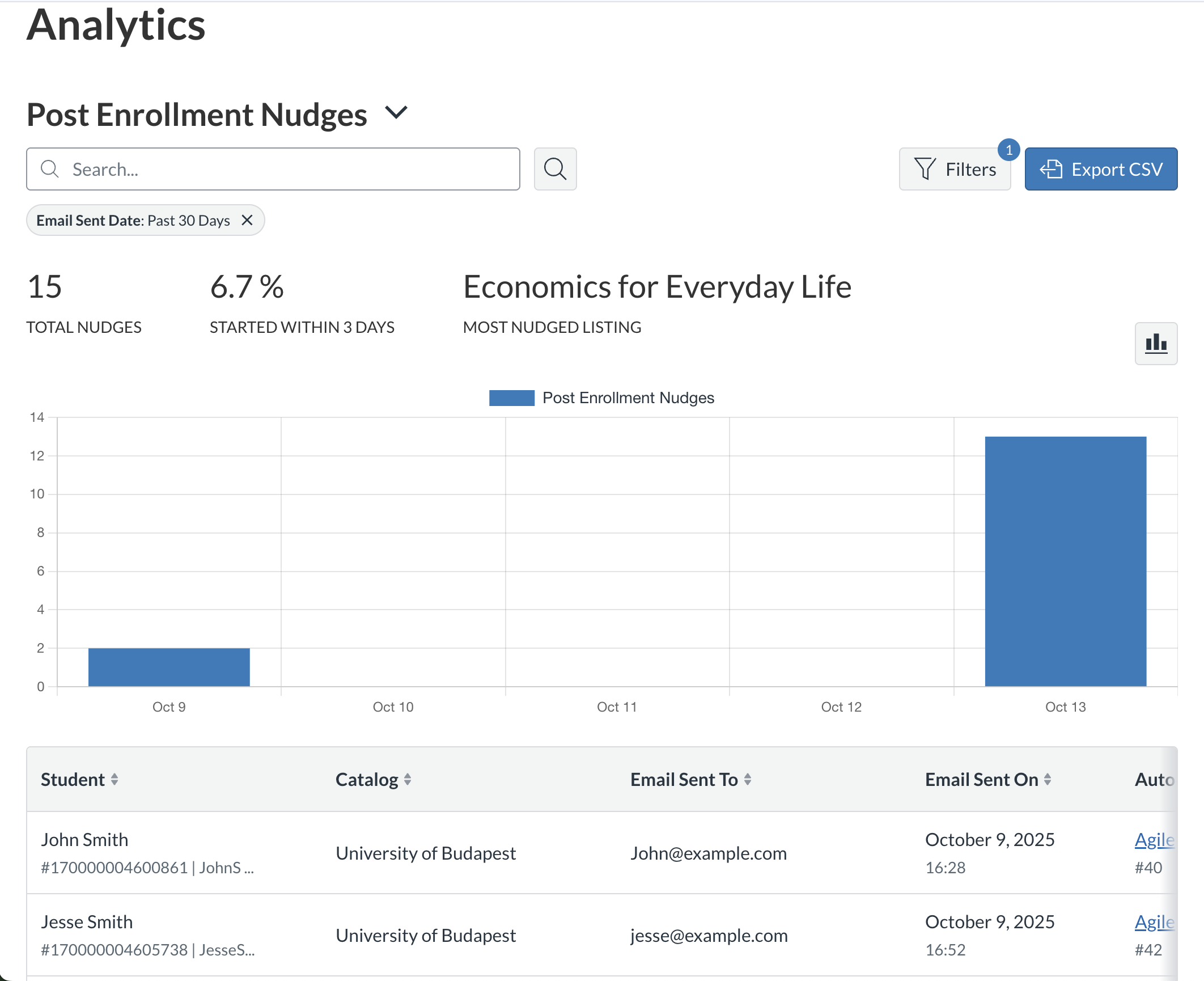 Dedicated Post-Enrollment Nudge Analytics view
These insights help you fine-tune timing, content, and targeting to improve learner activation.
Activate in Minutes
To launch a Post-Enrollment Nudge, follow these steps:
- Set up your email content
Go to the Customization menu and define your message using the email editor. Add dynamic fields to personalize each message.
- Configure the trigger
In the Automation menu, create a new Post-Enrollment Nudge. You will:
- Enter a name and toggle the nudge as active or inactive
- Select one or more course listings
- Set a completion threshold
- Choose how many days after enrollment the email should be sent
Monitor performance
Visit the Analytics menu to track nudge activity in the dedicated dashboard. Review performance metrics, learner behavior, and trends to refine your approach.
Once set up, Catalog manages timing and delivery so you can stay focused on strategy.
A Smarter Start for Every Learner
Deadline Nudges help students stay on track. Abandoned Cart Nudges bring them back. Post-Enrollment Nudges support learners at the most crucial starting point.
Enable Post-Enrollment Nudges today to increase course starts, reduce early drop-off, and give every learner a confident first step.
Learn more
View Release Notes
Tell us what you think
Have input on how this feature works or suggestions for improvement?
Submit Feedback