Release notes outline upcoming customer-impacting changes that are expected to be displayed in production environments. Please note that features considered for future development are not included in the notes.
Unless otherwise stated, all features in this release are available in the Production environment as of 2025-10-21.
Impact helps institutions improve technology adoption and evaluate the impact of educational technology, while helping faculty and students seamlessly navigate new platforms.
Learn more about Impact by Instructure.
Canvas Apps Monitor
LTI Tools Moved to Canvas Apps Monitor
Location to Enable Feature | Canvas Apps Monitor |
|---|
Permissions | Canvas Admin, Impact Admin |
Affected Area | LTI Tools grouping and mapping page within Impact has been relocated to Apps Monitor page |
Summary
For Canvas users, the functionality of the LTI Tools page within the Impact dashboard is available within Canvas Apps. A banner is added to the LTI Tools page within the Impact dashboard to remind users that any changes made to that page will not be reflected in the Canvas Apps Monitor page. To group and map tools, users should utilize Canvas Apps Monitor. Canvas Apps Monitor page should be your source of truth for your LTI Usage data needs moving forward.
Change Benefit
Admins can easily find and group their LTI Apps all within the Apps Monitor page.
Feature Workflow
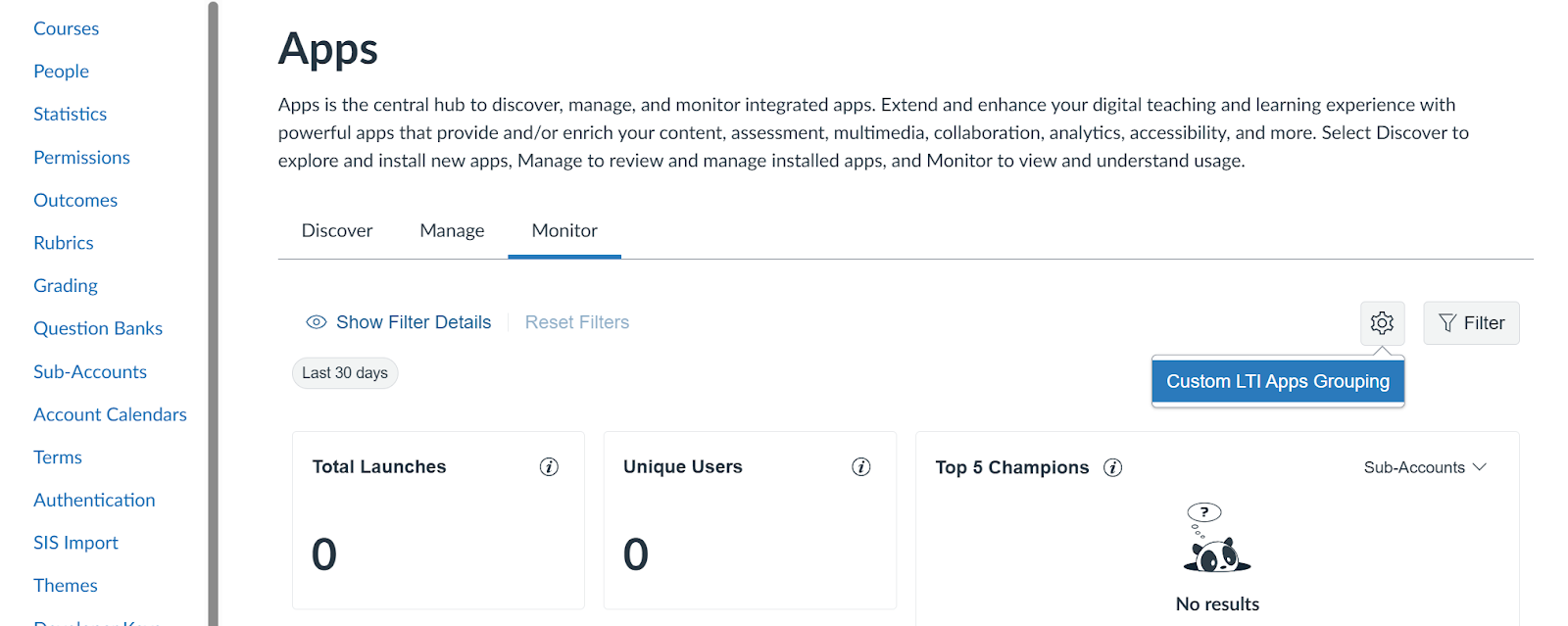
Canvas Apps Monitor: Custom LTI Apps Grouping
Custom LTI Apps Grouping is available within the Canvas Apps Monitor page.
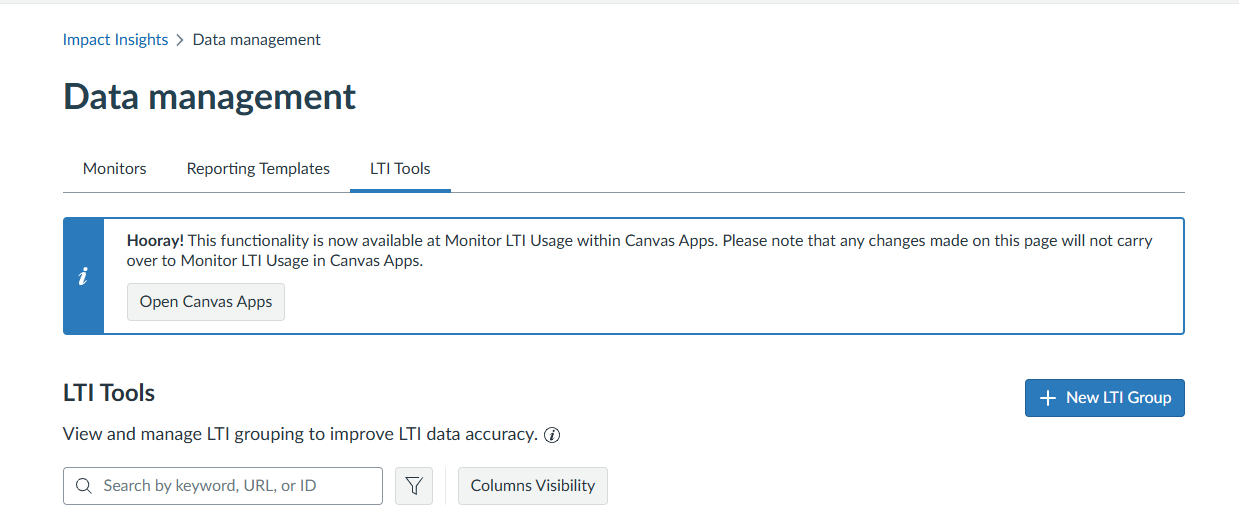
LTI Tools
LTI Tools within the Impact dashboard displays a banner to remind users that any changes made to that page will not be reflected in the Canvas Apps Monitor page.
- Inline Editor Configuration renamed Visibility for clarity.
