
We’ve heard your feedback, switching sections in SpeedGrader was taking too many clicks and causing unnecessary reloads. It was confusing and time-consuming, and we knew it needed to be better.
Good news: we’ve streamlined the process!
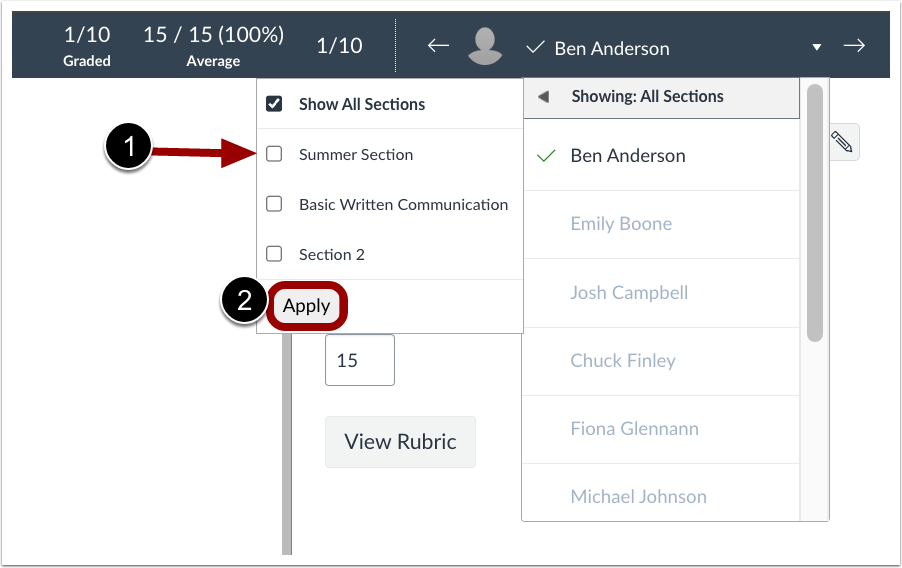
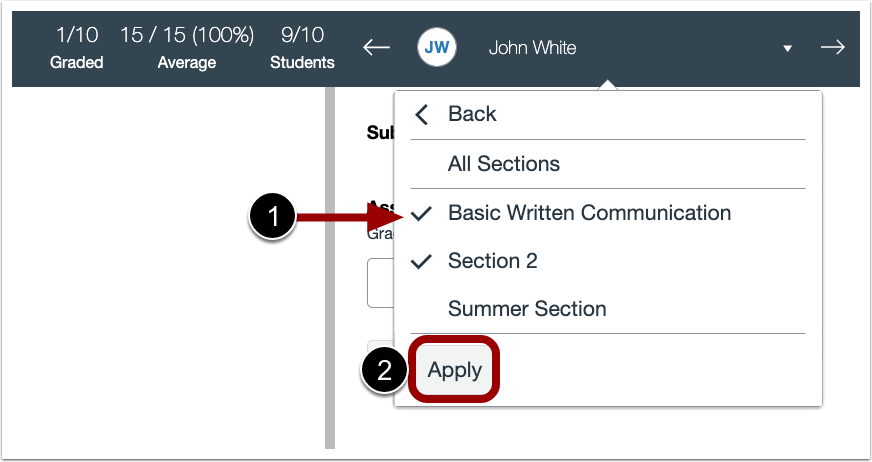
Now, changing sections is quick and simple:
- Open the Section dropdown.
- Check or uncheck the sections you want.
- Click Apply
- Selecting “Select All Sections” will include every section.
- Deselecting will bring back your previous selection.
This improved workflow works the same in both the Old SpeedGrader and the updated Performance & Usability version (with only slight visual differences in the checkboxes).
These updates will be live in Production by September 24.
Changes in original SpeedGrader
Changes in Performance and Usability Upgrades for SpeedGrader

.png)