Thought I'd give some feedback from my playing with it today...
So I am about to do an install, which I need to just give to one of my branches of my Subaccount structure. We don't have this turned on for live yet, just beta, but I went to look at it, as I started the install. It is a 1.3 app, so no problems there.
I am going to, currently, have to do it just on a subaccount level, which got me thinking about a few of the other apps we have done this with in the past. I looked at one of their branches and I can move it further down the branch, but I couldn't move it up the branch (so like if I wanted to move it from one subaccount to root level).
This would be really handy, because we have had situations where one school (its own subaccount) invested in a product, but then we went to a site-wide account. I would now have to remove it from the one subaccount and then reinstall it on root. If I could just adjust this, it would be helpful.
Let's see if I can explain it a little with pictures:
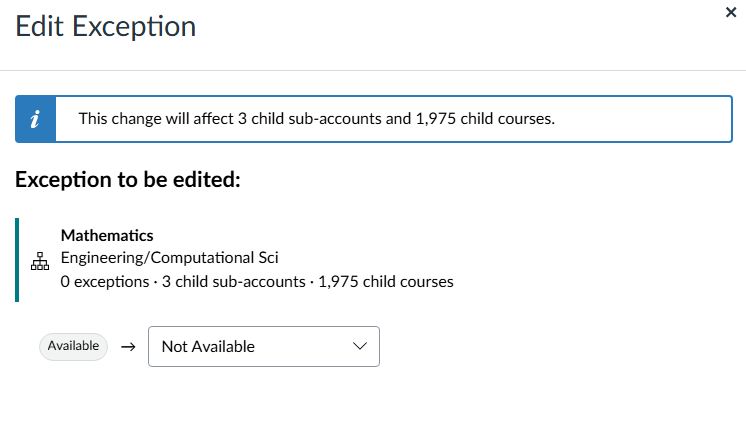
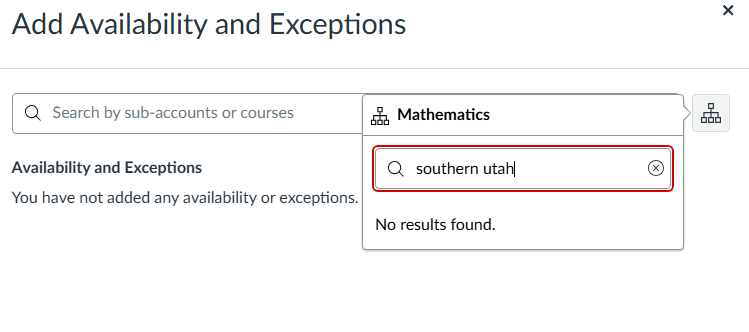
As you can see, this is currently installed in Mathematics subaccount, which is actually on a subaccount for Engineering and Computational college. What if Engineering bought into this product, so it expanded out of Math? What if I wanted to move it to the root? This would be helpful to be able to slide it or adjust what level it is at. (Our root is Southern Utah University, so it did not come up.)
Versus, here is a picture of an LTI we have installed at Root:
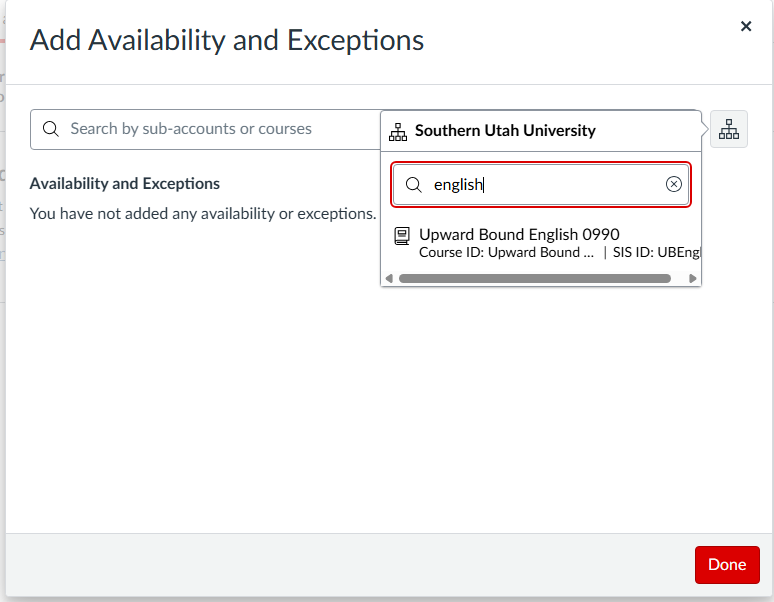
English is another department/subaccount we have. I can't pick that subaccount, even though this one is installed on the Root level:

When I scroll, it does show me some of my Subaccounts, but it truncates at A (since we have so many I assume):
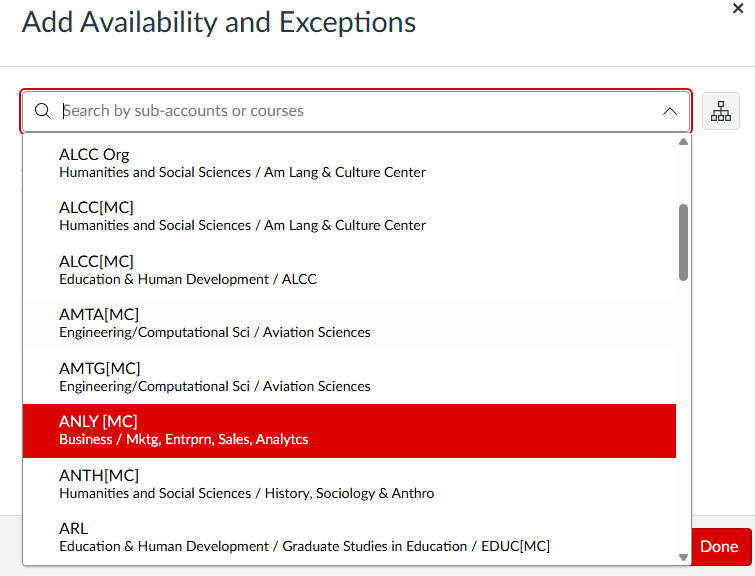
So I couldn't even scroll to English, if I wanted to get to it. My search didn't find it.
Okay hopefully this explains well enough, but let me know if there are any follow up questions on this.