Release notes outline upcoming customer-impacting changes that are expected to be displayed in production environments. Please note that features considered for future development are not included in the notes.
Table of Contents
Trackers
Global Navigation Removal
Production Environment Availability | 2025-07-18 |
|---|
Affected User Roles | All Educator Roles |
Affects User Interface | Yes |
Affected Areas | Global Navigation |
Summary
In the Mastery Connect global navigation menu, the Trackers tab is removed.
Note:
- Users who have previously bookmarked the direct URL for the Trackers page are now automatically redirected to the home page.
Change Benefit
This change streamlines the global navigation, creating a simpler and more focused user interface. Access to trackers remains available through other standard workflows within the platform.
Feature Workflow
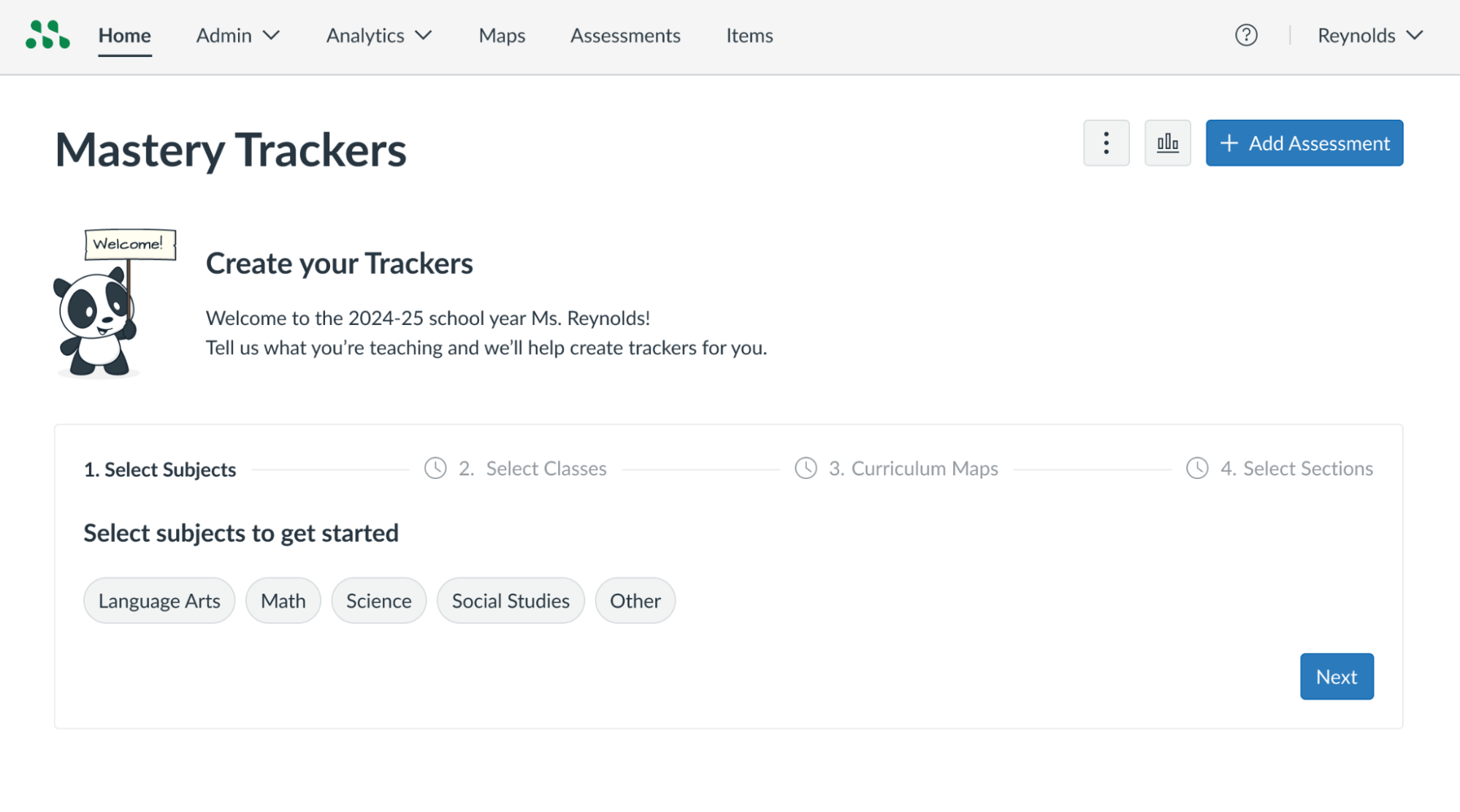
The Trackers tab in the Mastery Connect global navigation menu is removed.
Curriculum Map Tracker Creation
Production Environment Availability | 2025-07-21 |
|---|
Affected User Roles | All Educator Roles |
Affects User Interface | Yes |
Affected Areas | Homepage |
Summary
Teachers have the ability to create a tracker directly from a curriculum map on the Home page.
Change Benefit
This update ensures that key functionality is maintained following the removal of the dedicated Trackers page. By relocating this feature to the homepage, it provides a centralized and intuitive location for teachers to create trackers from curriculum maps.
Feature Workflow
Create New Tracker
In the Mastery Trackers Home page [1], click the Mastery Trackers Option icon [2]. Then, click the Create New Tracker menu [3].
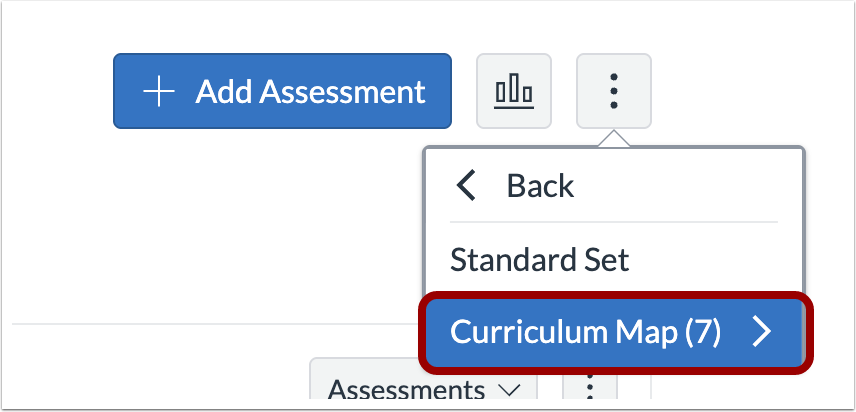
To view curriculum maps, click the Curriculum Map menu.
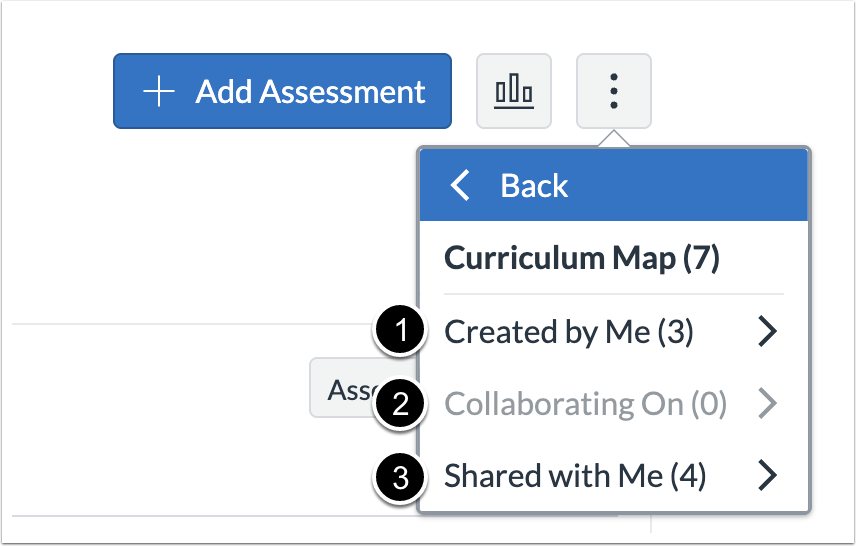
Choose from the Curriculum Maps Created by Me [1], Collaborating On [2], or Shared with Me [3].
Tracker Creation Admin Controls
Production Environment Availability | 2025-07-24 |
|---|
Affected User Roles | All Educator Roles |
Affects User Interface | Yes |
Affected Areas | Homepage, Manage Teachers page (District Admins) |
Summary
When a district administrator disables the Allow teachers to create trackers settings, the option for teachers to create trackers on the homepage is also disabled.
Change Benefit
This update ensures that district-level settings are respected on the homepage, providing administrators with direct control over tracker creation and enabling consistent policy enforcement.
Feature Workflow
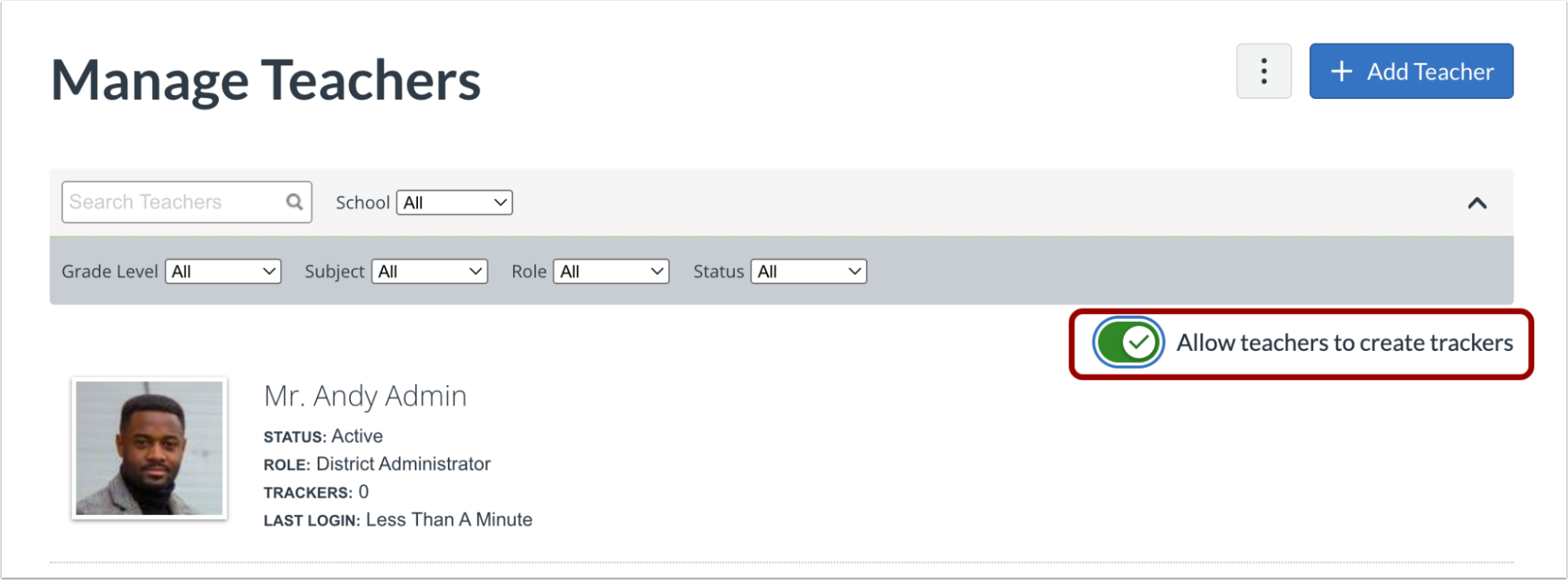
In the Admin Manage Teachers page, click the Allow teacher to create trackers toggle on to allow teachers to create trackers.
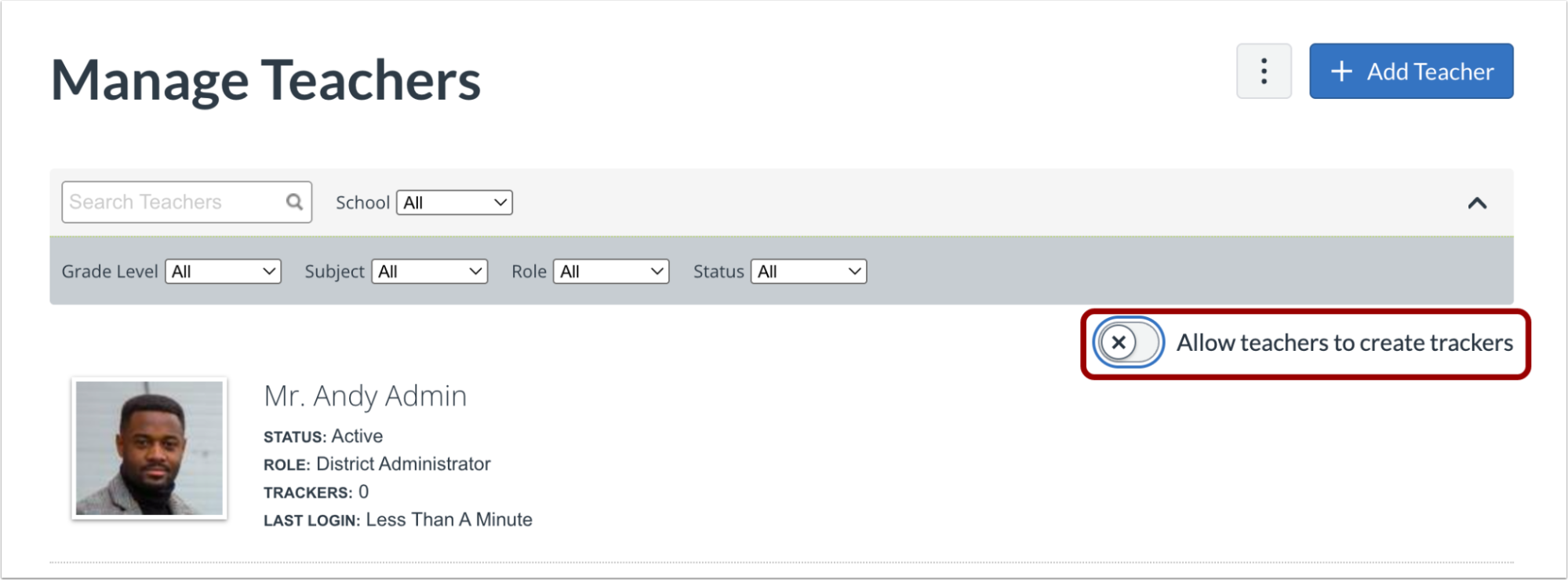
To disable the ability for teachers to create trackers, click the Allow teachers to create trackers toggle off.

When the Allow teachers to create trackers is disabled, Teachers (without admin roles) are no longer able to create trackers.
Branding
Updated Mastery Connect Logo
Production Environment Availability | 2025-07-24 |
|---|
Affected User Roles | All Users |
Affects User Interface | Yes |
Affected Areas | All login pages for educators, students, and parents |
Summary
The updated Mastery Connect logo displays in several key areas across the platform, including the login pages, the student footer, and within LTI configurations.
Change Benefit
This update ensures consistent branding and a cohesive visual experience for users across the Mastery Connect and Canvas applications.
Feature Workflow

Changes are visible in the Canvas Global Navigation Menu.
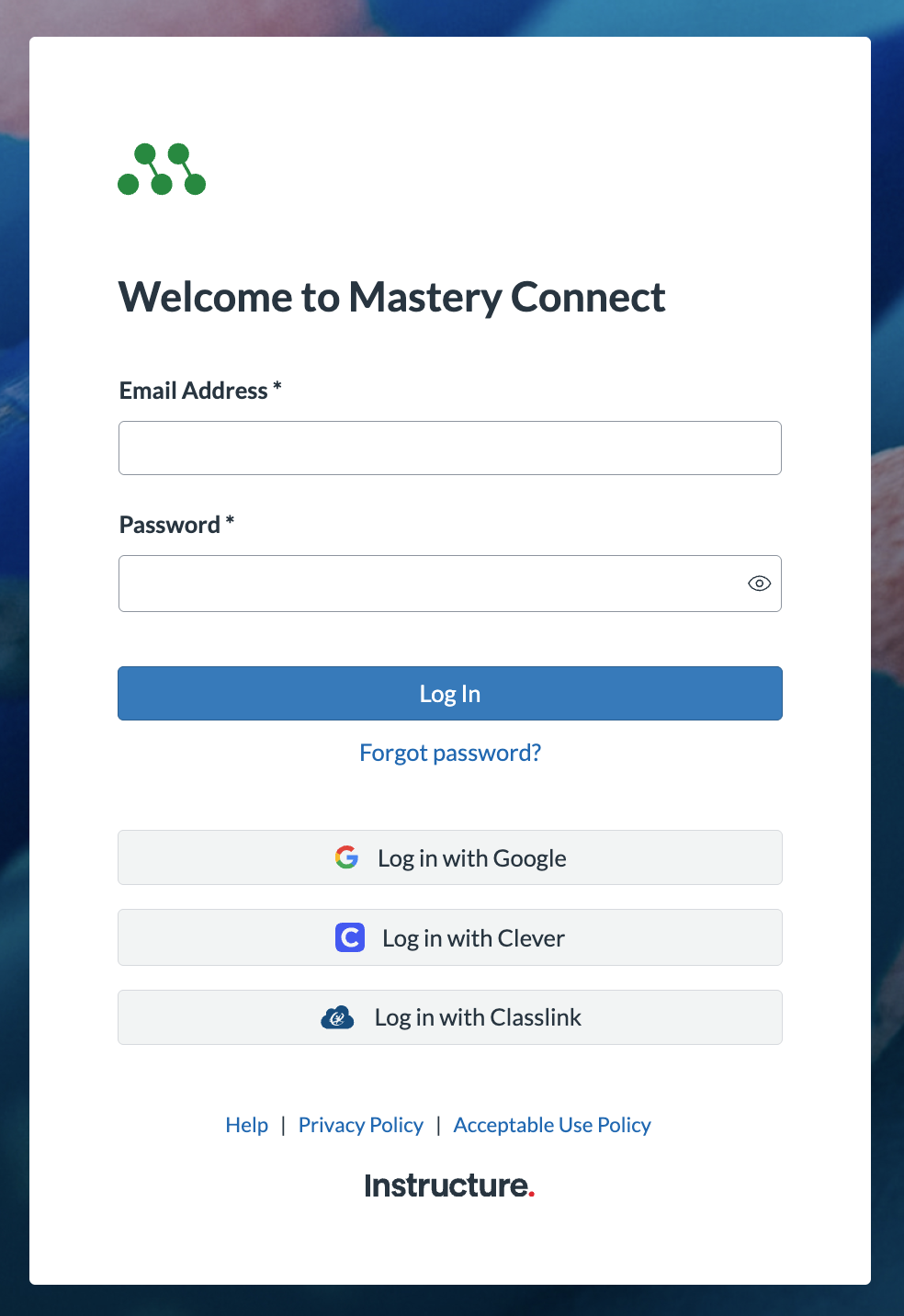
Users can also view updated logos on the Login pages.
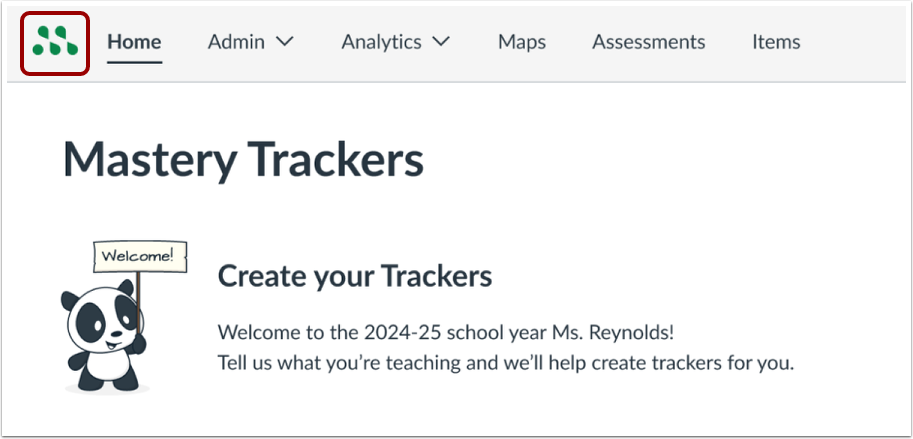
Additionally, the updated logo displays in the header throughout the Mastery Connect application.
