Release notes outline upcoming customer-impacting changes that are expected to display in beta and/or production environments. Please note that features considered for future development are not included in the notes.
Unless otherwise stated, all features in this release are available in the Production environment on 2025-05-15.
Form Builder
New Tag-Checklist Item Type
Admin Educator
Feature Enablement | Please contact your Customer Service Manager or Services to request access |
|---|
Affects User Interface | Yes |
Affected Areas | Forms and Product Tags |
Summary
Admins can add Tag Checklist items to forms in Form Builder. When users select a Tag Checklist, tags are automatically applied to the related product. Tags can also be removed later through workflows.
Change Benefit
This update streamlines tag management by eliminating the need for admins to manually review responses and apply tags. It ensures consistent tagging across forms and products, supports dynamic updates with automatic tag removal through workflows, and improves scalability by reducing manual effort as the number of form submissions grows.
Feature Workflow
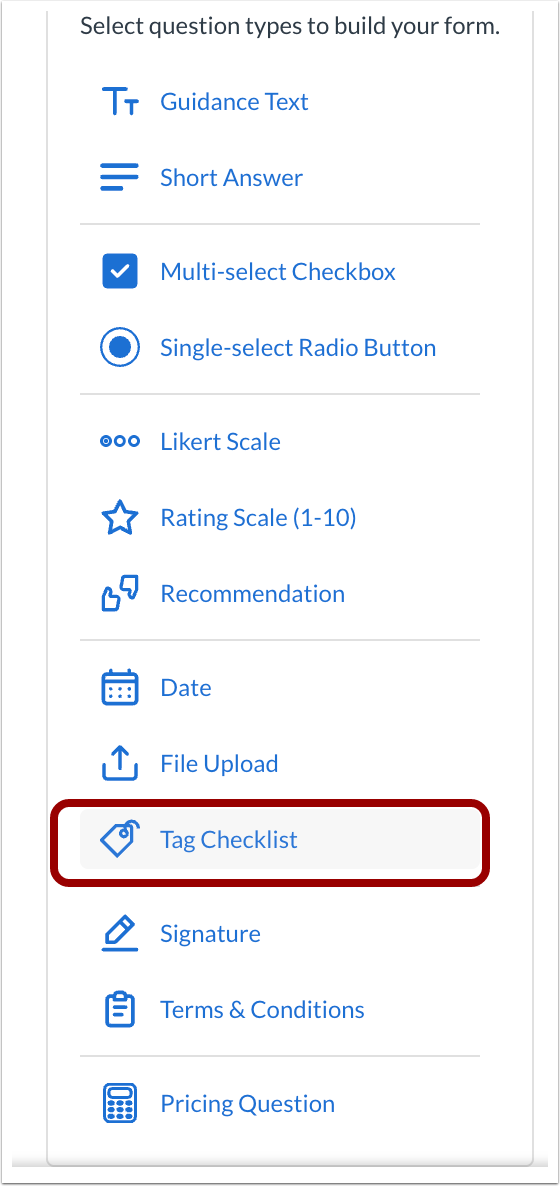
Tag Checklist
In the Form Builder, click the Tag Checklist link.
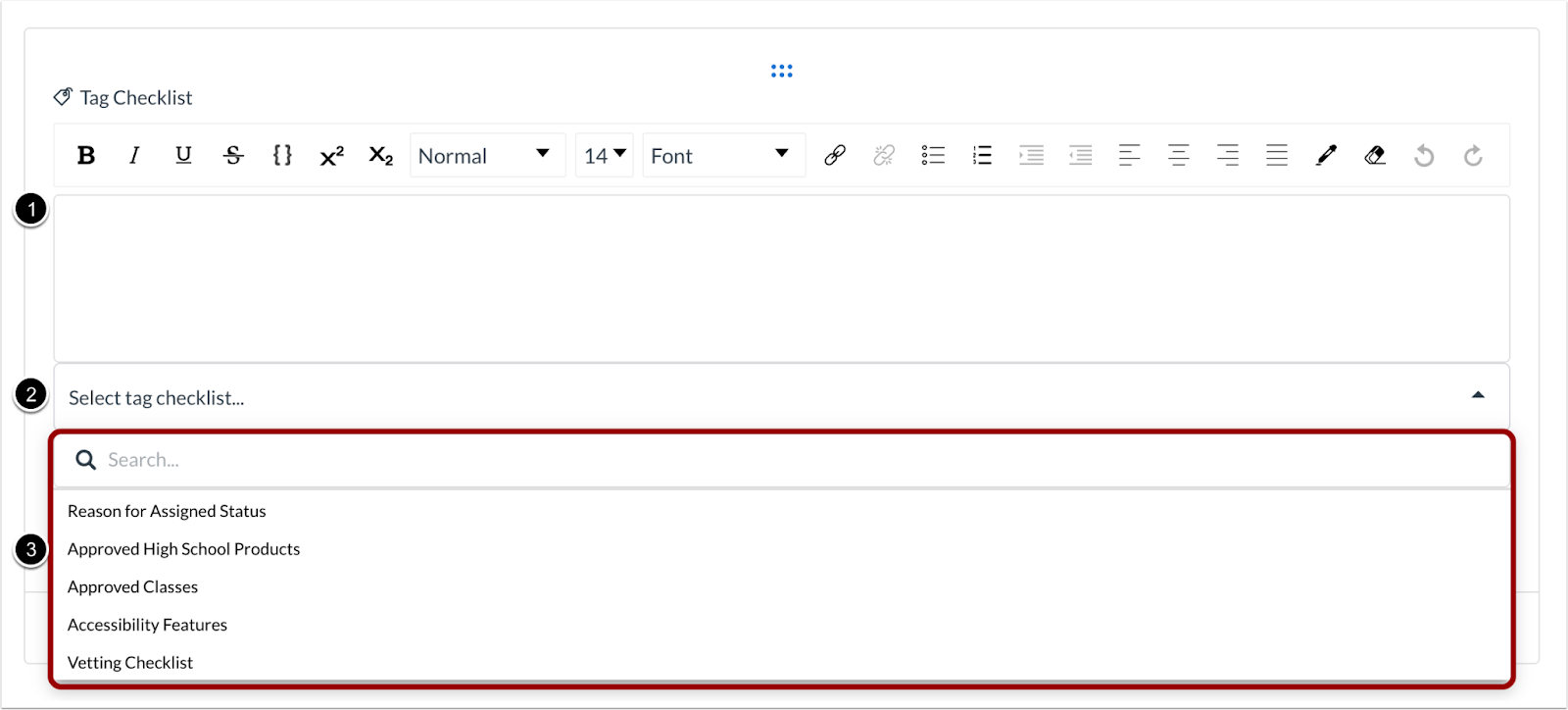
Select Tag Checklist
In the Description field [1], add a tag description. Then click the Select tag checklist drop-down menu [2] and select a tag checklist [3].
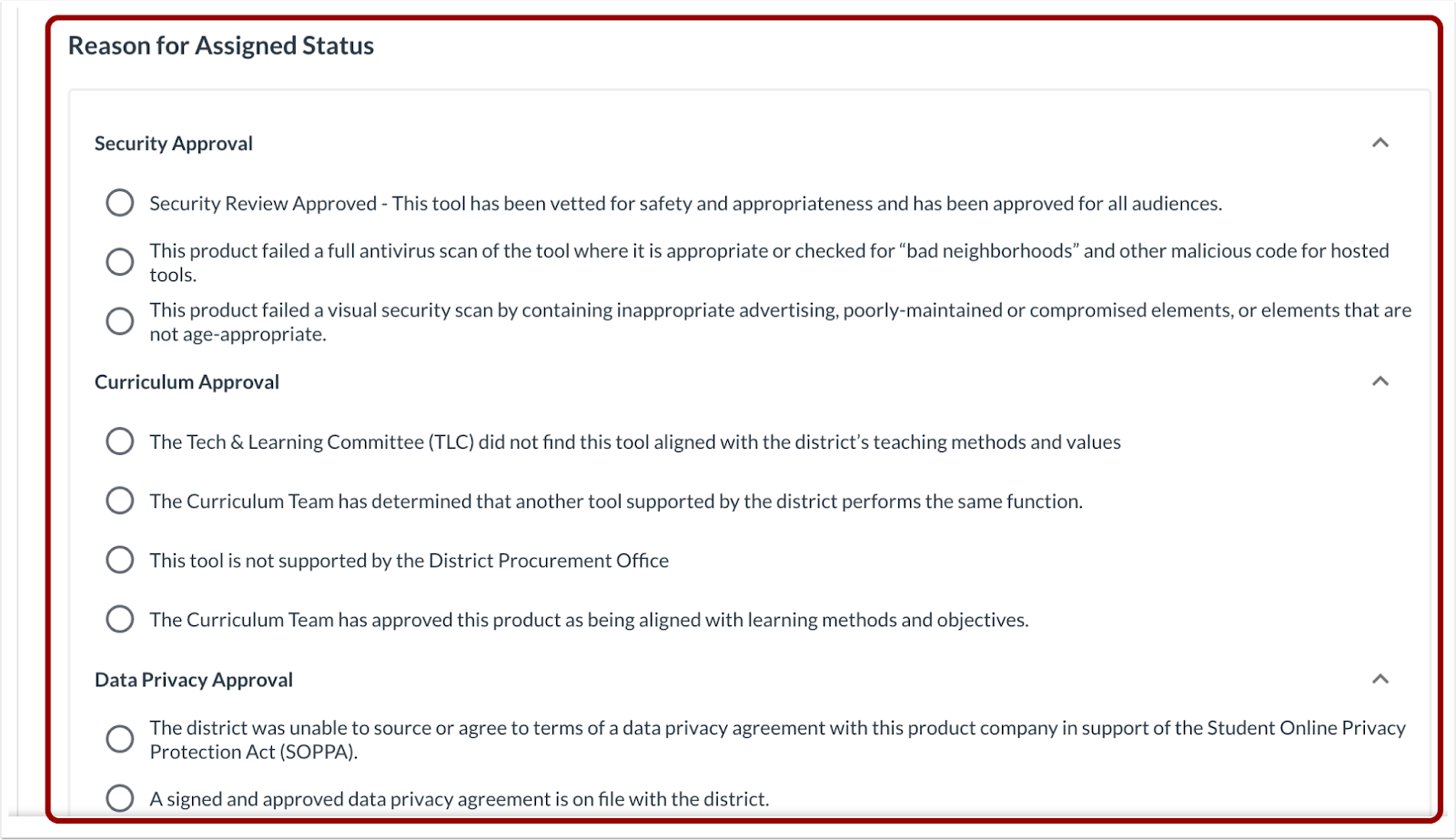
Reason for Assigned Status
In the Reason for Assigned Status section, select reasons for tags.
Additional Details
This feature is available by request. Please contact your Customer Success Manager (CSM).
Feature Video
Workflows
Automation-only Steps
Admin
Feature Availability | 2025-05-15 |
|---|
Affects User Interface | Yes |
Affected Areas | Workflows |
Summary
Admins can add Automation-only steps in Workflows. These steps allow emails to be scheduled and tags or statuses to be applied or removed at any point in the workflow, without requiring a form response.
Change Benefit
This update provides greater flexibility and control in workflow design. It streamlines processes, reduces manual intervention, and enables more responsive and efficient workflows.
Feature Workflow
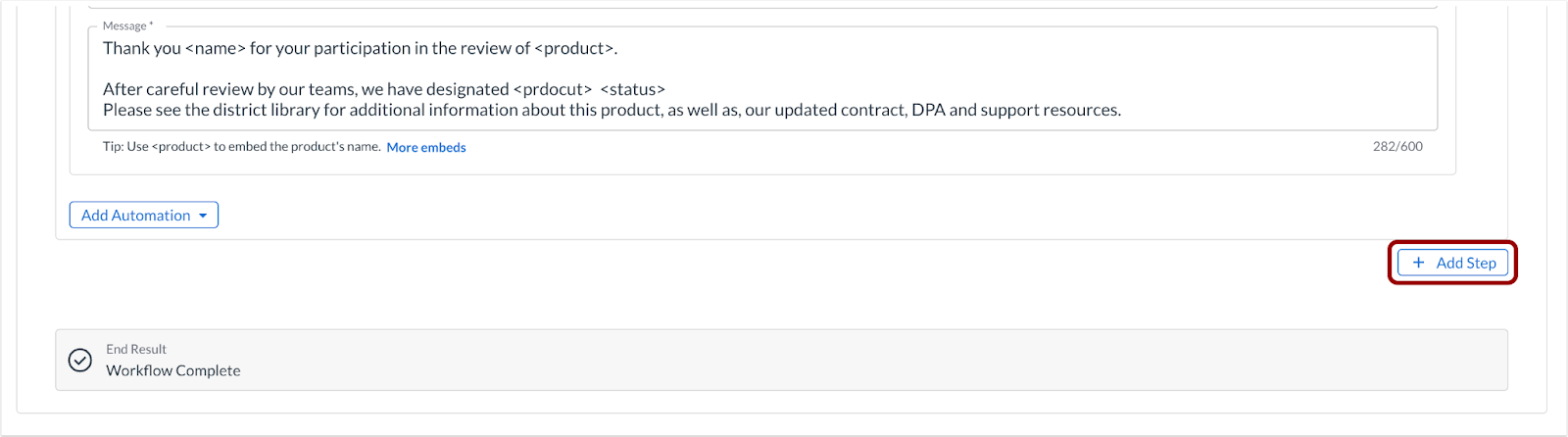
Add Step
To add a step In the Workflow Builder, click the Add Step button.
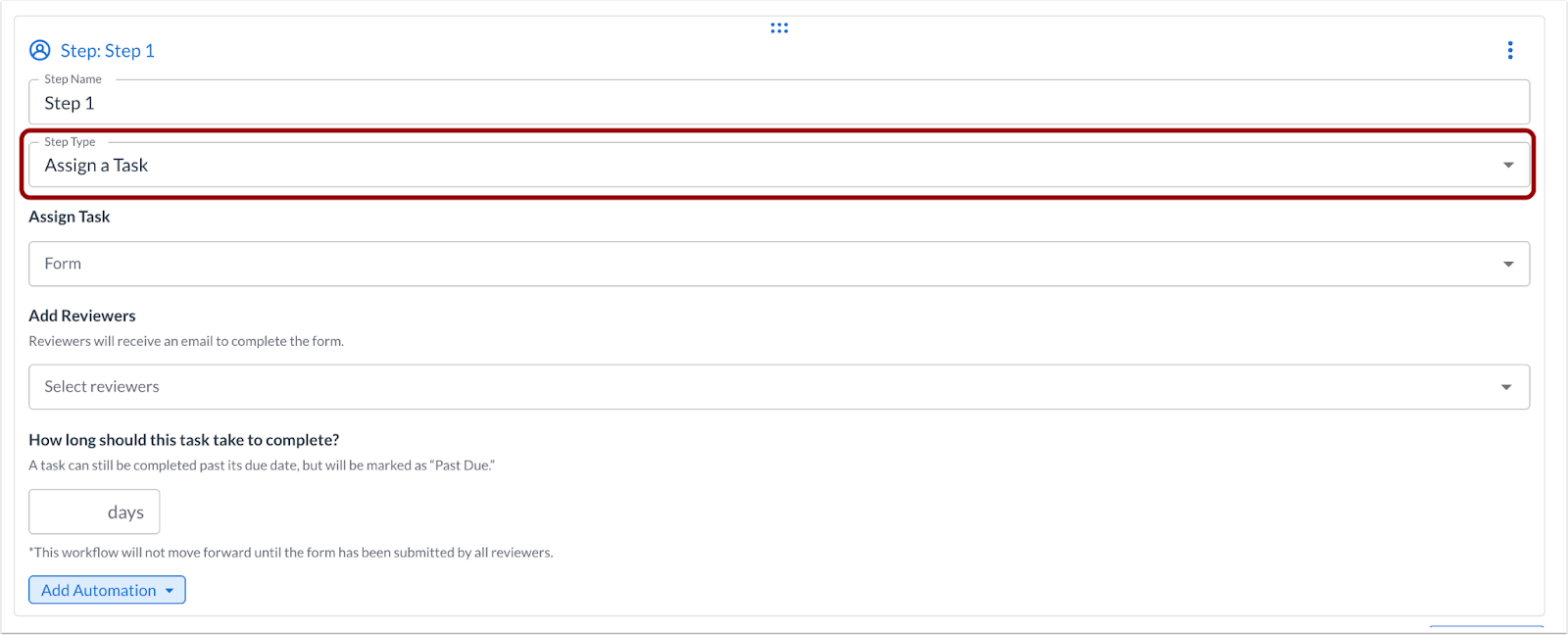
Step Type
To assign a task, click the Step Type drop-down menu.

Automation Only
Select the Automation Only option.
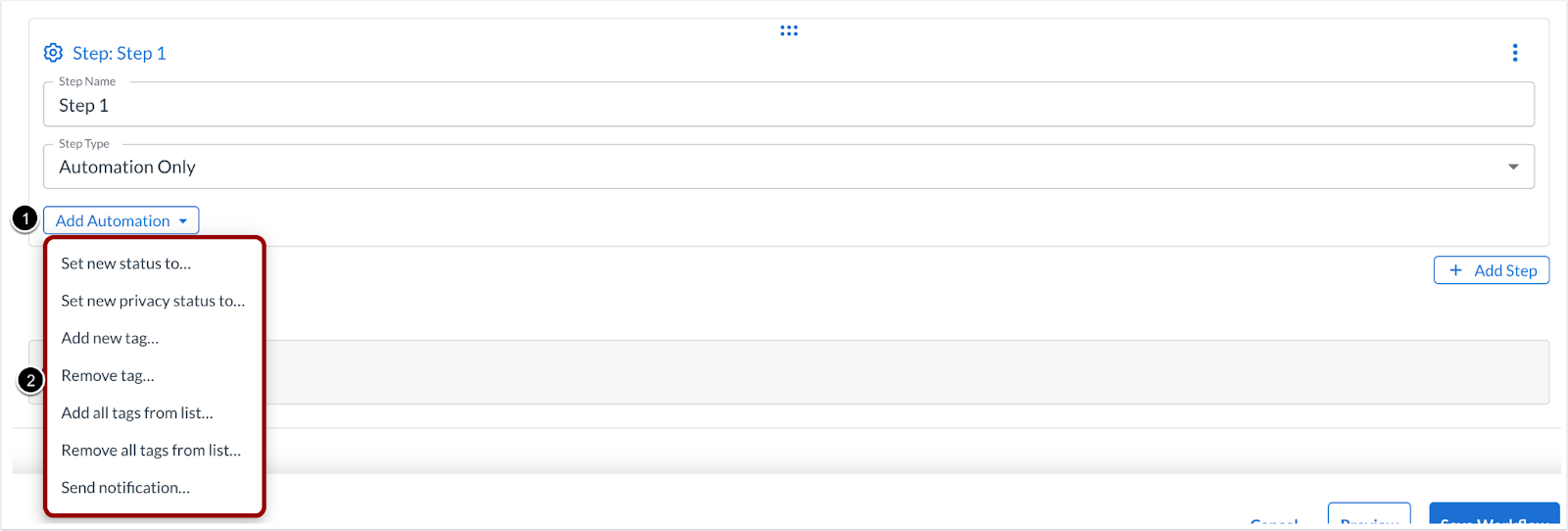
Add Automation
To add an automation, click the Add Automation drop-down menu [1], then select the automation to add [2].
Additional Details
Automation-only steps can be used for end-of-workflow tasks, such as removing tags applied earlier or sending a final email to the admin or requestor, without requiring a form to be triggered.
Feature Video:
Form Builder
Multi-Select and Single-Select Item Type Drop-down Menu
Admin
Feature Availability | 2025-03-13 |
|---|
Affects User Interface | Yes |
Affected Areas | Forms |
Summary
In the Form Builder, Multi-Select and Single-Select item types are presented as a searchable drop-down menu.
Change Benefit
This update allows respondents to search, find, and select possible answer choices from a drop-down menu for improved usability and efficiency when completing forms.
Feature Workflow
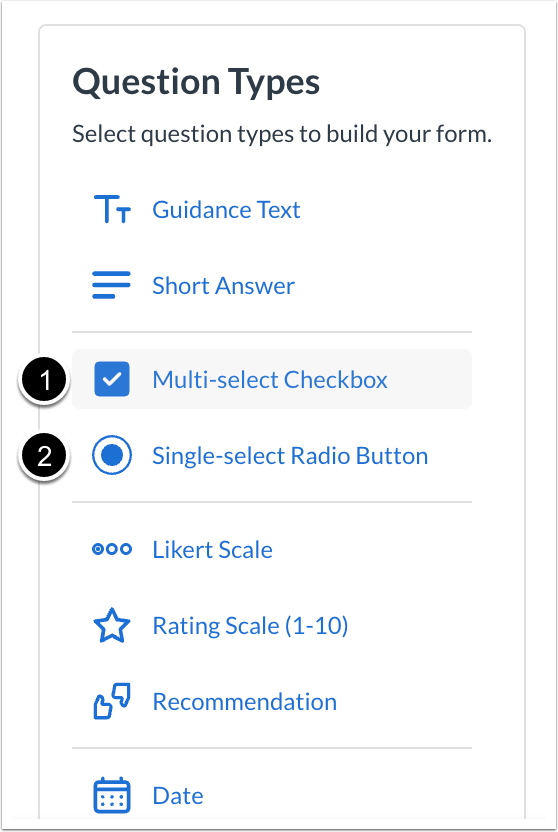
Question Type: Multi-select Checkbox or Single-select Radio Button
In the Form Builder, click the Multi-select Checkbox link [1] or Single-select Radio Button link [2].
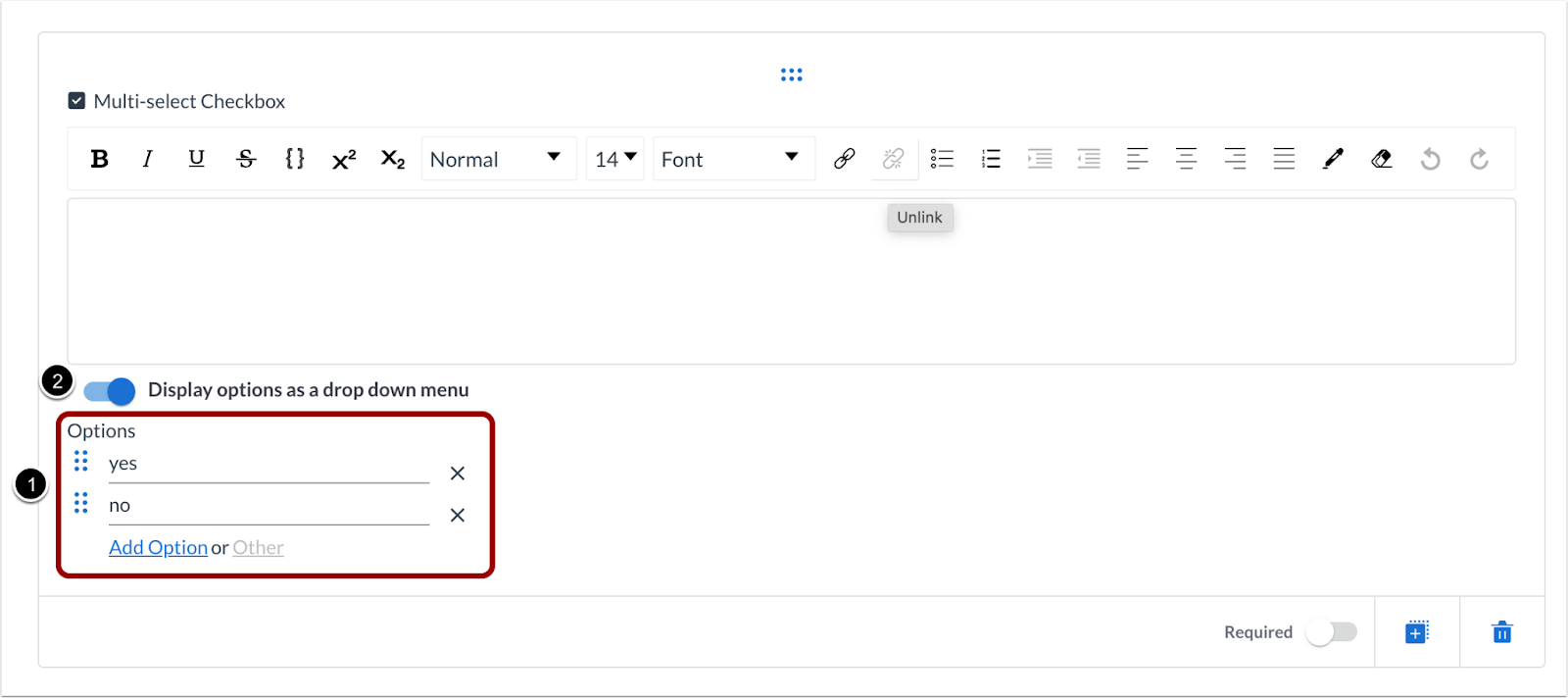
Multi-Select Checkbox: Options
For a multi-select checkbox question, add the choices to present in the Options fields [1]. Then click the Display options as a drop down menu toggle on [2].
Single-select Radio Button: Options
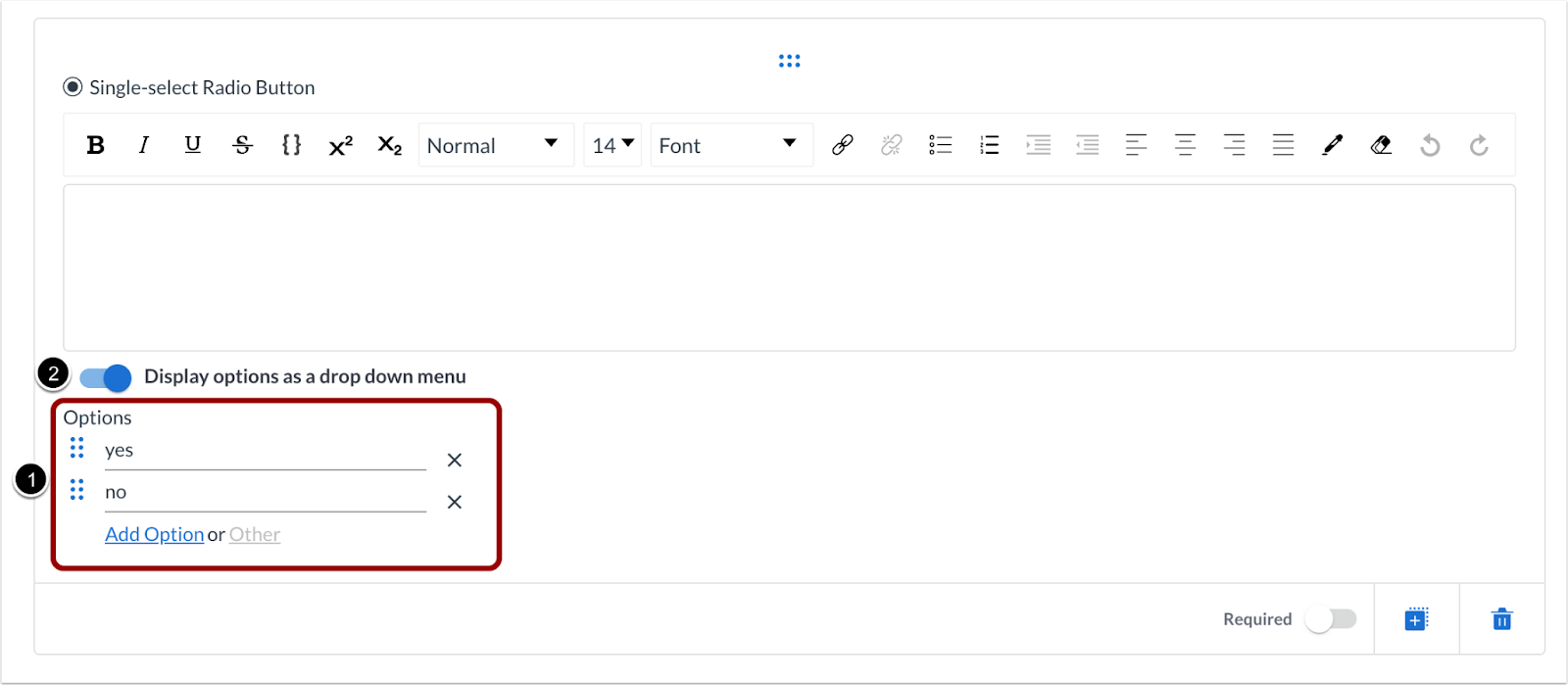
For a single-select radio button question, add the choices to present in the Options fields [1]. Then click the Display options as a drop down menu toggle on [2].
Multi-select Checkbox: Preview
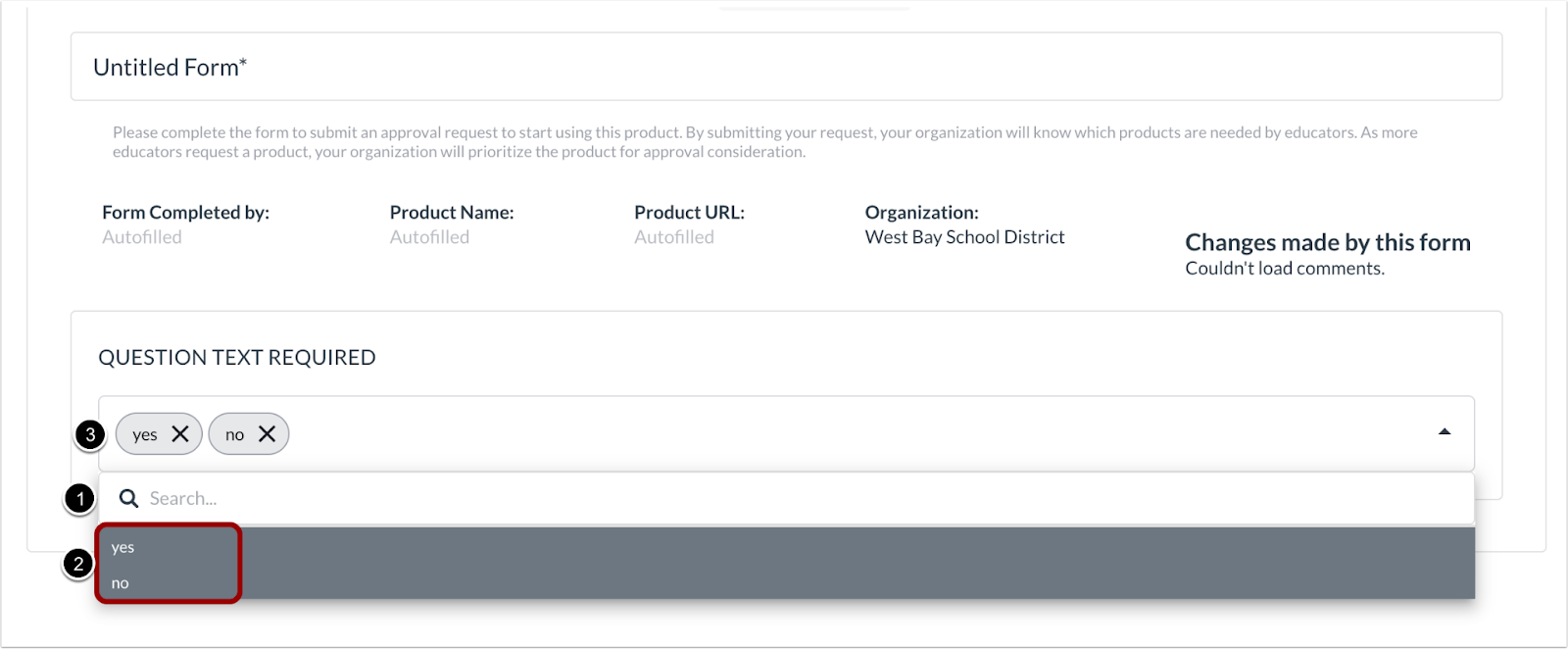
In the multi-select checkbox question drop-down menu, users can search [1] or select one or more options [2]. The selected options display in the multi-select field [3].
Single-select Radio Button: Preview
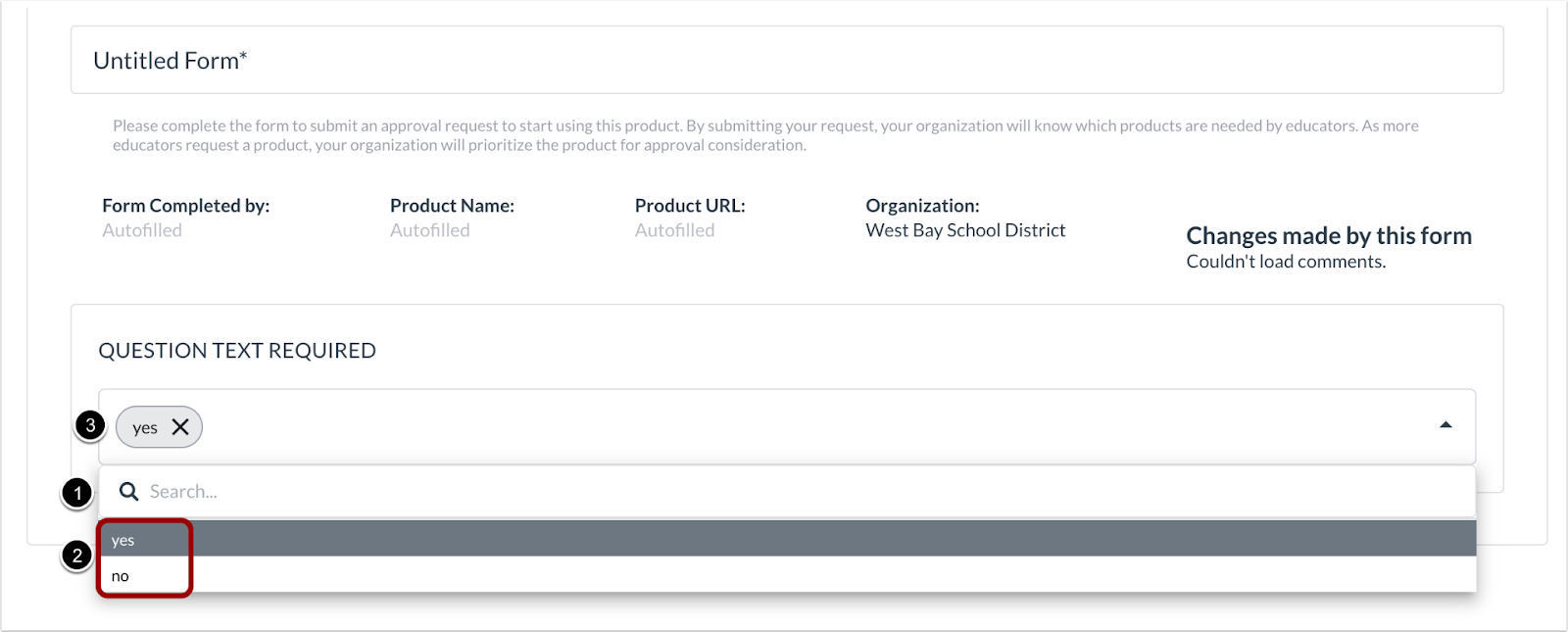
In the single-select radio button question drop-down menu, users can search [1] or select an option [2]. The selected option displays in the multi-select field [3].
Note: Existing forms can be edited to take advantage of this new feature.
Feature Video
Workflows
Automations: Add/Remove All Tags from List
Admin
Feature Availability | 2025-05-18 |
|---|
Affects User Interface | Yes |
Affected Areas | Workflows |
Summary
In Workflows, administrators can add automations that allow for adding or removing all tags from a list.
Change Benefit
This update improves tag management by ensuring that temporary tags applied through forms are automatically removed during the workflow. This prevents tags from being permanently assigned to the product, maintaining accurate and relevant product information throughout the process.
Feature Workflow
Add Automation
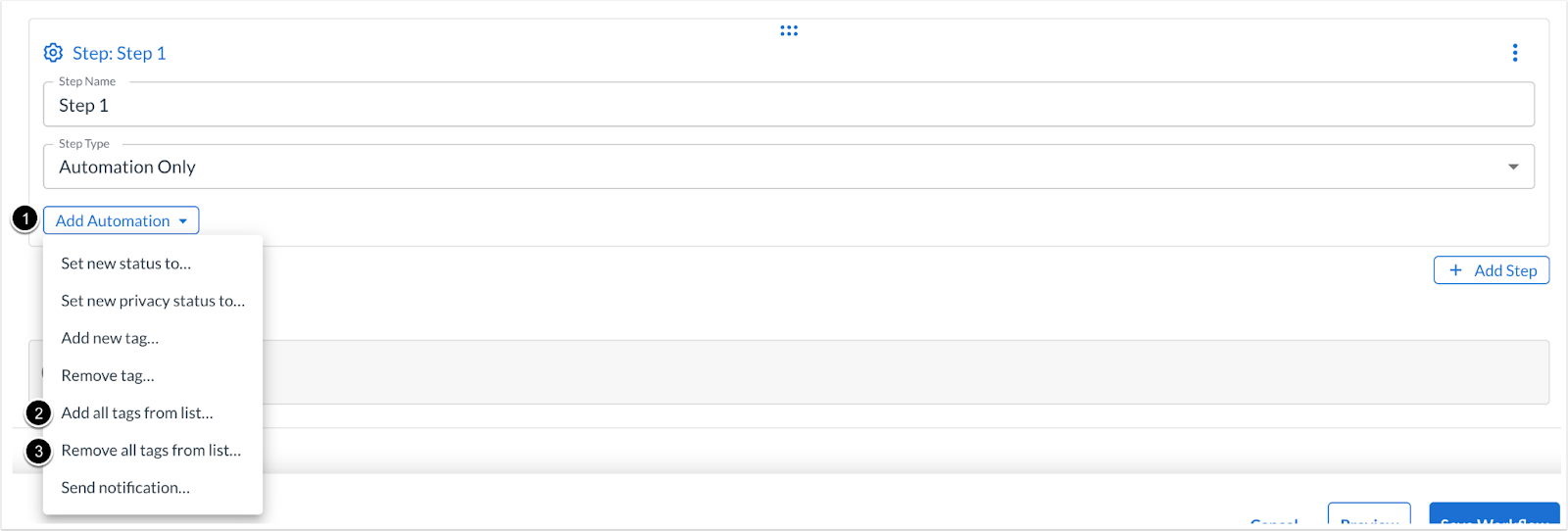
To add an automation in the Workflow Builder, click the Add Automation drop-down menu [1]. Then click the Add all tags from list… [2] or the Remove all tags from list… [3] option.
Additional Details
For admins using the new checklist-based form questions, consider whether the tags should remain on the product or if they are only needed temporarily during the workflow. If the tags are temporary, use the new automation to remove them at the end of the workflow.
Feature Video:
LearnPlatform Mobile App
iOS 1.4
Affects User Interface | Yes |
|---|
Affected Areas | LearnPlatform iOS Mobile App |
Summary
LearnPlatform’s iOS Mobile App is updated to v1.4. This version includes a fix that enhances the memory usage of the extension.
Change Benefit
This update improves performance and efficiency, as the fix enhances the memory usage of the LearnPlatform iOS Mobile App, leading to a smoother and more responsive user experience.
Additional Details
If automatic updates are turned on, no action is required.
