Applicable Learning Management System(s): Blackboard Ultra, Blackboard, Canvas, Moodle, D2L
Campaign Description: Having an up-to-date grade center is important for clear communication between students and instructors. Therefore, the first message can be used to help faculty submit their final grades and navigate the grade center with confidence at the end of the semester. The second message reminds students to check the grade center first, then speak to the faculty.
Success Criteria: Improved use of the grade center by faculty
Submitted by (and on behalf of, if applicable): Katie van den Berk
Submitting Final Grades
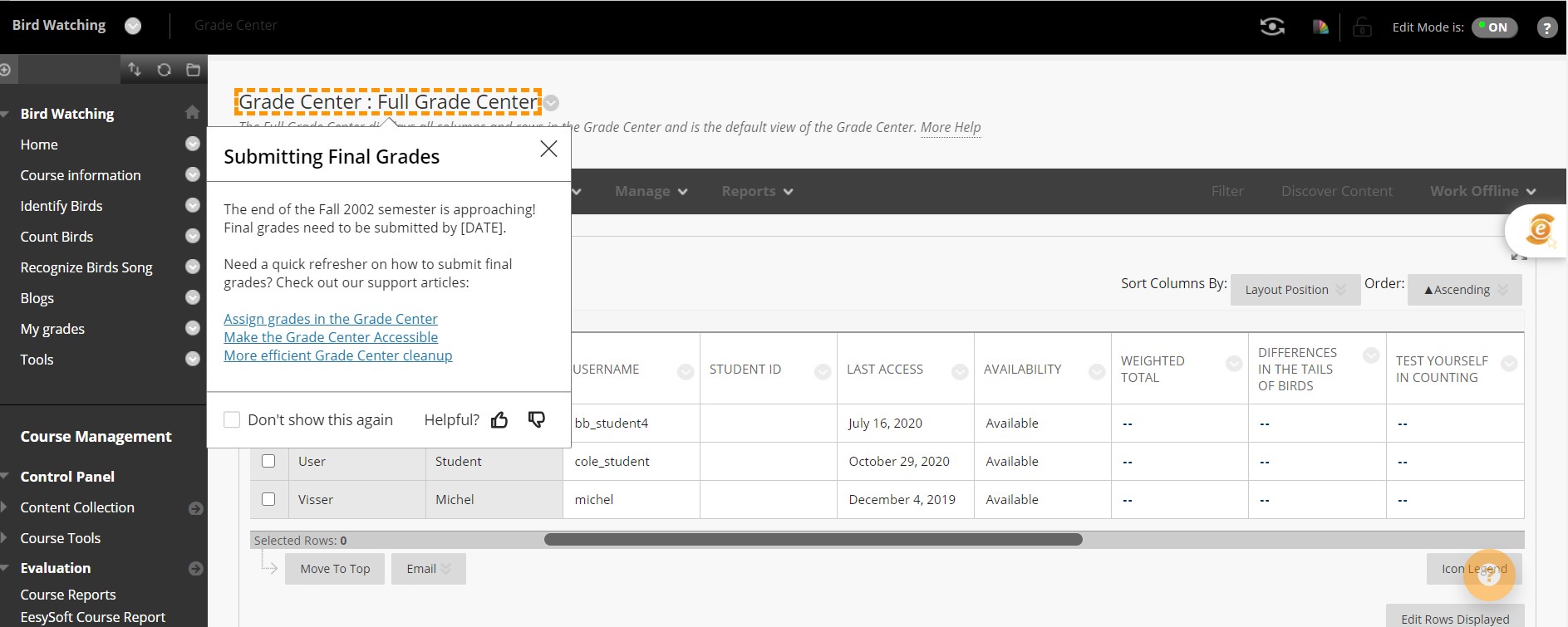
This message is for faculty navigating the grade center and leaves space to incorporate support articles.
Location: Grade Center
Audience: Instructors
Content Type: hint message
Copy Message Content:
The end of the Fall 2020 semester is approaching! Final grades need to be submitted by [DATE]. Need a quick refresher on how to submit final grades?
Check out the link for a step-by-step breakdown of the process [link to grade center support center article.]
Checking Final Grades
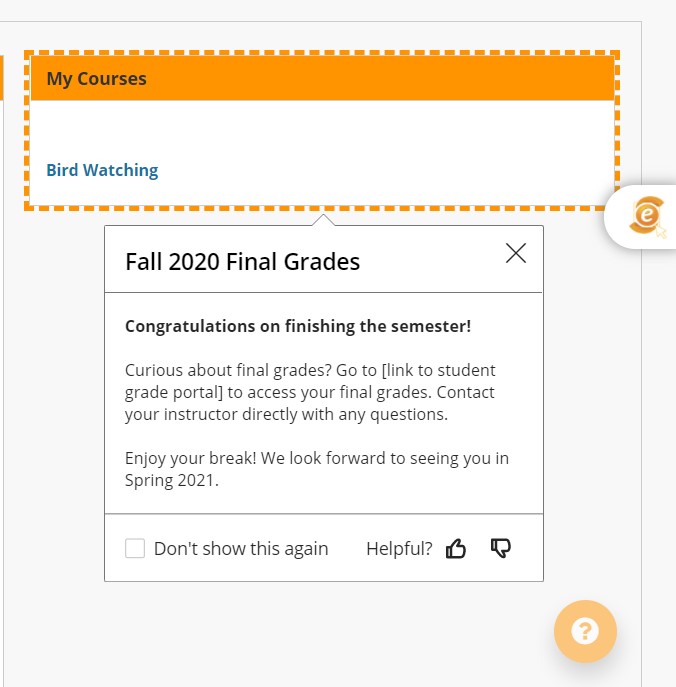
This is a message for students to remind them to check their grades not only in Blackboard but in your official grade submission center that appears on their transcript.
Location: Home Page
Audience: Students
Content Type: hint message
Copy Message Content:
Congratulations on finishing the semester! Curious about final grades? Follow this link [LINK] to access your final grades. Contact your instructor with any questions.
Enjoy your break! We look forward to seeing you in Spring 2021.