COVID19 - I need to schedule my students at different times
I was asked to create instructions on how to use the Canvas calendar scheduler to allow for F2F instruction but with limited about of students attending.
This tutorial shows how you can have students scheduled for one day of F2F instruction in a MWF/Tue-Thurs week.
https://use.vg/Qh396i
I hope this is helpful.
My courses are online! Here is an end of semester Checklist
GRADEBOOK
- Use the “Message Students who” option.
- In the Gradebook you can quickly message any students who have missing submissions. If desired, this will give these students one last chance to submit their assignment(s).
- Make sure all assignments are graded. If you don’t record a “0” grade for a missing submission, the Canvas Gradebook will not calculate that assignment in the final grade. So, the missing assignment will not count against the student.
- Post any Hidden grades
- Enter any Excused assignment if there were any.
OTHER CONSIDERATIONS
- Create an archive of your course. This compressed file could be brought back into a course shell if ever needed.
- Check the visibility of content. You may want to disable the options in quizzes of “Show the Correct Answers”.
- Consider a Canvas survey. Find out what technology worked and what didn’t. This will help you make new plans for next semester.
- Export your final grades. It's always a good idea to keep a backup of course grades if their is a grade dispute.
- Consider a final announcement to thank or encourage all of your students.
What does the analytics information in my Canvas course mean?
I like Analytics but wasn't sure what the data meant. I reached out to get the following explained so that I knew what I was looking at. I hope you find it helpful.
Submissions
Submissions can be for assignments, discussions, quizzes anything that requires student participation would be referred to as a submission.
Page Views
Page views are going to be for anything within Canvas the student has clicked on and accessed. Meaning that could be assignments, quizzes, pages, etc.
Since LTI's are an external tool or program it is not something that is going to be counted towards the course analytics.
Participation
Participation is anytime they interact with Canvas in a meaningful way, such as submitting assignments or making a discussion post.
Announcements: posts an announcement (instructor)
Announcements: posts a new comment to an announcement
Assignments: updates an assignment’s settings or description (instructor)
Assignments: submits an assignment (student)
Calendar: updates a calendar event’s settings or description (instructor)
Collaborations: loads a collaboration to view/edit a document
Conferences: joins a web conference
Discussions: posts a new comment to a discussion
Pages: creates a wiki page
Quizzes: submits a quiz (student)
Quizzes: starts taking a quiz (student)
Use the Notes column to sort the Gradebook
I've had instructors who want to sort the gradebook by sections, graduate level vs non graduate level, and by T.A.s assigned to students.
Consider using the Notes column in the gradebook to do this. Just add the section number, or T.A. or other criteria and click the column heading to quickly sort students into groups for easier management in the gradebook!
Create engagement with simple self check html code!
Here is a way to engage users with simple html code. Ask a question, let the user ponder the answer, click "Reveal th answer".
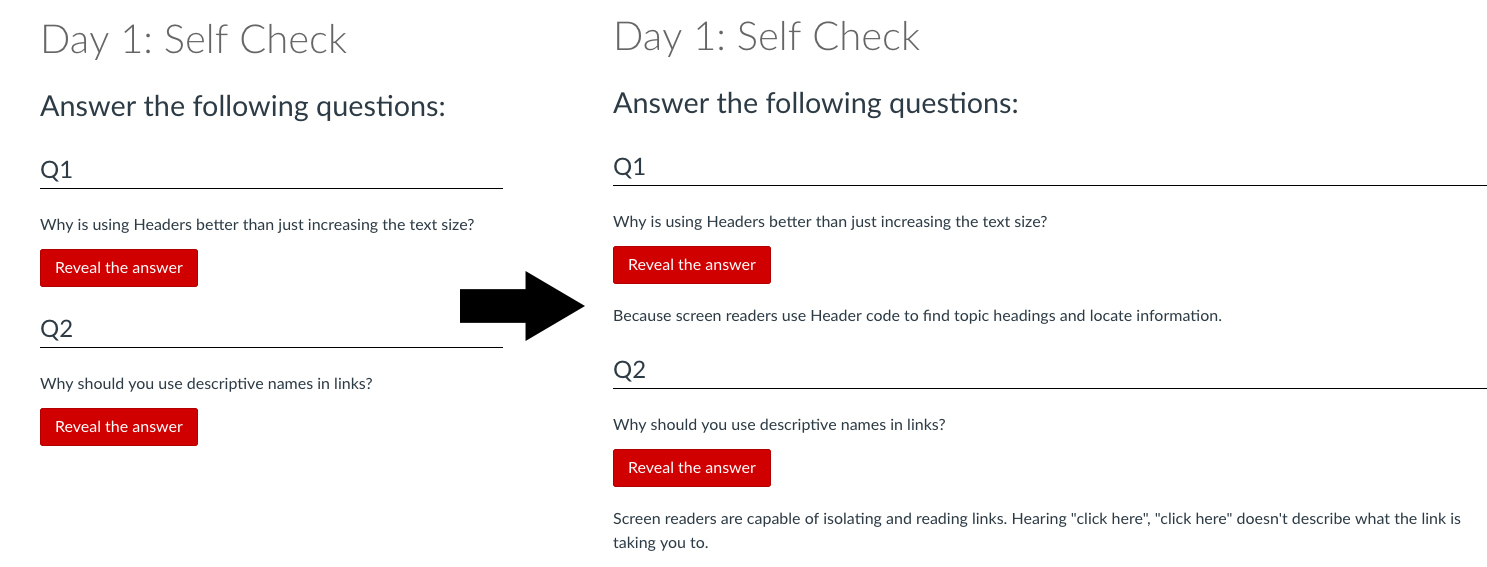
Here is the code I used:
The following content will not function in the mobile app. To access the interactive content, please login to Canvas using a web browser.
Answer the following questions:
Q1
Why is using Headers better than just increasing the text size?
Reveal the answer
Because screen readers use Header code to find topic headings and locate information.
Q2
This works best with only 1 question on a Canvas page. If you have multiple questions you need to change the number for both the aira control and answer div id for each question to make the buttons open up separately.
You are welcome to copy and experiment with it. 
Using Box with Canvas?
Using Box at your university? It's a great way to manage files in one spot and have updates proliferate throughout all your courses.
Using Box with Canvas - YouTube
 https://www.youtube.com/watch?v=kanw7M07rlU
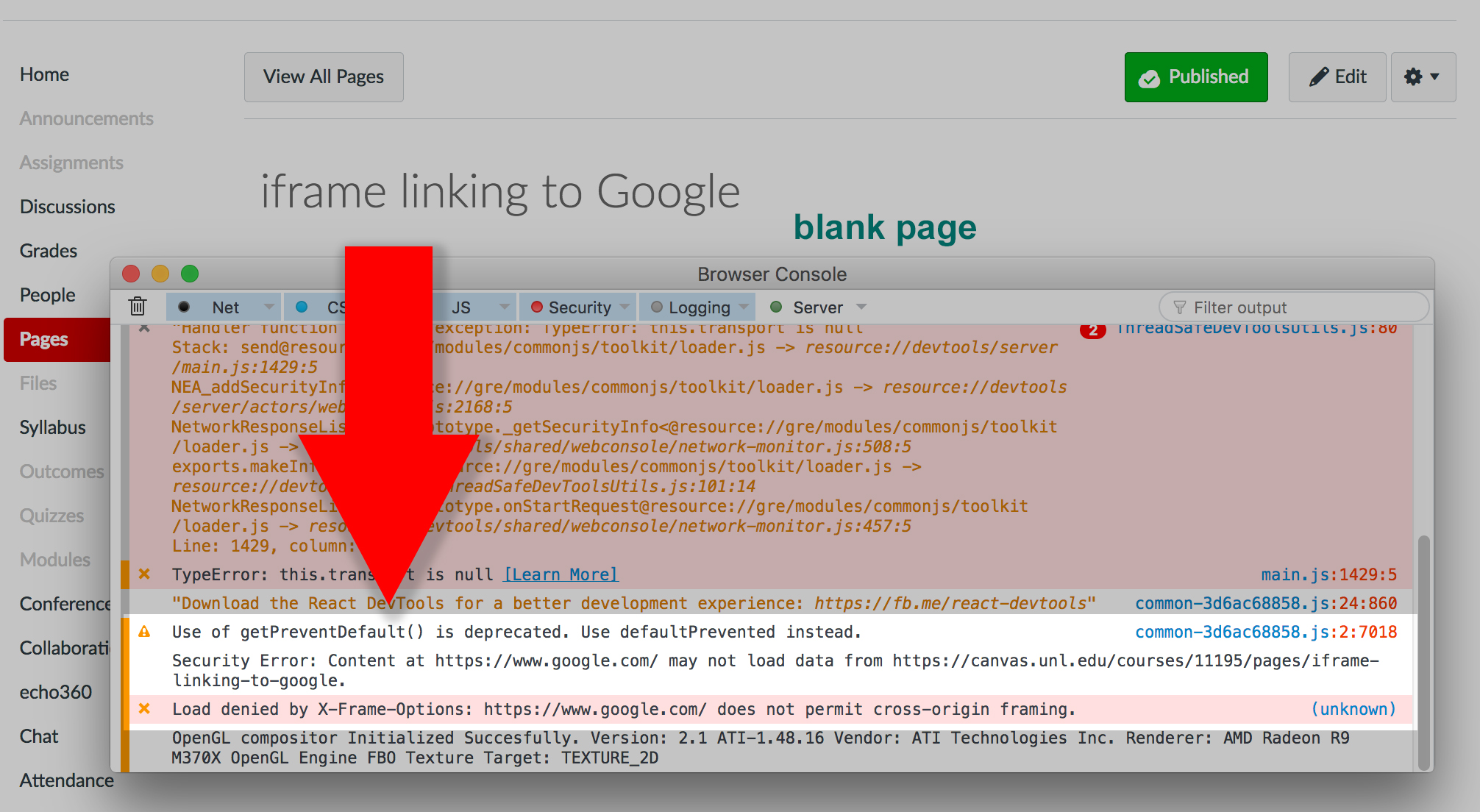
When viewing the page, it came up blank. I just got my title “iframe linking to Google”.
On my Mac in Firefox I used the CMD/CNTRL shift J to bring up the console display as shown below:
Here, I was able to see that X-Frame was indeed blocking my iFrame code from working. Check your own browser and platform for seeing this code.
How do I know if my iframe content will display?
First, only a secure site starting with https will work as iframe code. If you want to refer to a link starting with http, you the link tool and have the link open in a new tab or window.
If you want to dig into html code, potential problems can be analyzed using the inspect element function of your browser on their page. Or, by viewing the console error when a page that is iFramed is not showing. Here you might see the X-Frame issues as I did above.
Suggestions
Whenever possible, get the embed code from the site that you want to use in the iFrame. For example, in Google Maps, you can get the embed code from the maps menu. Just look for the embed/share code.
In YouTube and Box there is an area where you can get the embed code for folders or documents. Once you have the embed code, paste into the html area of the page editor.
Too many Discussion Board Notifications?
Perhaps you need to stay current on discussion board posts in just one class so you've set your notifications to immediate notifications or even a daily summery.
While you can't control which course you get notifications from, you can control notifications from discussion board posts that you don't need notifications from.
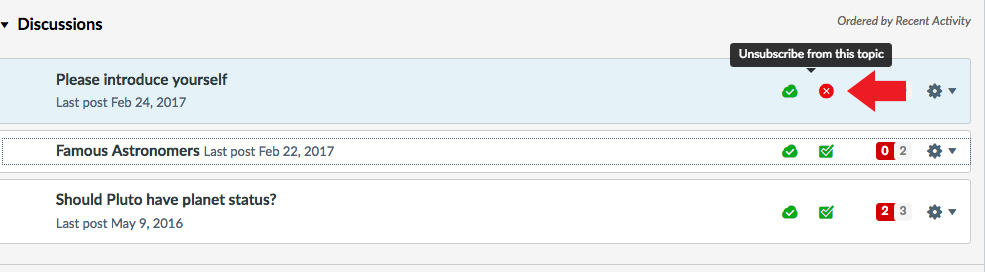
Simply click the "Unsubscribe" icon next to any discussion board post you don't want notifications coming from. Do this for any discussion board post where notifications aren't needed.