Intelligent Insights is a legacy add-on product. Its advanced analytics are now available in Canvas Plus and Canvas Next and its AI-powered Insights (IgniteAI Ask Your Data) are now available in Canvas Next.
Administrators can manage feature options for Intelligent Insights within the account settings.
View the video transcript
00:09: In global navigation, click the admin link, then click the name of the account.
00:21: Each Intelligent Insights feature
00:22: includes a feature description.
00:24: Click the arrow icon
00:25: next to the feature to expand the feature box and display the description.
00:30: The Feature Preview tag means opting in includes ongoing updates outside the regular
00:35: release schedule.
00:37: Each feature displays a feature state. As a Site Admin, you can choose to enable or
00:42: disable features by default.
Open Account
In the Global Navigation, click the Admin link [1]. Then click the name of the account [2].
Open Settings
In Account Navigation, click the Settings link.
Open Feature Options Tab
Click the FeatureOptions tab.
View Feature Options
Each Intelligent Insights feature includes a feature description. Click the arrow icon next to the feature to expand the feature box and display the description.
The Feature Preview tag means opting in includes ongoing updates outside the regular release schedule.
View Feature States
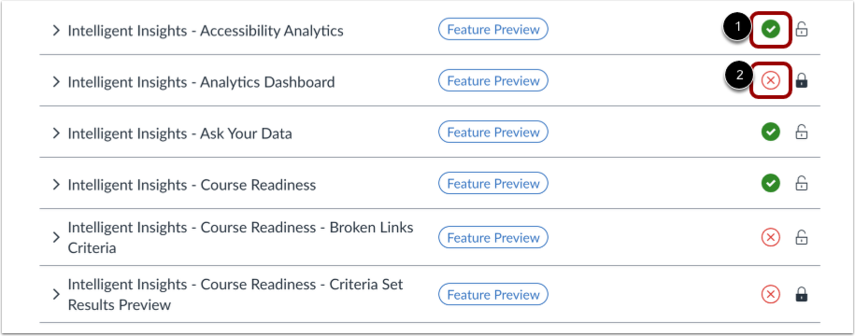
Each feature displays a feature state. As a Site Admin, you can choose to enable [1] or disable [2] features by default.